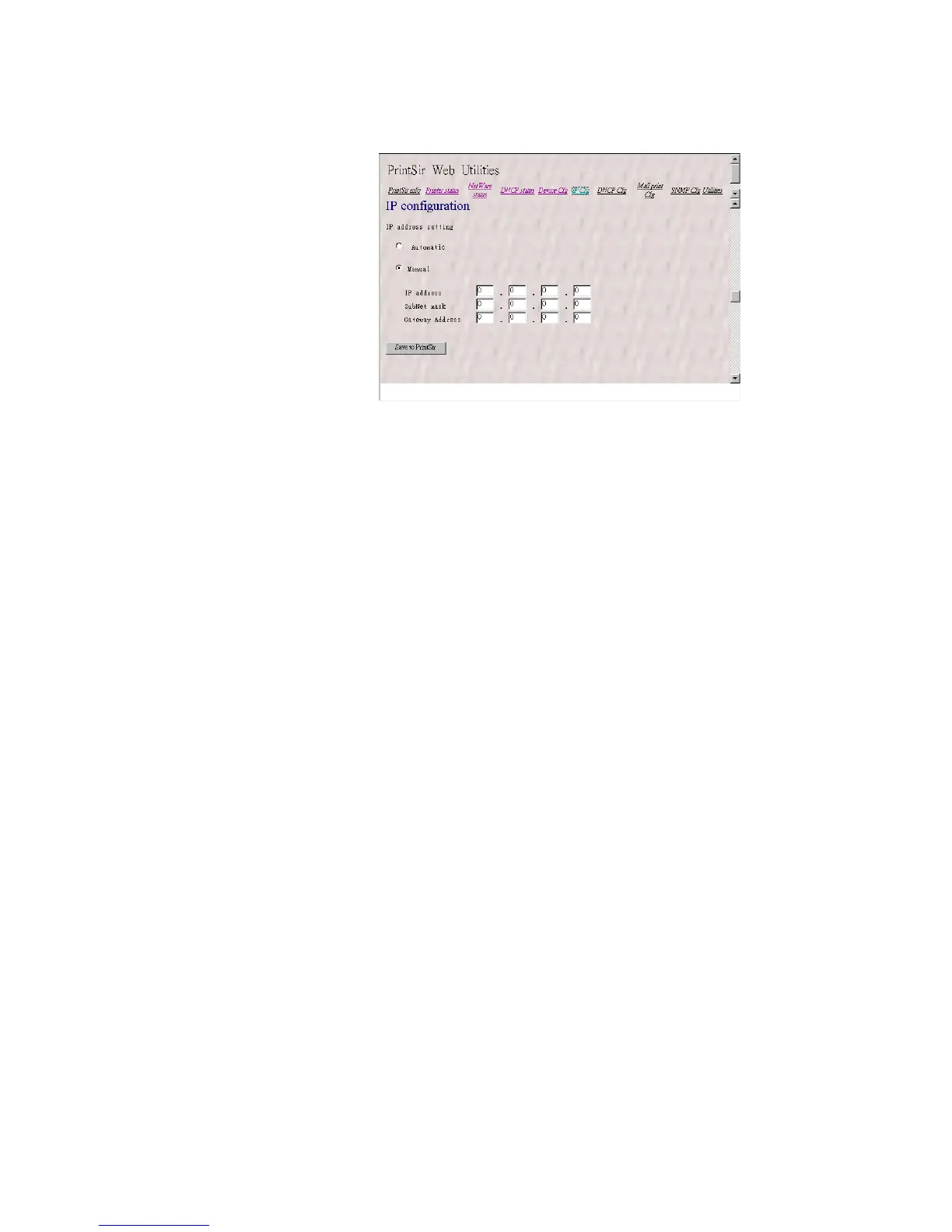
8.3.7 Setting IP Address
The IP Cfg page allows you to configure the IP
address where the PrintSir is to be located. The PrintSir
will obtain its IP address automatically by the protocol
DHCP, BOOTP, RARP if you configure the IP address
as Auto. Click Save to PrintSir button to save the
configuration to the PrintSir.
The PrintSir will verify your password (it will
ignore the User Name item) when you save the
configuration. Make sure to reset the PrintSir
(described in section 8.3.11 System Utilities ) to let the
changes take effect.
8.3.8 Configuring DHCP Parameters
The PrintSir can be configured as DHCP server to
provide dynamic IP addresses assignment. The DHCP
Cfg page allows you to set:
101




 To Next Page