20 Version of November 22th, 2021
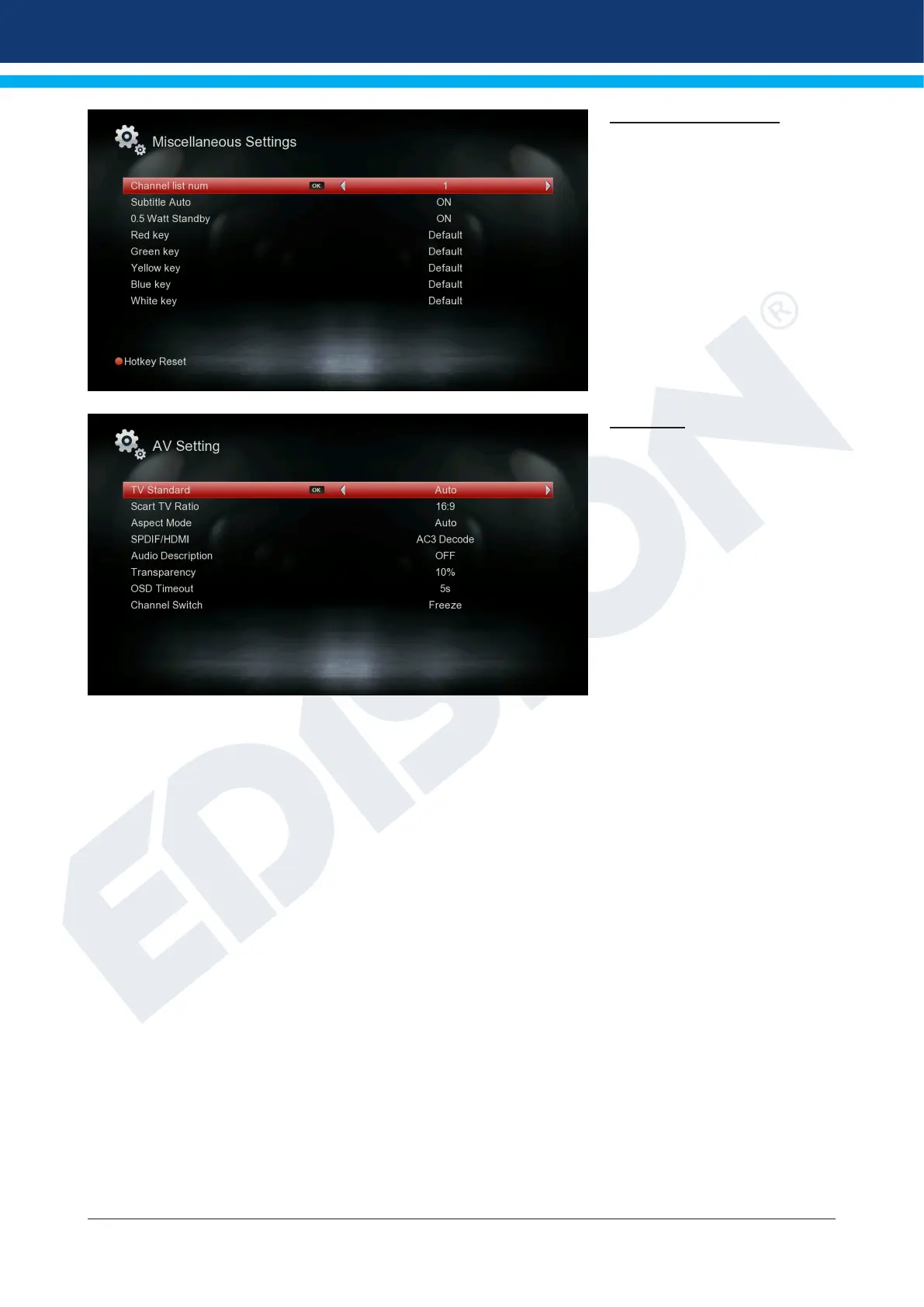
Miscellaneous settings
Channel list num: Set channel
list number
Subtitle Auto: Here you can set
subtitle display options.
0.5 Watt Standby: Setting
‘ON’ or ‘OFF’
AV setting
TV Standard:
The options Auto, 576i, 576p,
720p_50, 720p_60, 1080i_50,
1080i_60, are available,
1080p_50 and 1080p_60.
Scart TV Ratio:
Adjust here the aspect ratio of
the image to be displayed (4:3
or 16:9)
Aspect Mode: Choose between (Automatic, 4:3 Letter Box, 4:3 Pan Scan)
SPDIF/HDMI: Here you can adjust the function of the digital Audio output.
Audio Description: Choose between (ON, OFF)
Transparency: Adjust the transparency of the frame on the screen
OSD Timeout: Set Menu duration from 3 to 10 seconds
Channel Switch: Choose between (Freeze, Black)
Exit the “AV Settings” menu by pressing the EXIT key.















 To Next Page