2.32 Programming Manual
4) Supervisory Open Set: The address of the output, preceded by a
priority, will be turned ON (assuming that the priority is higher than the
output’s reset priority) when the alarm zone senses an open or when an
alarm monitor module has lost communications. This output may be a
relay on a standard option card, an LED of the remote annunciator, an
output on a control module (i.e., M500CF, SIGA-CR, SIGA-UM), or
an output pseudo point.
5) Supervisory Open Reset: The same as 4) Supervisory open set except
the output is turned OFF (assuming that the priority is higher than the
output’s set priority).
6) Supervisory Open Action: This action number is performed when the
alarm zone is open or the monitor module has lost communications.
7) Test Alarm Action: This action number is performed when the zone
is in the alarm condition AND the zone is in the test mode.
8) Test Sup. Open Action: This action is performed when the zone is
open AND in the test mode.
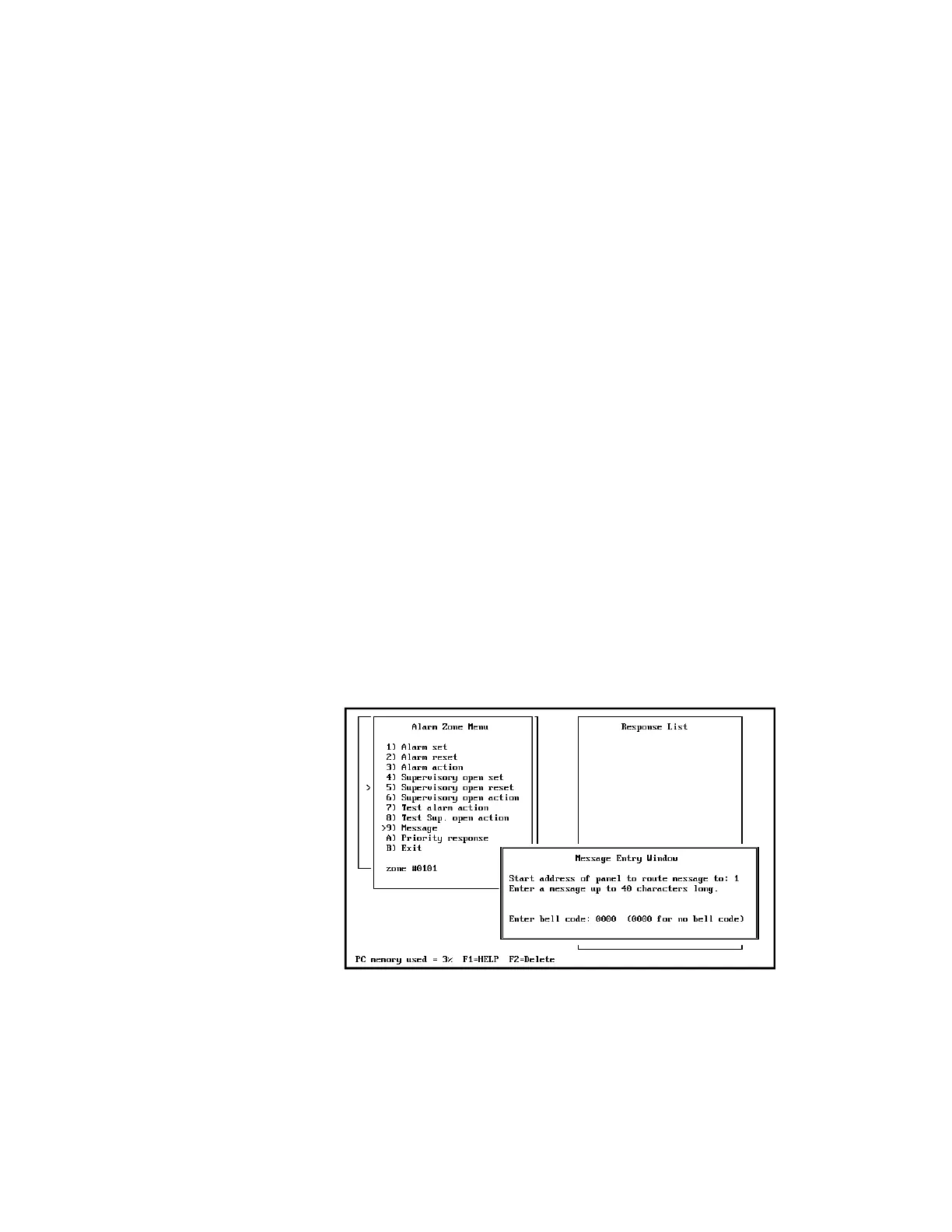
9) Message: A 40-character message may be entered. The message must
be a generic message indicating the location of the zone or device. The
message should not contain information concerning the status of the
zone because this status is indicated by the standard default zone header
which precedes this programmed message. This message will be printed
and displayed upon both the activation and the restoration of the zone.
A) Priority Response: This item is toggled by pressing Enter while the
cursor is located at the A) Priority response menu item. If this zone is
defined as a priority response, the zone response information is
physically located in the CM1(N). All zones in IRC-1 and CM2 must be
made Priority Responses.
When selecting 9) Message from the menu, the following is displayed:
A message must be entered for each identified zone or a warning will be
displayed upon the activation of that zone/device. If a coded system is
not required, press Enter to bypass the code section of the message. If
coding is required, either of two methods (Master Coding or Zone
Coding) may be used to provide a code for audible circuits.



 To Next Page