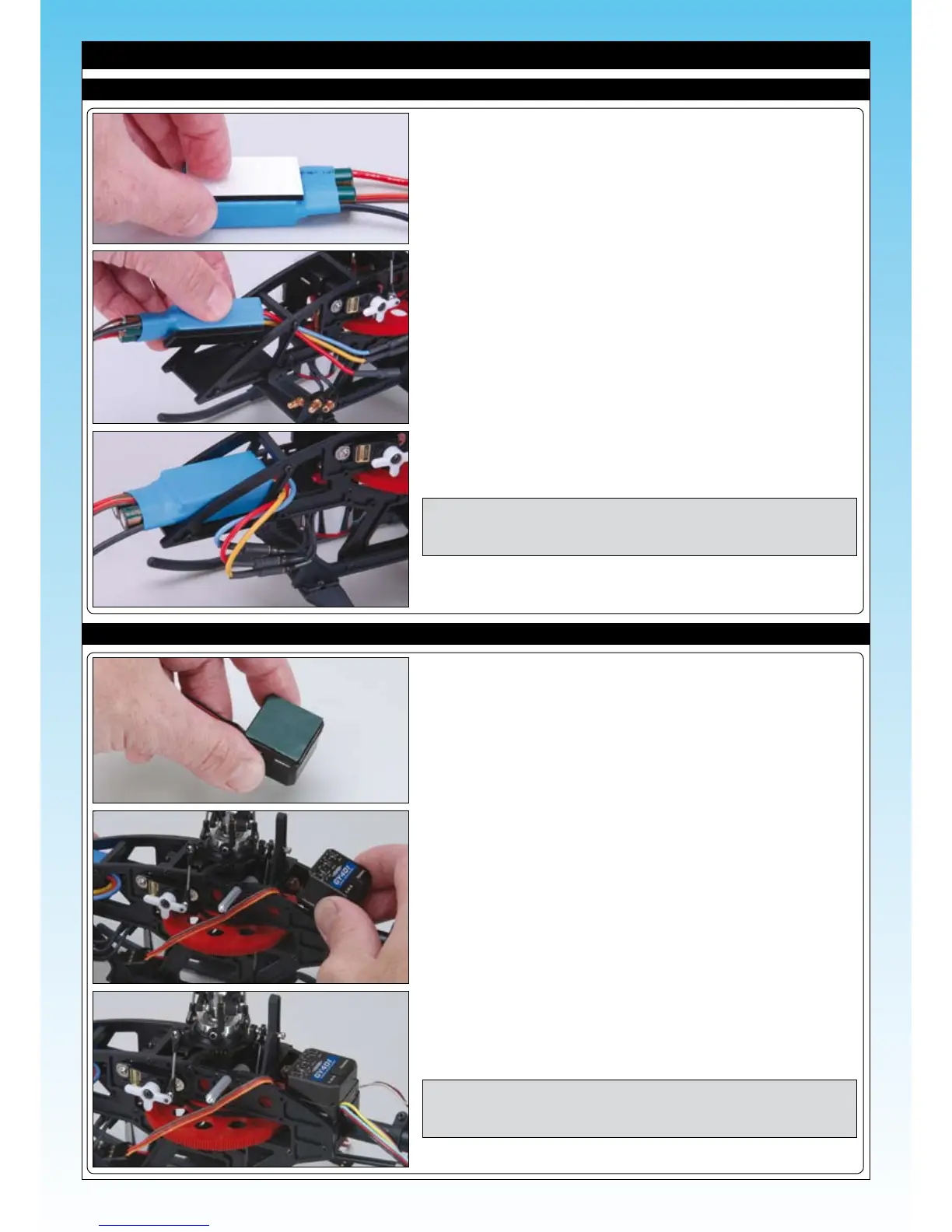
❑ Cut a length of Velcro (hook and loop material) from the strip supplied.
Peel off the backing paper from one side and attach it to the underside
of the ESC as shown
INSTALLING THE ELECTRONIC SPEED CONTROLLER
❑ Now peel off the backing paper from the second side.
❑ Slide the motor connectors through the sideframes.
❑ Press the ESC into position between the frames as shown.
❑ Connect the three motor wires from the ESC to the motor’s connectors.
❑ Please refer to the separate instruction sheet for details on how to set-up
and use the ESC.
NOTE The motor wires are only temporarily connected at this stage as
two may need to be reversed to achieve the correct motor rotation
later.
❑ Cut a length of double sided tape (not supplied) and attach to the underside
of your gyro.
❑ Peel off the backing paper from the double-sided tape and attach the gyro
between the main frames on its mount behind the main shaft.
❑ Press the gyro down rmly in position.
NOTE If using a gyro without servo-reversing, make sure you install it
in the correct direction - see the installation instructions supplied
with your gyro for more information.
INSTALLING THE GYRO



 To Next Page