19
Guide
1. Find a place to mount that suites following
parameters:
a. at surface
b. with open sky view (away from mountains, big
rocks, forest)
c. away from sources of electromagnetic radiation
(generators, power lines, etc.)
d. away from large metal constructions
e. if possible, consider installing base station higher
than the eld you are performing operation on
(e.g. on the hill where the eld is under that hill)
2. If using RTK Bee Station in Radio (LoRa) mode always
connect radio antenna before turning it on.
3. If using RTK Bee Station in Wi-Fi mode it is required
to supply Wi-Fi access with Internet connection. If
stationary access point is being used, please follow
point 3 from RTK Bee Station stationary installation.
If portable access point is used - keep it as close as
possible to the base station but no closer than 30cm.
4. Install tripod mount, use level bubble (if any) to
achieve horizontal position
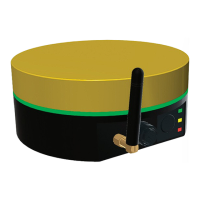
5. Mount RTK Bee Station by magnets or thread mount.
6. If base station is required to operate for more than 24 hours you may provide an
external battery, keep it no closer than 30cm to the RTK Bee Station, connect and
lay down the power cable. Otherwise, remember to turn o antenna when not in
use and charge batteries when they are discharged.
DO NOT’S
Do not change
orientation of
antenna
Do not use wire
to tie antenna in
place
Do not put
portable hotspot
directly near RTK
Bee Station
Do not use tripod
that can overturn
on the wind
Do not extend
tripod to
maximum height
if it makes RTK
Bee Station
unstable


 To Next Page