3
Dear customer, we are very happy that you have ordered FieldBee tractor navigation
system. We hope that it will become a real helper for you.
This is the user guide and installation manual for the FieldBee tractor navigation
system. We did our best to make it simple and easy-to-use, however in case you have
any questions you are welcome to contact us via chat in the app or on our website
www.efarmer.mobi or write to us at support@efarmer.mobi.
WHAT IS THIS
FieldBee tractor navigation system - it provides high accuracy (0-4 cm), it is easy to
install and change between tractors, it is used on your smartphone/tablet and can be
upgraded to the automatic steering system.
The FieldBee sensor works with eFarmer smartphone app for tractor navigation,
tracking, mapping and record keeping.
The FieldBee sensor may be used with other applications and systems, such as
automatic steering and variable rate application. In such cases, it needs a special
version of the software that can be ordered by contacting at info@efarmer.mobi.
WHAT DOES IT DO
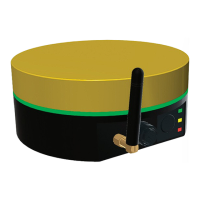
The FieldBee is a smart sensor that improves accuracy of GPS signal so that tractor
operations or eld measurements are done with high accuracy.
HOW TO USE IT
There are 3 ways to use the FieldBee:
1. FieldBee as standalone sensor. Accuracy 0-1 m
2. With RTK correction provider. Accuracy 0-4 cm
3. With RTK Bee Station. Accuracy 0-4 cm
a. in Radio (LoRa) mode
b. in Wi-Fi mode
INTRODUCTION


 To Next Page