USV ME1000/1500 Instruction Manual
6.1.1 Warning, indicator and operating elements:
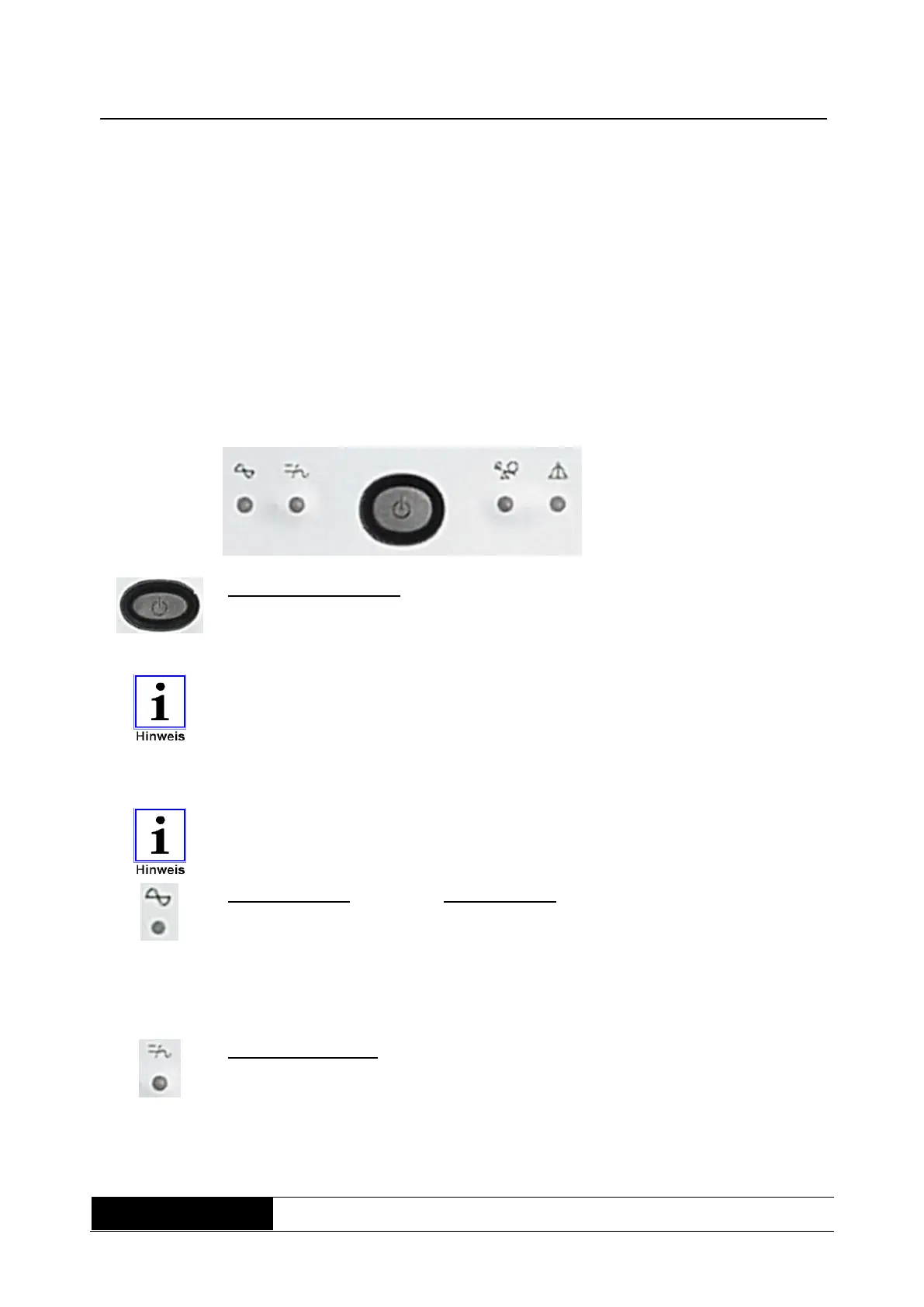
All of the indicator elements and the “ON/OFF” button are grouped together on
this panel. All information on the device status of the equipment is available at
a glance (Fig.3). In additional, various different audible alarm notifications are
presented.
6.1.2 Operator control elements of the UPS
Fig. 3:
Display and
operator control
panel
ME series
UPS “ON/OFF” switch:
When the UPS is powered down, it can be switched on using this switch.
When switching on without a power supply (DC start), the connected load
should not exceed 80% of the specified maximum load.
Providing the mains power supply remains on via the fuse (positioned at the
rear of the UPS), the charging unit also continues to operate even after the
UPS has been switched off.
6.1.3 Display elements of the UPS
In general, all display elements only become active when the UPS is powered
up.
Line mode LED: (multi-function)
a) If mains power is available, the LED lights continuously.
b) In charging mode the LED flashes every two seconds
c) In the event of an overload, the LED lights continuously and the alarm
sounds.
Support mode LED: (Inverter)
The LED flashes every two seconds in the event of mains power failure
(inverter active)



 To Next Page