EasyManua.ls Logo

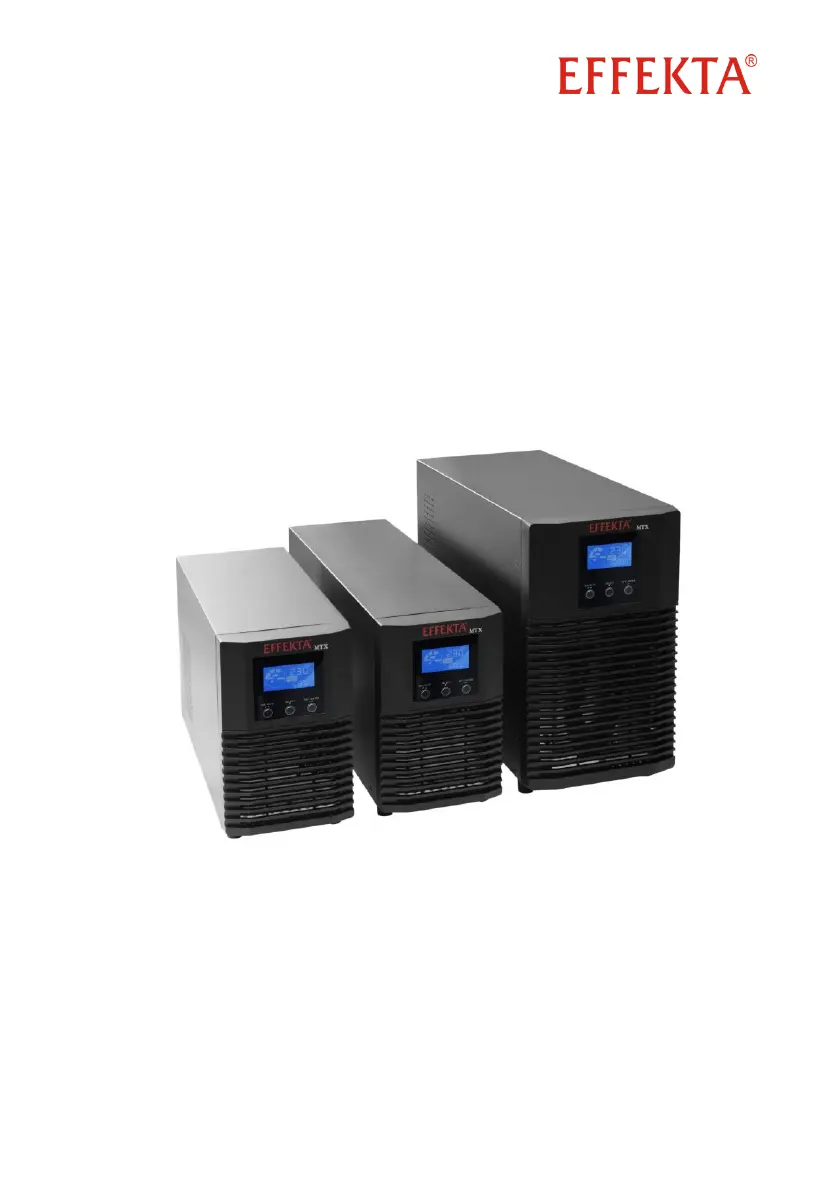
Effekta USV MTX Series - User Manual

Effekta USV MTX Series
60 pages
Print Icon
To Next Page IconTo Next Page
Loading...
UPS
Uninterruptible Power Supply
USV MTX Series 800 - 3000 VA
(Line-Interactive)
Operating Manual V 1.5
Versions / part number:
800 VA /
ACX11MXS80000000
1100 VA /
ACX11MXS1K100000
1500 VA /
ACX11MXS1K500000
2000 VA /
ACX11MXS2K000000
3000 VA /
ACX11MXS3K000000
Translation of original operating manual

Questions and Answers

  • R
    Rachel RichardsAug 5, 2025
    Why is the autonomous time shorter than expected on my Effekta USV MTX UPS?
    • C
      Christopher FisherAug 5, 2025
      If the autonomous time of your Effekta UPS is shorter than expected, it could be due to two main reasons. First, the battery bank may not be fully charged. To resolve this, ensure you charge the battery bank completely, considering its capacity and charge current, and then recheck the autonomous time. Alternatively, the batteries in the battery bank might be degenerate or defective.
  • T
    Timothy SmithAug 10, 2025
    What to do if the warning indicator is blinking on my Effekta USV MTX UPS?
    • A
      Aaron SheppardAug 10, 2025
      A blinking warning indicator on your Effekta UPS can indicate several issues: * The emergency power off (EPO) is active. In this case, remove the EPO triggering and restart the system. * Phase and neutral conductors are reversed. If using a Schuko plug, rotate it 180° in the wall socket. For a fixed connection, exchange the phase and neutral conductors. * The internal or external battery bank is not properly connected. Check the connection of the internal and/or external battery bank. * The UPS output is overloaded. Remove the high load on the UPS output. Depending on the overload, the loads may be supplied by the bypass.
  • N
    Nicholas CallahanAug 16, 2025
    What does error code 43 mean on my Effekta USV MTX UPS?
    • J
      John ClarkAug 16, 2025
      If error code 43 and a symbol appear on your Effekta UPS, it means the UPS is automatically switching off due to a serious overload at the output. To fix this, remove the very high load at the output and then restart the UPS.
  • D
    darrenharrisAug 22, 2025
    What does error code 14 mean on my Effekta USV MTX UPS?
    • A
      Aaron KentAug 22, 2025
      If error code 14 and a symbol appear on your Effekta UPS, it indicates that the UPS is automatically switching off due to a short circuit at the output. To resolve this, find and resolve the short circuit at the UPS output, and then restart the UPS.
  • D
    danielmccannAug 29, 2025
    How to troubleshoot no display on Effekta UPS when network is present?
    • M
      Michelle FaulknerAug 29, 2025
      If there is no display on your Effekta UPS even when the network is present, the power supply or the UPS input might not be properly connected. Check the network connection in the wall socket and the fixed connection at the UPS input to ensure they are secure.

Summary

Critical Safety Instructions for UPS Usage

Proper Use Guidelines

Guidelines for using the UPS according to its intended design and purpose.

Personal Injury and Property Damage Prevention

Measures to prevent injury and property damage during UPS operation and maintenance.

Connection Safety

Detailed instructions and safety warnings for connecting the UPS.

Working with Accumulators Safely

Safety precautions and risks associated with handling UPS accumulators.

Maintenance, Service, and Malfunction Safety

Safety measures and procedures for maintenance, service, and handling malfunctions.

EFFEKTA UPS MTX Series Device Overview

Device Components of the UPS

Description of the UPS's front panel, display, buttons, rear panel, and labels.

UPS Installation and Connection Guide

Input and Output Connection

Detailed instructions for connecting the UPS to mains power and loads.

Emergency Shutdown and Load Dropping

Connecting an emergency shutdown mechanism (EPO) to the UPS.

UPS Operation and Maintenance Procedures

Setting the Operation Parameters (SETTINGS)

Guide to configuring UPS operational parameters via the device settings menu.

First-Time UPS Initialization and Setup

UPS Status Messages and Error Code Reference

Warning and Error Messages

Comprehensive table of warning/error symbols, acoustic signals, and error numbers.

UPS Troubleshooting Guide and Solutions

UPS Management and Monitoring Software

UPS Maintenance and Service Procedures

Replacing Components; Accumulators

Instructions for replacing UPS components, focusing on accumulators.

EFFEKTA UPS MTX Series Technical Specifications

Effekta USV MTX Series Specifications

General IconGeneral
Frequency50/60Hz
Operating Temperature0-40°C
Storage Temperature -15-45°C
Humidity0-95% non-condensing
CertificationsCE, RoHS
Form FactorTower
TypeLine Interactive
Real Power600W/900W/1200W
Output Voltage220/230/240VAC
Battery TypeSealed Lead Acid
Backup TimeVaries depending on load (typically 5-30 minutes at half load)
Communication InterfaceUSB
Protection FeaturesOverload, short circuit, overvoltage, surge protection
DimensionsVaries by model
WeightVaries by model
OutletsVaries by model
Apparent Power1000VA/1500VA/2000VA
Power Factor0.60

Related product manuals