EasyManua.ls Logo

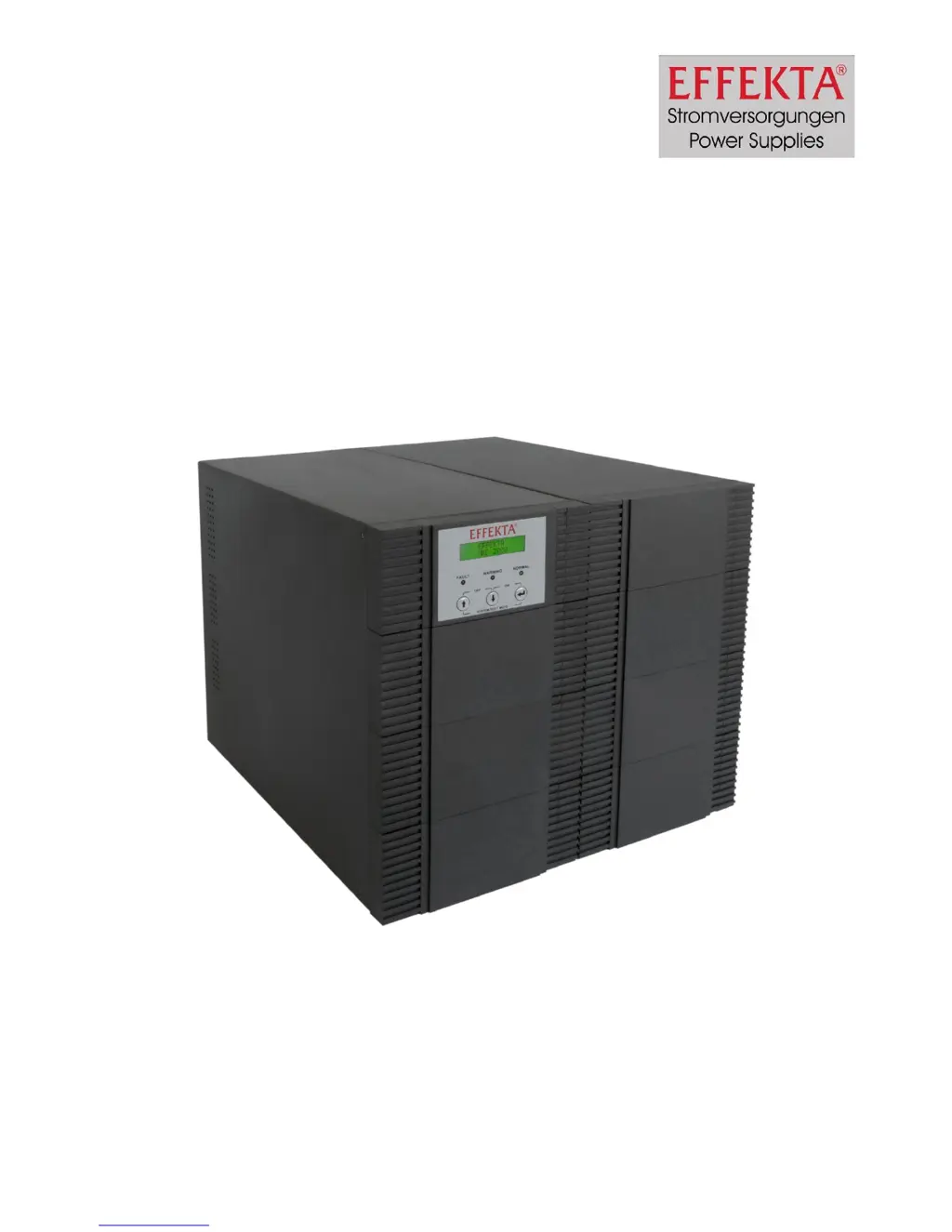
Effekta MKD 3000 - User Manual

Effekta MKD 3000
45 pages
Print Icon
To Next Page IconTo Next Page
Loading...
UPS
Uninterruptible Power Supply
MKD 2000 / 3000 XL
Manual
Item number: ACX11MKS2K0000XL
ACX11MKS3K0000XL
Version V1.1 May 2010

Questions and Answers

  • L
    Lynn ThompsonAug 13, 2025
    What to do if my Effekta MKD 3000 UPS shows 'Overload fault'?
    • M
      Matthew LopezAug 13, 2025
      If your Effekta UPS is in bypass mode with the fault LED glowing, the display showing 'Overload fault,' and an acoustic alert sounding, it means the UPS is overloaded. To resolve this, disconnect some of the connected machines from the UPS until the load display indicates 100% or less.
  • D
    Darius TaylorAug 17, 2025
    Why is the autonomy time lower than nominal on my Effekta UPS?
    • J
      Joseph JohnsonAug 17, 2025
      If the autonomy time of your Effekta UPS is lower than expected, it could be that the accumulators are not fully charged or some are defective. Try loading the accumulators for more than 8 hours and then retest. If the issue persists, the accumulators may need to be replaced.
  • J
    John HarrisAug 21, 2025
    How to fix an Effekta MKD 3000 with no function, display, or warning message?
    • G
      gmcgeeAug 21, 2025
      If your Effekta UPS has no function, no display, and no warning message, it may not be getting power or is not switched on. Ensure all connections are correct by checking voltage measurements and switch the UPS fuse on.
  • J
    Joseph HortonAug 25, 2025
    What to do if connected machine does not work with Effekta UPS?
    • M
      Mr. Eric RodgersAug 25, 2025
      If your Effekta UPS is working but the connected machine isn't, the connection between the UPS and the machine may be defective. Check the connection and confirm it by taking voltage measurements.
  • R
    Rachel HernandezAug 28, 2025
    What to do if Effekta MKD 3000 UPS shows 'Temp. fault'?
    • C
      Christopher MillerAug 28, 2025
      If your Effekta UPS is in bypass mode, the fault LED is glowing, the display shows 'Temp. fault', and an acoustic alert is sounding, it indicates that the internal temperature of the UPS is too high. Switch off the UPS, disconnect the connected machines, and call customer service.
  • S
    scott29Sep 1, 2025
    How to start Effekta MKD 3000 if it doesn't start?
    • T
      Tina ButlerSep 1, 2025
      If your Effekta UPS cannot be started and there is no warning message, ensure that you push the ON buttons for about 2-3 seconds.
  • R
    robbinschristopherSep 5, 2025
    What to do if Effekta MKD 3000 shows 'Inverter fault'?
    • M
      Martha MillerSep 5, 2025
      If your Effekta UPS is in bypass mode, the fault LED is glowing, the display shows 'Inverter fault', and an acoustic alert sounds, the inverter of the UPS is not operational. Switch off the UPS, disconnect the connected machines, and call customer service.
  • C
    Charles BoydSep 9, 2025
    What to do if Effekta MKD 3000 UPS shows 'DC_BUS fault'?
    • A
      allenjohnSep 9, 2025
      If your Effekta UPS is in bypass mode, the fault LED is glowing, the display shows 'DC_BUS fault', and an acoustic alert sounds, the DC bus of the UPS is not operational. Switch off the UPS, disconnect the connected machines, and call customer service.

Summary

Presentation

Warranty conditions

Limitation of liability

Specifies limitations on EFFEKTA GmbH's liability regarding product use.

Safety

General safety instruction

General safety guidelines and warnings for UPS equipment operation.

Transport and storage

Instructions for safe transportation and storage of the UPS unit.

Placement

Guidelines for proper placement and environmental conditions for the UPS.

Connection

Details on how to properly connect the UPS to power and consumer loads.

Operation

Instructions for operating the UPS equipment safely and effectively.

Handling batteries

Critical safety information regarding battery handling, charging, and disposal.

Maintenance, servicing and faults

Guidance on maintenance, servicing procedures, and fault handling.

Introduction

System description

Description of MKD series

Handling elements on the front side

Identifies and describes controls and indicators on the UPS front panel.

LCD display

Details the functions and display information of the LCD screen.

Buttons

Explains the function of each button on the UPS front panel.

LED display

Describes the meaning of the various LED indicators on the UPS.

Elements on the back side

Identifies and describes the connectors and components on the UPS rear panel.

Acoustic alert signs of the UPS

Lists and explains the different acoustic alerts and their meanings.

Storage and unpacking

Storage of the UPS

Guidelines for proper storage conditions and duration.

Unpacking the equipment

Steps for safely unpacking the UPS and checking for damage.

Installation and connecting of the UPS

Connecting the UPS

Detailed instructions and diagrams for connecting the UPS to the mains.

Communicational interface of the UPS

Explains the RS232 serial interface for data exchange with the UPS.

Connection between UPS and battery pack

Procedure for connecting an external battery pack to the UPS.

Connection sequence

Step-by-step guide for connecting the UPS and consumer loads.

Operating and controlling the equipment

Operating of the UPS

Details various operating modes and status signals of the UPS.

Instruction manual of the UPS

Provides instructions for using the UPS, including handling elements and communication.

Setting-up of the UPS

Troubleshooting

Maintenance and service

Measuring and autonomy time

Methods for measuring UPS autonomy time and battery status.

Replacing the batteries

Instructions and safety precautions for replacing UPS batteries.

Service- log

Provides a template for logging maintenance and service activities.

Service - hotline:

Contact information for technical support and safety-relevant inquiries.

Maintenance and service contracts

Information on available maintenance and customer service contracts.

Technical data

Specifications

Detailed technical specifications including power, voltage, and dimensions.

Scope of delivery; optional accessory

Lists included accessories and optional items for the UPS.

List of wearing parts

Identifies components subject to normal wear and tear not covered by warranty.

Requirements for the declaration of conformity

Effekta MKD 3000 Specifications

General IconGeneral
Power Rating3000 VA
Real Power2700 W
Capacity3000 VA / 2700 W
Output Frequency50/60 Hz
TechnologyLine Interactive
Operating Temperature0 - 40 °C
Input Voltage230 V
Output Voltage230 V
Output WaveformSinewave
Battery TypeSealed Lead Acid
Communication InterfaceUSB

Related product manuals