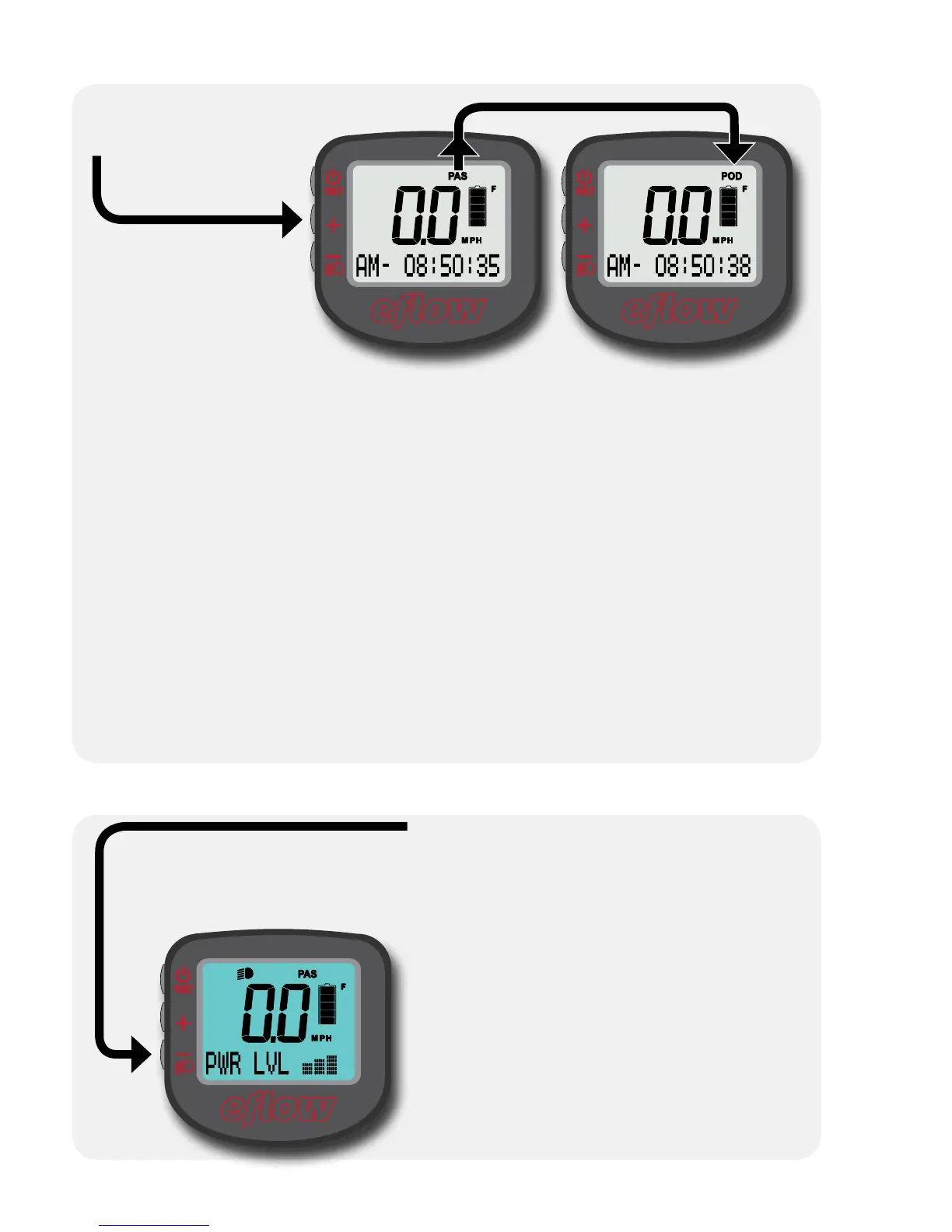
Turning on the headlight and LCD backlight
Hold “–” for 3 seconds to turn on the LCD backlight and the bicycle
headlight/taillight (if present).
The backlight will not function unless
the display is mounted on the bike
(with a battery installed).
Hold “+” for
3 seconds to
change from PAS
to POD.
In PAS mode, the
motor will activate
when the system
senses the rider
applying pressure
to the pedals.
The amount of pedal pressure and the amount of motor assist are
proportional; harder pedaling will result in the motor providing more
assistance.
Use the “PWR LVL” display function to choose between light assist,
medium assist, and strong assist.
The throttle acts like a “boost”, allowing full control over 0-100% of
motor power at any time, regardless of power level.
In POD mode, only the throttle controls motor speed. There is no
power level setting in this mode, as the throttle can always apply
0-100% of motor power. The torque sensor is disabled, and there is no
need to pedal.
Changing the assist mode
p. 31/52


 To Next Page