Operating the EFOY fuel cell
Page 59
3.3 Using the button on the EFOY
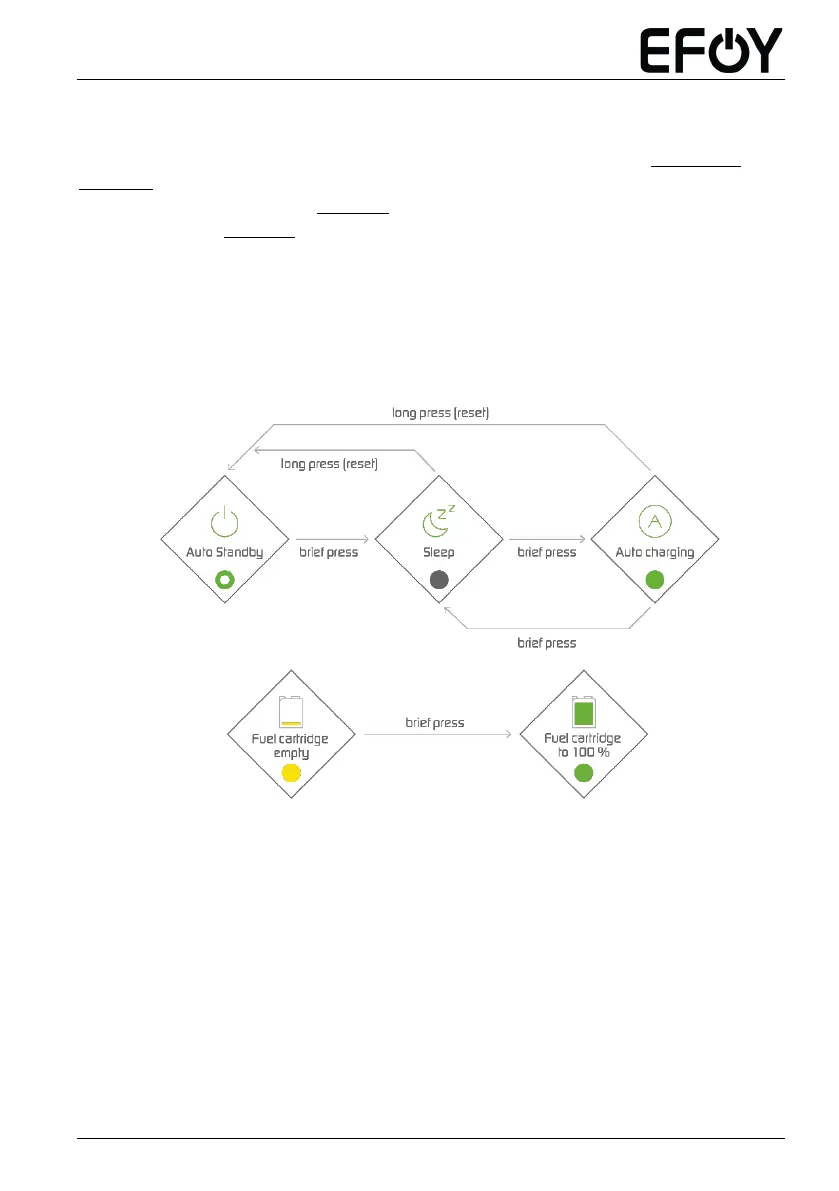
The figure below shows the actions you can initiate with the button (see SECTION 2.2,
NUMBER 6).
The LED status overview (see SECTION 8) also lists all other color codes.
The glossary (see SECTION 9) explains the various different operating modes and statuses
of the EFOY fuel cell.
Button operation procedure: One brief press (less than 1 second) switches between the
operating modes, and one long press (over 5 seconds) initiates a reset.



 To Next Page