©2024 EG4 ELECTRONICS, LLC. ALL RIGHTS RESERVED.
VERSION 1.0 | INFORMATION SUBJECT TO CHANGE WITHOUT NOTICE.
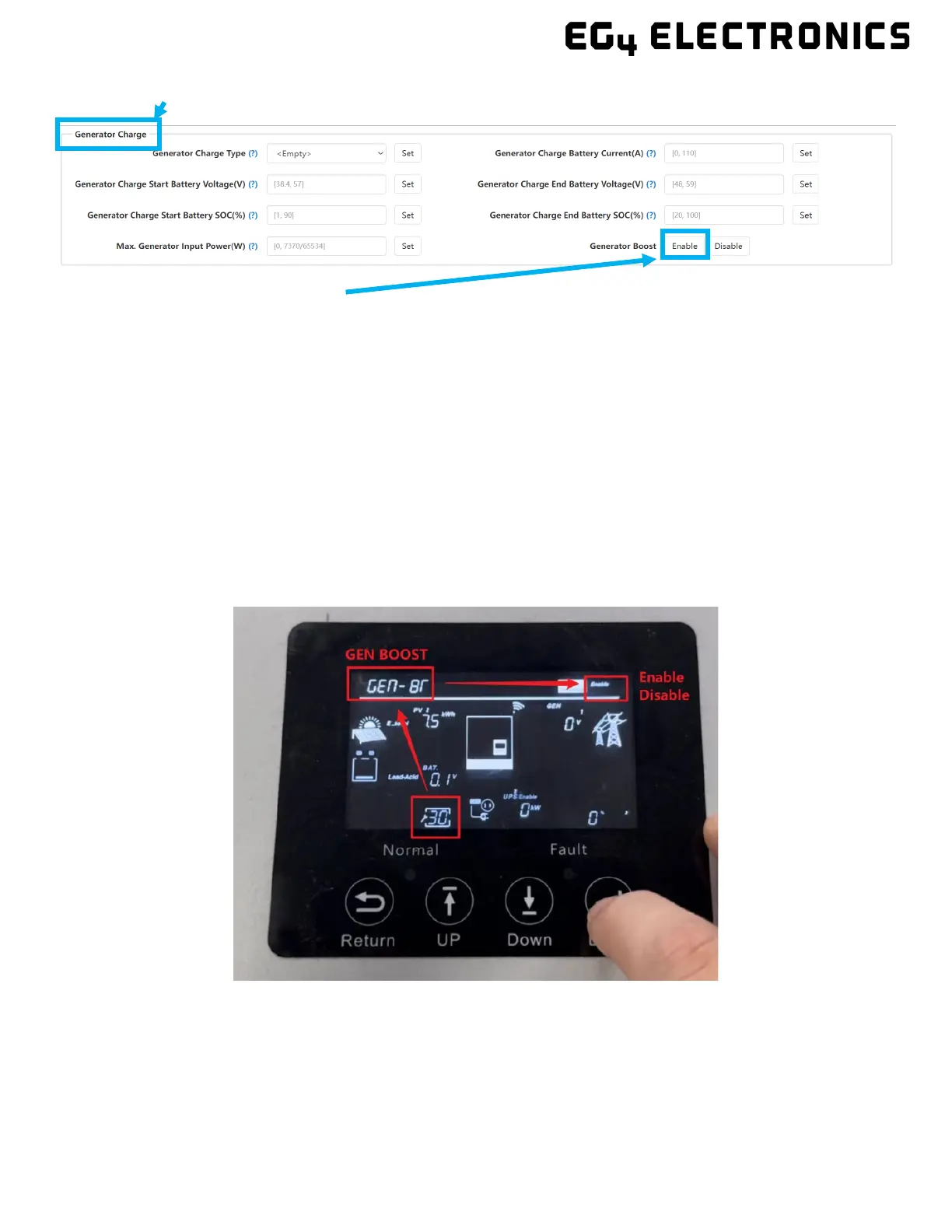
4. Scroll down to the “Generator Charge” sub-section.
5. Enable “Generator Boost”.
ACTIVATING GEN BOOST THROUGH LCD DISPLAY
Follow the steps listed below to activate Generator Boost via the inverter display:
1. Press and hold the “Enter” button on the display for ≈3 seconds to enter the settings menu.
2. Navigate to setting 30 (GEN BOOST).
3. Press “Enter” to confirm the setting that will need changing.
4. Select “Enable” or “Disable”.
5. Press “Enter” to confirm the setting.



 To Next Page