EasyManua.ls Logo

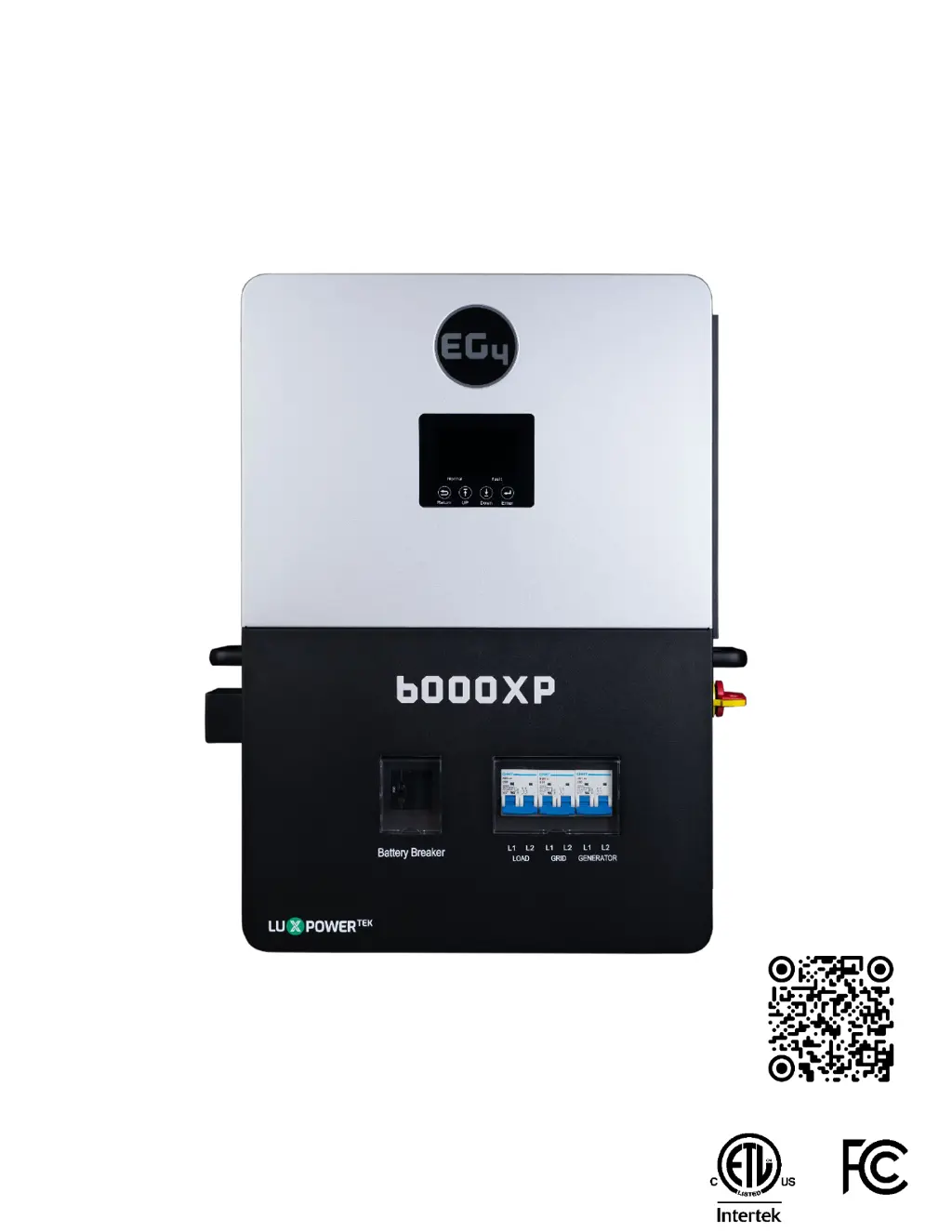
EG4 LuxPowerTek 6000XP - User Manual

EG4 LuxPowerTek 6000XP
64 pages
Print Icon
To Next Page IconTo Next Page
Loading...
© 2023 EG4 ELECTRONICS, LLC. ALL RIGHTS RESERVED.
VERSION 1.1.7 | INFORMATION SUBJECT TO CHANGE WITHOUT NOTICE.
MODEL #: EG4-6000XP
USER MANUAL
OFF- GRID INVERTER
6000XP
SCAN FOR UPDATED
DOCUMENTS

Table of Contents

Questions and Answers

  • J
    Jacob CaseAug 19, 2025
    How to resolve sync trigger signal lost in parallel system on EG4 Inverter?
    • S
      Shawn DiazAug 19, 2025
      If your EG4 Inverter displays 'Sync trigger signal lost in parallel system', make sure the CAN paralleling cables are connected to the correct ports between inverters.
  • S
    Steve BarnesAug 21, 2025
    What to do if EG4 LuxPowerTek 6000XP Inverter shows temperature too high?
    • J
      John MartinezAug 21, 2025
      If your EG4 Inverter displays 'Temperature too high', it indicates that the internal temperature is too high. Turn the inverter off for at least 10 minutes, then restart the system. If the error continues, contact your distributor.
  • E
    epetersAug 23, 2025
    Why does my EG4 LuxPowerTek 6000XP Inverter say PV voltage too high?
    • P
      Pamela NashAug 23, 2025
      If the EG4 Inverter shows a 'PV voltage too high' error, verify that the PV input voltage does not exceed 480VDC.
  • K
    Kimberly RaymondAug 26, 2025
    How to fix bus voltage too high on EG4 LuxPowerTek 6000XP?
    • D
      Danielle SchmidtAug 26, 2025
      If your EG4 Inverter displays 'Bus voltage too high', check that the PV input voltage is not greater than 480VDC.
  • R
    Russell MonroeAug 28, 2025
    What to do if EG4 LuxPowerTek 6000XP Inverter shows UPS output short circuit?
    • E
      Elizabeth ByrdAug 28, 2025
      If your EG4 Inverter displays 'UPS output short circuit', first check the load for a short circuit. If no short circuit is present, turn off the loads and reset the system.
  • R
    Ronnie RobbinsAug 30, 2025
    How to troubleshoot PV short on EG4 LuxPowerTek 6000XP?
    • J
      Jessica RamirezAug 30, 2025
      If you encounter a 'PV short' error on your EG4 Inverter, inspect the PV connections for a short circuit.
  • T
    Terri WebsterSep 1, 2025
    What to do if EG4 LuxPowerTek 6000XP Inverter says no master in parallel system?
    • S
      Stacy RichardsonSep 1, 2025
      If the EG4 Inverter is showing 'No master in parallel system', check the parallel settings for Master/Slave to ensure that only one unit is set as the Master.
  • R
    robin62Sep 3, 2025
    How to fix EPS connection fault on EG4 LuxPowerTek 6000XP?
    • W
      William McphersonSep 3, 2025
      If your EG4 Inverter displays 'EPS connection fault', verify that the inverter and AC connections are correctly installed.
  • J
    Joseph MahoneySep 5, 2025
    How to fix CAN communication error in parallel system on EG4 Inverter?
    • W
      wallacecharlesSep 5, 2025
      If your EG4 Inverter shows 'CAN communication error in parallel system', make sure the CAN paralleling cables are connected to the correct ports between the inverters.
  • M
    Michael ParksSep 7, 2025
    How to troubleshoot internal communication fault 3 on EG4 Inverter?
    • W
      William StewartSep 7, 2025
      If your EG4 Inverter displays 'Internal communication fault 3', restart it. If the error persists, contact your distributor.

Summary

Safety

Safety Instructions

General safety guidelines for inverter installation and operation.

Important Safety Notifications

Critical warnings about hazardous voltage and current for safe operation.

Brief Introduction

Inverter Features

Key features and capabilities of the EG4 6000XP off-grid inverter.

Installation Guide

Packing List

List of items included in the inverter package for installation.

Location Selection and Installation

Guidelines for choosing a suitable installation location and mounting.

Connection Overview

Connecting PV to the Inverter

Instructions for connecting photovoltaic (PV) modules to the inverter.

PV String Sizing

Calculations and considerations for determining PV string configuration and voltage.

PV Wiring Instructions

Step-by-step guide for safely wiring PV strings to the inverter.

Battery Connection

Battery Cable Connection

Procedures for connecting battery cables, including torque specifications.

Lithium Battery Communications

Steps to establish closed-loop communication with lithium batteries.

AC Wiring Information

Steps for AC Connection

Detailed steps for making AC input and output connections to the inverter.

Working with a Generator

Generator System Connection

How to connect the generator to the inverter for backup power.

Off-Grid Operation

Off-Grid Wiring

Wiring considerations for operating the inverter in off-grid mode.

Paralleling Information

Parallel Communication Connections

How to connect multiple inverters for parallel operation via communication cables.

Parallel Configuration

Settings and steps for configuring multiple inverters to work in parallel.

End User Settings

Application Settings

Configuring inverter output voltage, frequency, and AC first settings.

Charge Settings

Configuring battery charging parameters from grid or generator.

Installer Settings

Common Settings (Installer)

General installer settings like time, PV input mode, and battery type.

Application Settings (Installer)

Advanced installer application settings for PV grid off, arc fault, and RSD.

Monitor System Setup

Wi-Fi;4 G;LAN Dongle Connection

How to connect the Wi-Fi/4G/LAN dongle for system monitoring.

Online Monitoring System User Interface

Navigating and understanding the online monitoring system interface.

Firmware Updates

Firmware Update via EG4 App

Instructions for updating inverter firmware using the mobile application.

Firmware Update via Monitor Center

Steps for updating inverter firmware using the EG4 monitoring website.

Smartphone App Setup

Register Your Account

Process for registering a monitoring account for the EG4 system.

Set Wi-Fi Password

Configuring the Wi-Fi dongle's password and connecting to the network.

Operation Guide

AC Charge Mode

How to charge batteries using grid power during off-peak hours.

Rapid Shutdown (RSD)

System compliance and wiring for the rapid shutdown feature.

LCD Display and Settings

Viewing system status, power, and energy information on the LCD.

LCD Settings Configuration

Battery Type and Capacity Settings

Configuring battery type, capacity, charge/discharge limits, and cutoffs.

Maximum Charge and Discharge Current Settings

Setting the maximum charge and discharge current limits for the inverter.

AC Charge Settings

Configuring AC charging parameters, including times, voltage, and SOC.

Parallel Setting Configuration

Configuring inverter paralleling type, phase, and battery sharing.

Inverter Start-Up and Shut-Down Procedure

Inverter Start-Up Procedure

Steps for safely starting up the inverter and connected system components.

Inverter Shut-Down Procedure

Steps for safely shutting down the inverter and system components.

Error and Warning Tables

Error Definitions and Troubleshooting

Definitions and troubleshooting steps for various error codes.

Warning Definitions and Troubleshooting

Definitions and troubleshooting steps for various warning codes.

Inverter Maintenance

Technical Specifications

EG4 LuxPowerTek 6000XP Specifications

General IconGeneral
CategoryInverter
Rated Power6000W
Max DC Input Power7800W
Number of MPPT Trackers2
Battery Voltage48V
Max Charge/Discharge Current120A
Protection DegreeIP65
Frequency50/60Hz
ModelLuxPowerTek 6000XP
CommunicationRS485
Operating Temperature Range-25°C to 60°C
Protection FeaturesOver Voltage Protection, Over Temperature Protection
CoolingFan

Related product manuals