Mounting the platform
A) Mount the platform from behind and push it into the
lock brackets on the mounting frame.
B) Pull out the lock handle and turn it to the left while
pushing it into place.
C) Make sure that the lock handle is correctly fit in the
lock eye. Pull the platform to make sure that it is
locked.
1.7 Drivers seat
Adjust the driver's seat to match the driver.
Height adjustment: Handle 1
Weight adjustment: Handle 2
Forwards/backwards: Handle 3
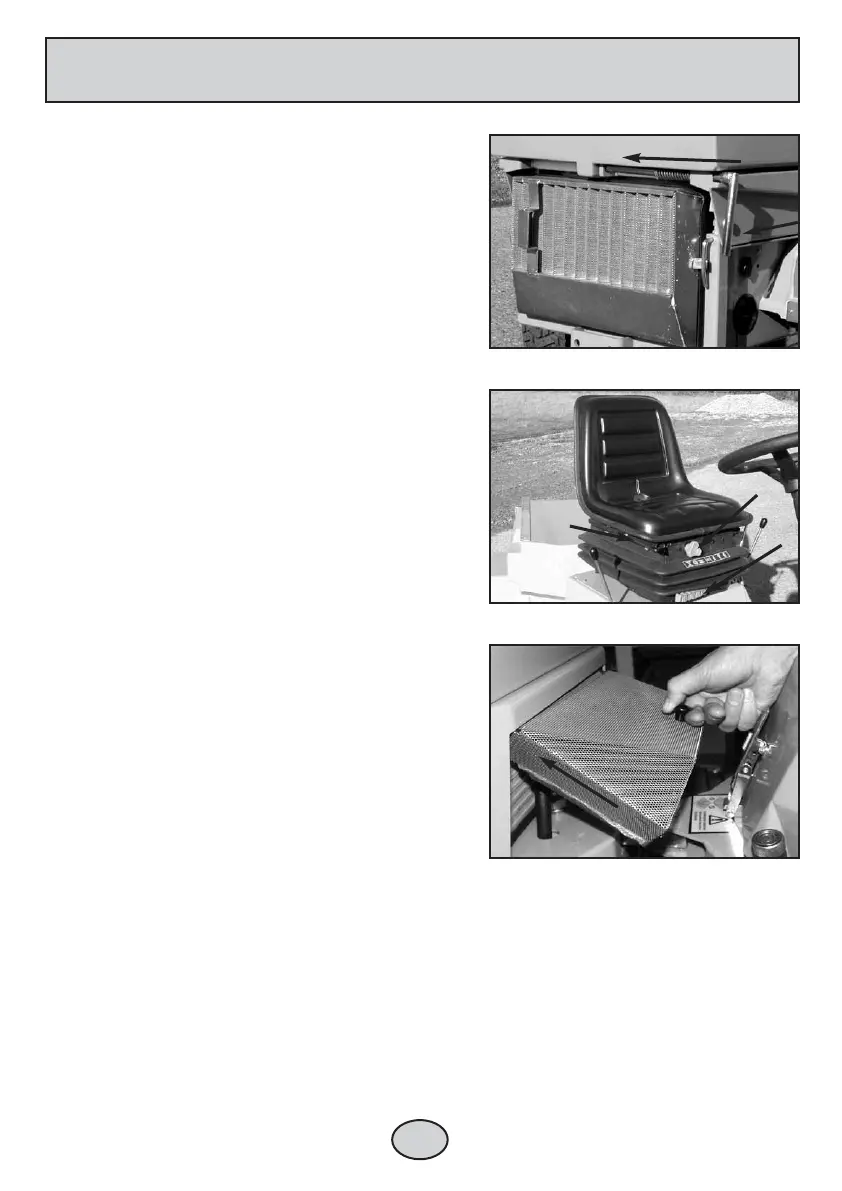
1.8 Oil cooler screen
Dismounting
Pull the oil cooler screen slantingly downwards to
dismount.
Mounting
A) Fit the upper edge of the oil cooler screen under
the edge of the Egholm 2100.
B) Push the oil cooler screen into place.
Lock handle in locked position
Adjustment of the driver’s seat
Fitting the oil cooler screen
12
1. GENERAL INFORMATION
1
2
3


 To Next Page