44.
1206
1205
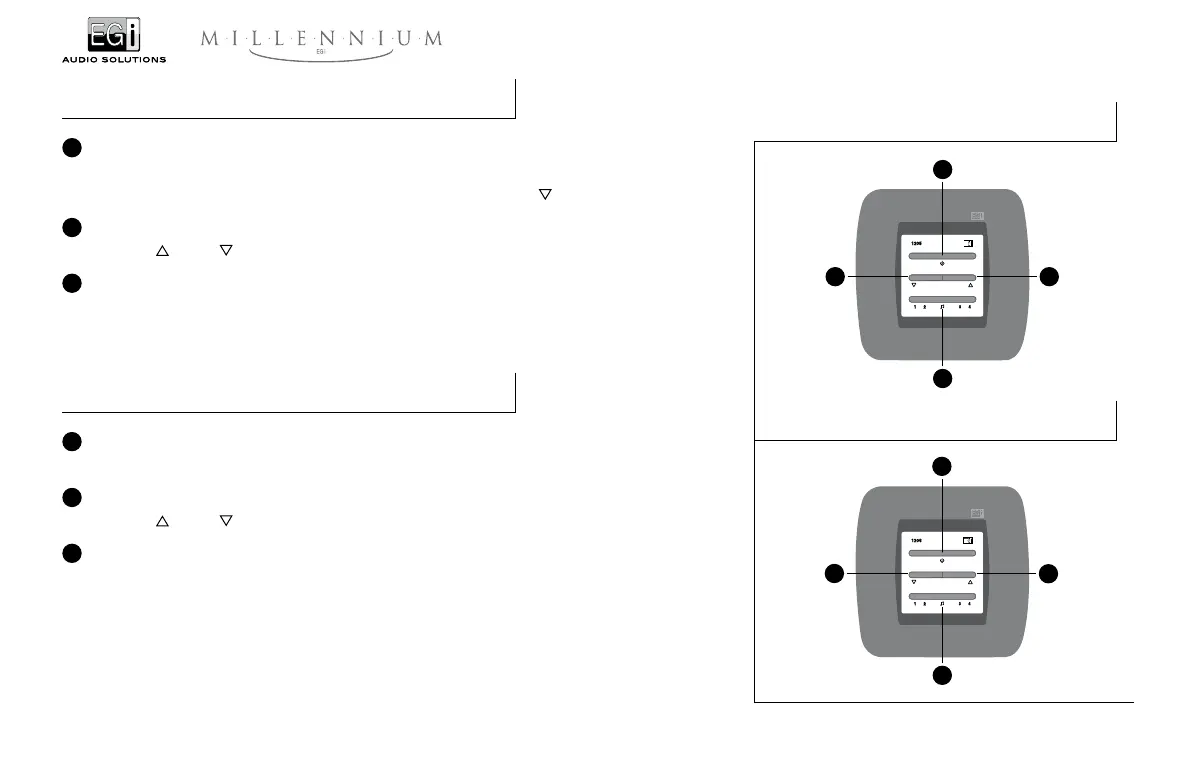
12054-Channel, 1 W Control unit
1 ON/OFF push button
One press turns on and the next press turns off the sound system in that zone.
NOTE: The control unit can be turned on at a moderate volume level by pressing
while the unit is still OFF.
2 Volume regulator
To turn up
or down the volume level of the control unit.
3 Channel selector
This push-button enables the user to select the sound channel that will be played in a zone. Each push will change
between the four available channels, and the selection will be showed by the light of a red lamp.
1206Digital control keyboard
1 ON/OFF push button
One press turns on and the next press turns off the digital amplifier which drives the speakers of that zone.
2 Volume regulator
To turn up
or down the volume level of the digital amplifier to which the digital keyboard is connected.
3 Channel selector
This push-button enables the user to select the sound channel that will be played in a zone. Each push will change
between the four available channels, and the selection will be showed by the light of a red lamp.
NOTE: This module is not a power control amplifier, but a keyboard or remote control for the MILLENNIUM
amplifiers, which it is connected through the lines “4 - L - T”.
1
1
3
3
2
2
2
2


 To Next Page