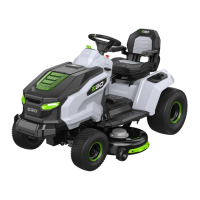
2756-VOLT LITHIUM-ION ELECTRIC LAWN TRACTOR — TR4200E
USB Port
NOTICE: The USB port provides charging power of 5 Voltage DC at up a combined draw of 1.5 Amperes and is powered only when the tractor is
startup.
STOPPING THE TRACTOR (Fig. E20)
WARNING: Always set the parking-brake pedal at parking-brake position when the tractor stops driving on a slope, otherwise, the
tractor may slide down the slope, which may cause serious tractor damage or personal injury!
NOTE: In a situation when the parking-brake pedal is set to the parking-brake position and the operator is off the seat, but the battery packs are
not removed:
◾
In case the LCD screen is turned off, the battery indicators, start/stop button, and CCS button will remain illuminated for 1 hour.
◾
In case the LCD screen shows the “fuel gauge” or operator interface, the tractor will automatically shut off after 1 hour.
Limp-Home Mode
When battery charge becomes critically low, the tractor will go into Limp-Home mode to preserve enough power to travel back to the charging
area.
◾
The blades switch into low rotation speed, which could only cut very little amount of grass. Upon encountering tall and dense grass, the
blades will stop rotating. The audio indicator will sound (beep) intermittently.
◾
The tractor status indicator will flash red every second, both the alert icon (low-power) and the icon of each occupied battery compartment
will blink.
The operator should:
◾
Push the PTO switch downward to turn off the blade motors. The audio indicator will stop sounding when the blade motors stop.
◾
Stop working and get to the charging area as soon as possible. The maximum distance the tractor can travel is 1000m.
When the battery is nearly depleted, both the alert icon (low-power) and the icon of each occupied battery compartment will blink every half a
second. The tractor will stop working immediately. The operator will have to transport the tractor to the charging area for charging.
NOTICE:
If manual pushing is needed, be sure that the batteries are disconnected from the tractor and the parking-brake pedal is released from
the parking-brake position.
DRIVING THE TRACTOR (Fig. E21)
DANGER: Stay at least two mowing widths away from any ditches, drop-offs, or water. Front wheels can rotate when the tractor is stopped,
even with the brake applied, and cause the tractor to go over the edge or into the water and result in death or serious personal injury.
WARNING: Do not operate the tractor on public roadways.
WARNING: If blockage happens or you strike a foreign object, stop the motors and remove the batteries. Remove grass clippings, leaves, dirt
and any other accumulated debris; thoroughly inspect the tractor for damage and repair the damage before restarting and operating the tractor.
NOTE:
◾
During driving, when you leave the seat, the tractor status indicator will turn off. When restarting driving again, sit back on the seat and fully
depress the parking-brake pedal to make the tractor status indicator shine green.
◾
When switching between forward and reverse during driving, move the direction control lever directly from one end to the other without
stopping in the neutral position, otherwise the tractor may stop moving.
USING CRUISE CONTROL (CCS)
To activate (enter) Cruise Control (CCS) (Fig. E22)
NOTE:
The driving speed level shown on the LCD screen may not accurately represent the actual driving speed of the tractor in cruise control.
Press the speed adjustment button to “refresh” the driving speed level on the LCD screen.
To stop (exit) Cruise Control (CCS), you may choose one of the three ways:
◾
Depress the accelerator pedal all the way and keep depressing. The CCS function will stop and the tractor will continue driving.







 To Next Page