TI 001 from 12.03.2010
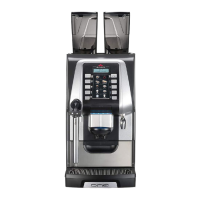
1. Software Release V1.01 for Egro ONE Touch
Due to a problem that occurs when using the software version 1.00 of the Egro ONE Touch we provide
as of now the new software version 1.01.
The bug discovered in the software version 1.00 of the Egro ONE Touch could create a communication
timeout error between the “control board” and the “touch board”.
The error can appear during the navigation in the Technical menu or Manager menu or during the first
start-up procedure.
The software is fully compatible with version V1.00.
A software update is requested for all machines with touch screen using the SW version 1.00.
The new software version 1.01 as well as the description of the installation procedure can be found on
the Egro Webshop. The software is available as zip-file and has to be extracted.
The file “SwRelease_1-01.tar” needs to be copied to an USB stick.
All machines with touch screen from s/n 450177 on will be delivered with the new software version.
Coffee machines with s/n 450001 to 450040 are equipped with a beta software V0.1. There is no
possibility to upgrade these machines to the new software.
2. Egro ONE Touch SW Update Procedure
To upgrade the software copy the file “SwRelease_1-01.tar” on a USB stick and then insert the stick in
the USB slot when the machine is switched on and ready to use.
Follow the instructions on the display by pressing “Software upgrade”, then select the file
“SwRelease_1-01.tar” and press “Update”.
After the software update remove the USB stick and the coffee machine will re-start automatically
showing the new software version.
TB:
SO #388 01/02/2010
SW Version V1.01 25/02/2010
Vocabulary V1.00
CB:
Boot Version V1.00
SW Version V1.00 17/02/2010
Protocol Version V1.00
In case you need further support, please do not hesitate to contact the Egro Customer Support.


 To Next Page