- Checksum for the software package: now the software upgrade procedure has a checksum check to
verify the file integrity. On the USB key you need to have both software files *.tar and a *.md5 file.
This file contains the checksum string of the software package.
- Italian and French on touch: from version 1.02 on Italian and French are included in the software.
- Spanish on keyboard: from version 1.02 on Spanish is included in the software.
- Now it is possible to work in CREDIT mode while using CSI protocol.
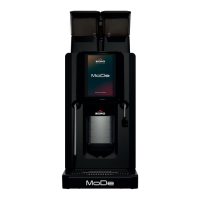
Machines from Egro s/n 450571 and from Rancilio PIN 33543-s/n 0112000119 on are equipped with this
software.
a. Retrofit
The update of the machines is recommended.
Both software versions for the Egro ONE Touch and the Egro ONE Keypad are available for download on
our homepage. If you download the software, please take care that the files are stored in the root of a
USB-pen.
b. Compatibility
The software is compatible with the version 1.01.
2. Service booklet
The service booklet was reviewed and got some minor modifications on the title page and on the
backside. Furthermore we added a column for the cycles in the pages of the break downs.
The new service booklet will be added to the machine in production. It is available for download on our
web-page.
TI 004 from 27.08.2010
Video for Egro ONE Touch
The Egro ONE Touch offers the possibility to play videos on the screen. With this feature promotions for
customer can be played, but also for technical training it can be used.
1. Video Format
The video format is MP4 with a number of parameters, which have to be adjusted.
2. Video Editing Software
To produce a suitable video for the display of the Egro ONE Touch it is necessary to use professional
video editing software (e.g. Adobe Premiere). With such software several parameters can be adjusted.
The main parameters to create a video unloadable on the ONE Touch are:
- NO AUDIO in the video
- VERTICAL Format: 640X480 pixel
- Frame per Second: 25
- LEVEL: 3
3. Educational Video
A video that shows how to set up a new video with the right settings is available on the Egro home page.
This video is not edited for the display of the ONE Touch!


 To Next Page