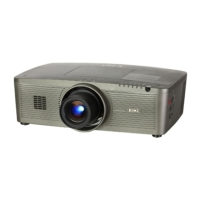
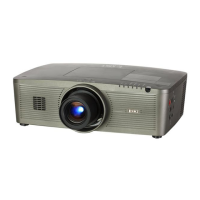
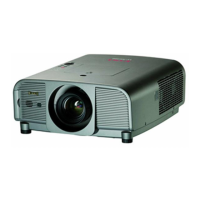
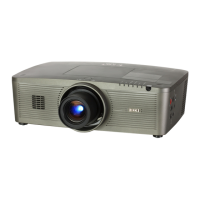
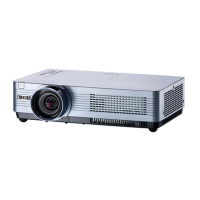
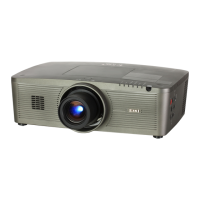
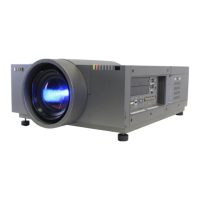
The Eiki LC-300 is an LC Color Video Projector designed for projecting video sources onto a flat surface. It is a portable unit with a carry handle, making it easy to transport.
Function Description:
The projector's primary function is to display video from various sources such as VCRs, video disc players, satellite TV tuners, video cameras, and camcorders. It features both wired and wireless remote control operation for convenience. The projector includes controls for adjusting image parameters like zoom, focus, color, tint, brightness, contrast, sharpness, and keystone correction. It also has an internal speaker and can be connected to external speakers or an external amplifier and speakers.
Important Technical Specifications:
- Projector Type: Portable LC color video projector
- Dimensions (H x W x D): 10" (253mm) x 8.9" (226mm) x 22.5" (572mm)
- Net Weight: 26.4 lbs. (12.0kg)
- LCD Panel System: 3.1" TFT Active Matrix type (Thin Film Transistor) x 3
- Number of Pixels: 331,350 (110,450 x 3)
- Projection Image Size (Diagonal): Adjustable from 25" to 300"
- Contrast Ratio: 100:1
- Horizontal Resolution: 450 TV lines
- Projection Lens: 14.2 - 4.5 lens with 5.31 - 10.09" Motor-drive zoom and focus
- Lens Aperture: 2.64" (67mm)
- Throw Distance: 7.5' (2.3m) - 44' (13.4m)
- Projection Lamp: Metal Halide, 160 watt
- Projection Mirror: Dichroic mirror system
- Video Input Jacks: RCA type x 2, BNC type x 1, DIN 4 pin (S-Video) x 1
- Monitor Video Output Jack: RCA type x 1
- Line Audio Input Jacks: RCA type x 2
- Monitor Audio Output Jack: RCA type x 1
- External Speakers Jack: Stereo 3 pin type x 1
- Internal Speaker: 1.97" (50mm) x 3.54" (90mm) oval x 1
- Amplifier: INT. SP. Monaural, 3 watt RMS (T.H.D. 10%); EXT. SP. Stereo, 5 watt/ch RMS (T.H.D. 10%)
- Image Elevation Adjustment: Up 5°, Down 5°
- Rating Power Supply: 120V AC, 50/60Hz
- Power Consumption: 250 Watts
- AC Power Cord: Min. 10' (3m), SJT 3P-Grounding type plug
- Operating Temperature: 5°C - 35°C
- Storage Temperature: -10°C - 60°C
- Remote Control Battery: (3) AA type
- Standard Accessories: Remote Control Unit, R/C Cable 5' (1.5m), Owner's Instruction Manual, Protective Dust Cover
Usage Features:
- Controls: The projector features both on-unit controls and a remote control unit. On-unit controls include Video Mode, Volume, Menu, Level Control, Zoom/Focus, Auto, Superimpose, Reverse Picture Scanning, Blue Back, Keystone, and Power ON/OFF buttons. The remote control unit offers similar functions, plus Volume Mute, Expand, and Light Up buttons.
- Video Input Selection: Users can select between Video Input-1 and Video Input-2.
- Audio Adjustment: Volume can be increased or decreased, and the internal speaker can be turned on or off. A mute function is available via the remote control.
- Picture Adjustments: Fine-tuning of color, tint, brightness, contrast, and sharpness is possible using the MENU and LEVEL buttons. The projector has a built-in memory feature to retain these settings even after power-off, but pressing the AUTO button will revert to factory presets.
- Zoom and Focus: Motor-driven zoom and focus systems allow for precise image sizing and clarity.
- Superimpose: A "Superimpose" button projects white characters and lines on a blue background.
- Blue Back: The "Blue Back" button projects a blue image without video noise when no video source is connected or turned off.
- Expand Function: The remote control's "Expand" button magnifies the center portion of the image twice.
- Reverse Picture Scanning: This feature allows for left/right image reversal, useful for various projection setups (front or behind the screen).
- Keystone Correction: Corrects image distortion when the projector is not placed at a 90° angle to the screen. Adjustments can be made for both low and high mount projections.
- Leveling and Elevating: Adjustable feet allow for 5° up or down tilt to fine-tune projection angle.
- Power Management: A "Power ON/OFF" button controls the projector. After turning off, a 1-minute cooling period is required before it can be turned on again. It is recommended not to turn off the lamp within 5 minutes of turning it on to prolong its life.
- Remote Control: Can be used wirelessly (up to 16.4' and 150° from the front receiver window) or wired via a remote control cable.
Maintenance Features:
- Air Filter Care and Cleaning: A removable air filter prevents dust accumulation. Regular cleaning with a vacuum cleaner is recommended to maintain cooling efficiency and lamp life. The filter should not be cleaned with water, and the projector should not be operated without the filter.
- Lamp Replacement Indicator: An orange light indicates when the projection lamp is nearing the end of its service life, signaling a need for replacement by qualified service personnel.
- Temperature Warning Indicator: A red light warns of high internal projector temperature. Possible causes include blocked ventilation slots or a clogged air filter. Troubleshooting steps involve checking ventilation, cleaning the air filter, and if the issue persists, seeking service.
- Troubleshooting Guide: Provides simple checks for common issues like no power, no sound, reversed picture, or blurred/faded picture, along with corresponding procedures. It also advises on handling moisture condensation on the lens when moving the projector between different temperature environments.

 Need help?

 To Next Page
 General