EasyManua.ls Logo

Eitan avoset - Unlock with a Password

Eitan avoset
36 pages
Print Icon
To Next Page IconTo Next Page
To Previous Page IconTo Previous Page
Loading...
23 | Avoset Quick Guide
Unlock with a Password
Specic pump features may be password-protected in order to prevent unauthorized user modication.
+
START
BOLUS
PRIME
PAUSE
ON/OFF
GO
RUN
ALARM
+
START
BOLUS
PRIME
PAUSE
ON/OFF
GO
RUN
ALARM
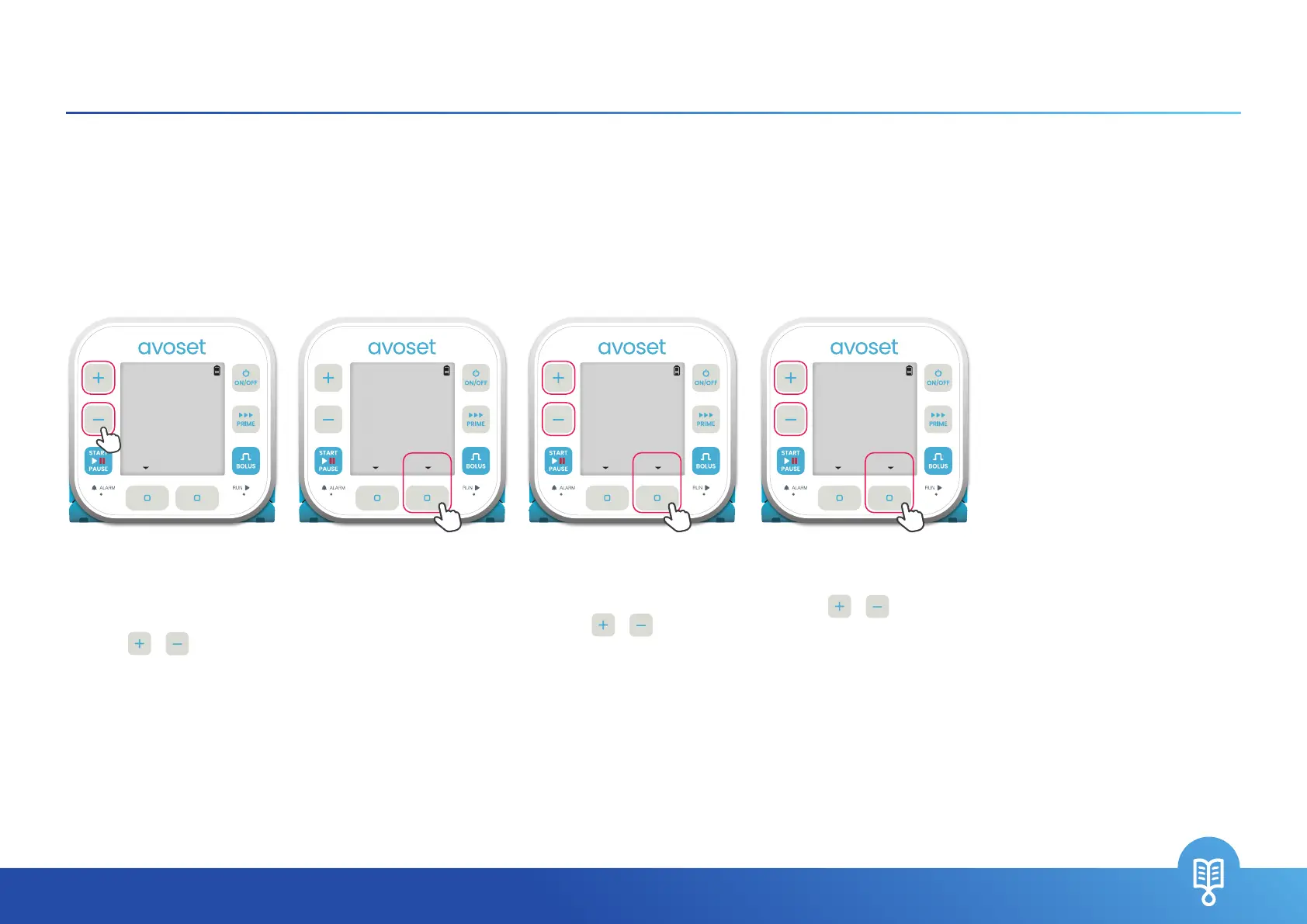
4. The third digit is blinking.
Use the
/ keys to
set the third digit and
press the
OK
multi-function
button
If the correct password
is entered, the pump
will unlock. Otherwise,
an
INCORRECT
PASSWORD
message is displayed
1. The pump prompts you
to enter password.
The rst digit is blinking.
Use the
/ keys to set
the rst digit
2. Press the
NEXT
multi-function button
once the required digit is
reached
3. The second digit is
blinking.
Use the
/ keys to set
the second digit and press
the
NEXT
multi-function
button
+
START
BOLUS
PRIME
PAUSE
ON/OFF
GO
RUN
ALARM
+
START
BOLUS
PRIME
PAUSE
ON/OFF
GO
RUN
ALARM
**O
ENTER PASSWORD
NEXTCLEAR
*OO
ENTER PASSWORD
NEXTCLEAR
**O
ENTER PASSWORD
OKCLEAR
OOO
ENTER PASSWORD
BACK

Related product manuals