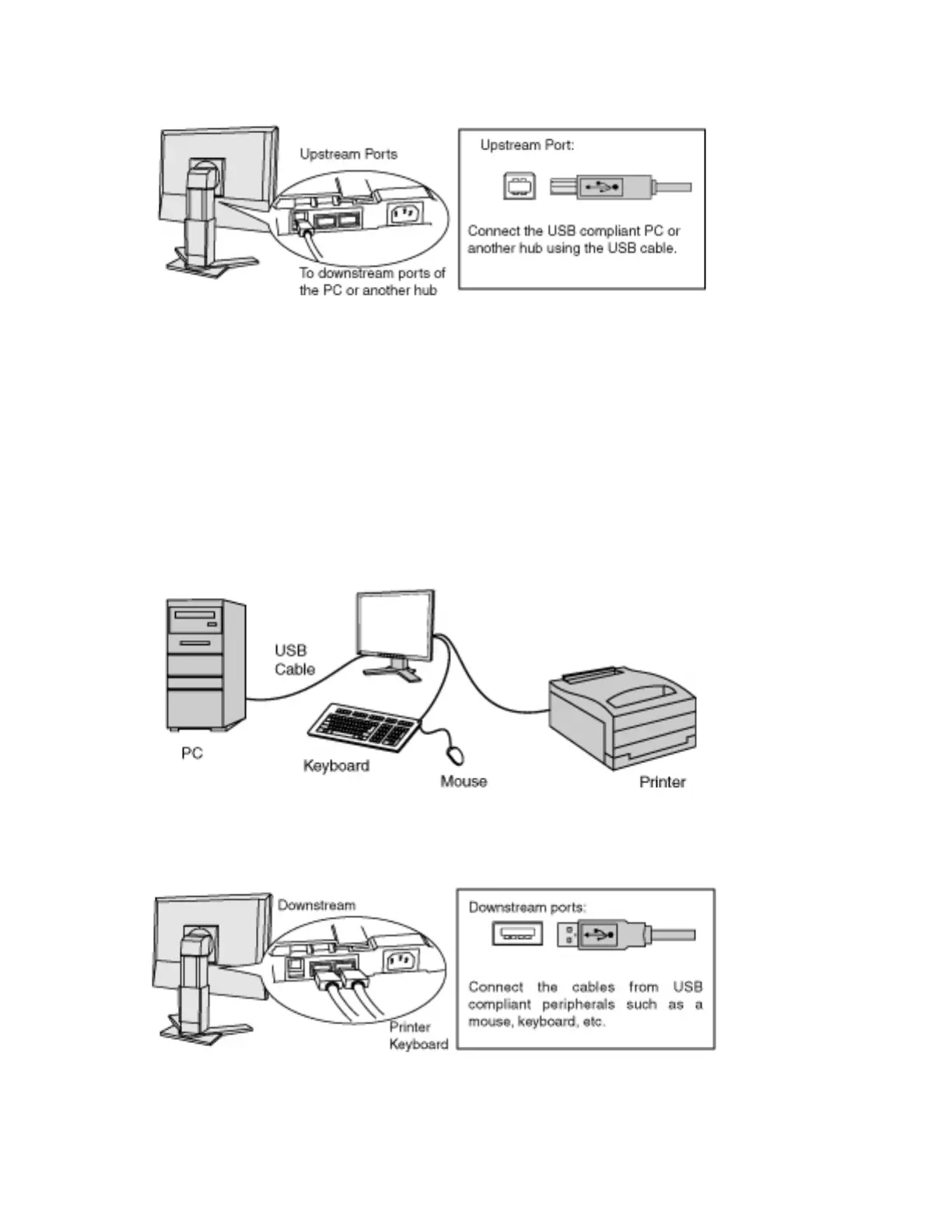
2.Connect the upstream port of the monitor to the downstream port
of the USB compliant PC or another hub by using the USB cable.
After connecting the USB cable, the USB function can be set up automatically.
3.After setting up, the monitor's USB hub is available for connecting
USB compliant peripherals to the downstream ports of the monitor.
Connecting Examples




 To Next Page