EasyManua.ls Logo

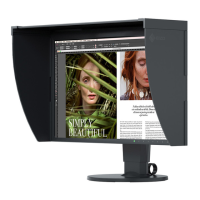
Eizo ColorEdge CG248-4K - User Manual

Eizo ColorEdge CG248-4K
88 pages
Print Icon
To Next Page IconTo Next Page
Loading...
Important
Please read PRECAUTIONS, this User’s Manual, and the Setup Guide (separate volume) carefully to familiarize yourself
with safe and effective usage.
Please refer to the Setup Guide for basic information ranging from connection of the monitor to a PC or external
device to using the monitor.
The latest User’s Manual is available for download from our web site:
http://www.eizoglobal.com
Color Management LCD Monitor
Users Manual

Table of Contents

Other manuals for Eizo ColorEdge CG248-4K

Questions and Answers

  • K
    Kimberly LeeAug 18, 2025
    What to do if Eizo ColorEdge CG248-4K Monitor USB device is not detected?
    • S
      steven87Aug 18, 2025
      If your Eizo Monitor isn't detecting the USB connection or a connected USB device isn't working, try these steps: 1. Ensure the USB cable is correctly connected. 2. If a device is connected to the “CHARGE” port, verify the “USB CHARGE Port” setting. If it's set to “Charging Only”, the device won't work. 3. Try a different USB port. 4. Reboot your PC. 5. Confirm that your PC and OS are USB compliant. 6. Update to the latest USB 3.0 driver or connect the monitor to the USB 2.0 port if you are experiencing problems with USB 3.0 host controller. 7. Check the PC’s BIOS setting for USB when using Windows.
  • D
    Debra StewartAug 26, 2025
    Why SelfCalibration cannot be executed on Eizo Monitor?
    • H
      hperkinsAug 26, 2025
      If SelfCalibration cannot be executed on your Eizo Monitor, check the following: * Verify that the date and time are set correctly on the monitor. * Check whether the execution schedule has been set. * Ensure the calibration targets are set correctly. * Set the SelfCalibration target using ColorNavigator.
  • M
    Michelle FrancisSep 2, 2025
    Why is there no audio output from my Eizo ColorEdge CG248-4K Monitor?
    • C
      Catherine TurnerSep 2, 2025
      This Eizo monitor does not support HDMI/DisplayPort audio signals.
  • J
    John MartinezNov 10, 2025
    Why does my Eizo Monitor have no picture?
    • L
      Linda WilliamsNov 10, 2025
      If your Eizo Monitor shows no picture, here are a few things to check: * If the power indicator isn't lit, ensure the power cord is properly connected. * If the power indicator is white, turn on the main power switch. * If it's orange, turn the main power off and then on again after a few minutes. * If the power indicator flashes orange and white, increase the “Brightness” and/or “Gain” in the Setting menu. * Try switching the input signal. * Move the mouse or press any key on the keyboard. * Ensure the PC is turned on. * Turn off the main power on the rear side of the monitor, and then turn it on again. * If connected via DisplayPort, there may be a DisplayPort version issue. * If the device connected via DisplayPort / HDMI has a problem, resolve it, turn off the moni...

Eizo ColorEdge CG248-4K Specifications

General IconGeneral
BrandEizo
ModelColorEdge CG248-4K
CategoryMonitor
LanguageEnglish

Related product manuals