Chapter 6 Attaching/Removing the Stand
6-1. Removing the Stand
The stand section of this product can be removed.
Attention
• Do not move the stand up and down after removing it. If you move the stand up and down while it is not attached
to the monitor, this may cause damage or injury.
• If you drop the monitor or stand, this may cause damage or injury due to the weight of the monitor and stand.
1.
Lay the LCD monitor on a soft cloth spread over a stable and at surface with
the LCD panel surface facing down.
2.
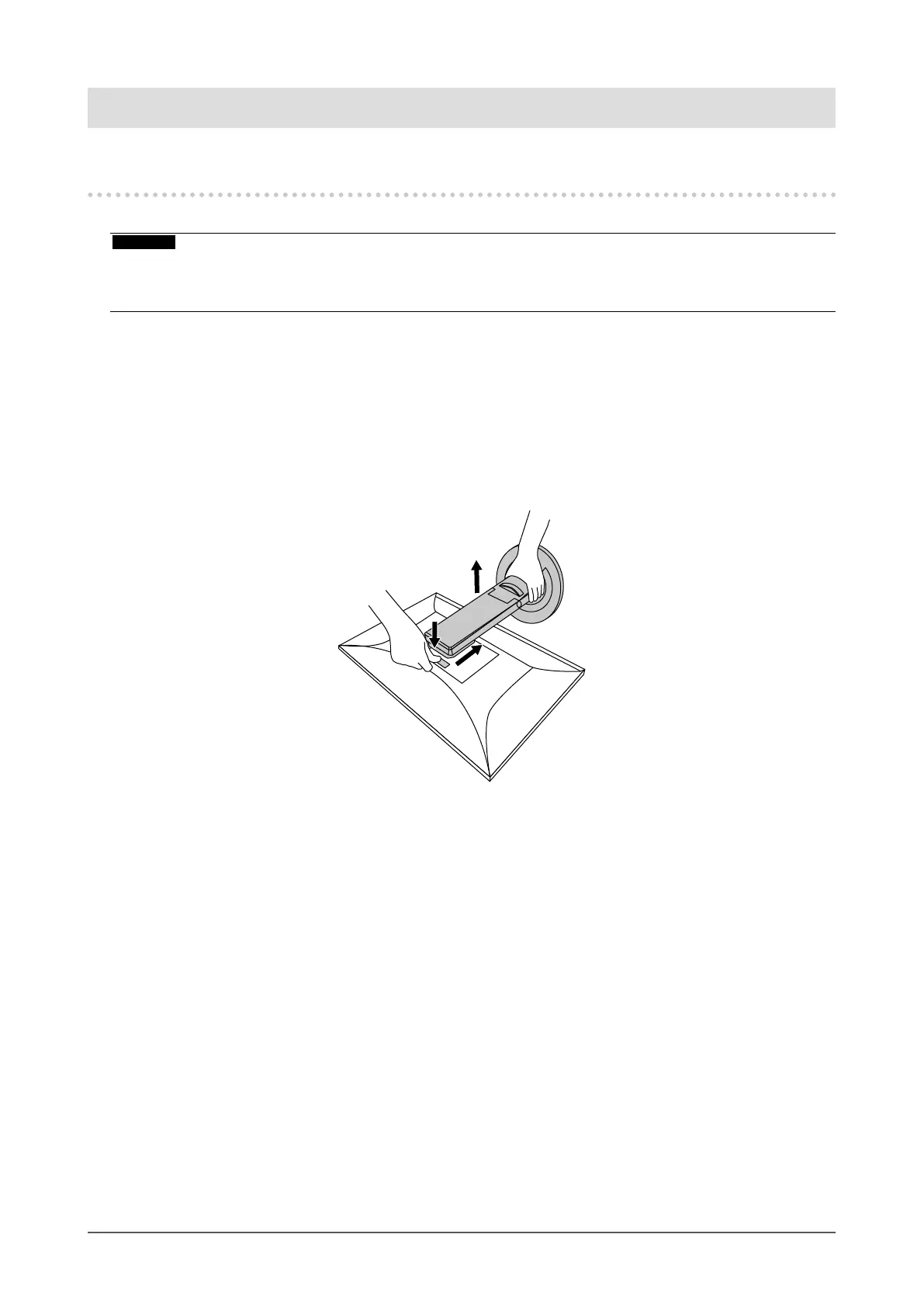
Remove the stand.
As shown in the diagram, press the lock button (1) while holding rmly onto the support section of
the stand, and slide the stand in the direction of the pedestal on the bottom (2). Next, pull the stand
upwards to remove it (3).
(1)
(2)
(3)
32
Chapter 6 Attaching/Removing the Stand









 To Next Page