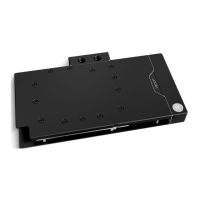
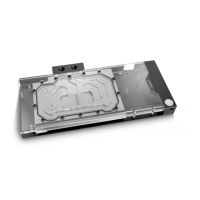
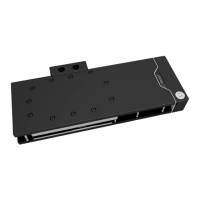
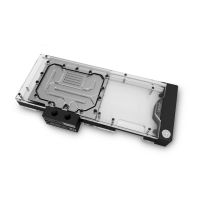
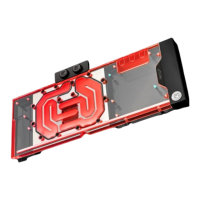
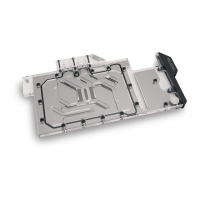
The EK-Quantum Vector Strix RTX 3080/3090 is a GPU water block designed for liquid cooling systems, specifically for NVIDIA GeForce RTX 3080 and 3090 Strix graphics cards. Its primary function is to efficiently cool the GPU, VRM components (COILs, MOSFETs, and drivers), and other critical parts of the graphics card by transferring heat to a circulating liquid coolant. This allows for lower operating temperatures, which can lead to improved performance, stability, and potentially extended lifespan of the graphics card.
Important Technical Specifications:
- Dimensions: The water block measures 293mm in length, 154mm in height, and 16.4mm in width.
- D-RGB (Addressable RGB) Cable Length: The integrated D-RGB LED strip has a cable length of 500mm.
- D-RGB LED Count: The water block features 12 D-RGB LEDs for customizable lighting effects.
- D-RGB Connector Standard: It uses a standard 3-pin D-RGB connector with a pin layout of +5V, Data, Blocked, Ground, ensuring compatibility with most modern motherboards and RGB controllers.
- Materials: The coldplate is made of copper/nickel, while the top plate and terminal are constructed from Plexi/Acetal, offering both performance and aesthetic appeal.
- Fittings: The water block utilizes G1/4 threaded male fittings for connecting to the liquid cooling loop. It comes with two EK-Plug G1/4 fittings for sealing unused ports.
- Mounting Mechanism: The mounting mechanism is universal, and the package includes various screws (M2.5x4 AX1, M2.5x6 AX1, M2.5x8 AX1, M3x4 DIN7985) and M2.5 PVC washers to secure the block.
- Thermal Management: Thermal pads (Thermal Pad F 1.0 mm, 120x16mm) are included for VRM components, and EK-TIM Ectotherm thermal grease is provided for the GPU heat spreader (IHS).
Usage Features:
- Installation Process: The manual provides a detailed, step-by-step guide for installation, starting with preparing the graphics card. This involves removing the stock cooler and backplate using Phillips head and Torx T6 screwdrivers.
- Thermal Pad Application: Users are instructed to cut the provided thermal pads to size and place them on specific VRM components (COILs, MOSFETs, and drivers) on the PCB. It's crucial to remove the protective foil from both sides of the thermal pads before installation.
- Thermal Compound Application: The EK-TIM Ectotherm thermal grease should be applied thinly and evenly over the entire surface of the GPU heat spreader (IHS) to ensure optimal heat transfer. Uneven or excessive application can lead to poor performance.
- Water Block Mounting: The water block is carefully positioned on the graphics card, aligning the mounting holes. It is then secured with thirteen M2.5 X 4 AX1 screws and M2.5 PVC washers. The manual emphasizes tightening screws around the GPU core first and then moving outwards to prevent damage. Caution is advised to avoid excessive force when pressing the block onto the PCB to prevent chip die cracking.
- Fittings and Tubing: Two G1/4 threaded male fittings are screwed into the water block to connect to the liquid cooling loop. Any unused openings must be sealed with the provided EK-Plug G1/4 fittings. Users can choose any opening as an inlet/outlet port.
- D-RGB LED Strip Connection: The 4-pin D-RGB connector from the water block connects to a D-RGB Header on the motherboard or controller. The pin layout (+5V, Data, Empty, Ground) must be observed to prevent damage.
- System Integration: After installation, the graphics card with the water block is inserted into the PC's motherboard PCIe Express expansion slot. Users are reminded that the card will be heavier and require careful handling.
- Leak Testing: A crucial step after installation is performing a 24-hour leak test. The pump should be connected to a PSU outside the system, and run continuously without powering other components. All parts of the loop must be inspected for leaks, and any issues resolved before powering on the entire system.
Maintenance Features:
- Coolant Recommendations: The manual strongly recommends using quality market-proven corrosion-inhibiting coolants for any liquid cooling system. It specifically advises against using pure distilled water and recommends EK-CryoFuel Coolants for best results.
- Air Bleeding: To achieve optimal performance, it is essential to thoroughly bleed air out of the water block and the entire cooling loop.
- Cleaning the PCB: Before installing the water block, the PCB must be thoroughly cleaned of any original thermal compound using a nonabrasive cloth or Q-tip. EK recommends denatured alcohol for removing TIM leftovers. All stock thermal pads must also be removed.
- Contact Verification: If necessary, the water block can be temporarily removed to check for uniform surface contact between the block and components, especially in the VRM section. If good contact is not achieved, users are advised to re-check the installation steps or contact EK support.
The EK-Quantum Vector Strix RTX 3080/3090 water block is a comprehensive solution for enthusiasts looking to integrate their high-performance graphics cards into a custom liquid cooling loop, offering both enhanced cooling and aesthetic customization through its D-RGB lighting.

 Need help?
 General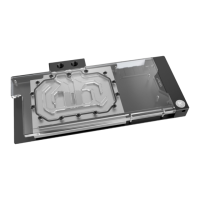





 To Next Page