- 7 -
PREPARING THE GRAPHICS CARD
Phillips Head Screwdriver
REMOVING THE STOCK COOLER
Place your graphics card on the flat surface and carefully remove the
stock cooler. Do not forget to unplug all the LED and fan connectors.
Pay attention to the following steps in order to install the water block
onto the graphics card.
PREPARING THE WATER BLOCK FOR INSTALLATION
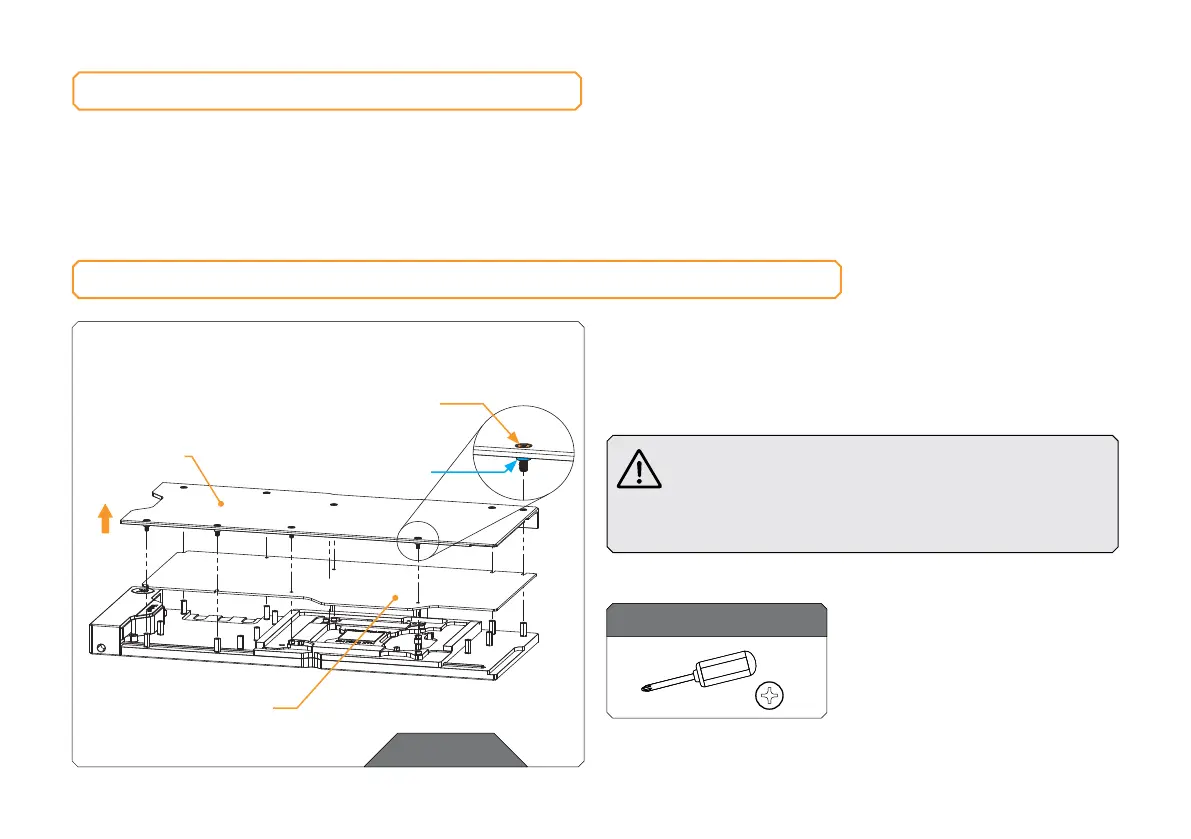
STEP 1
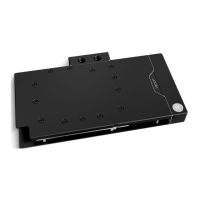
Unscrew nine (9) Screws AX1 M2.5 x 8 mm. Remove the backplate
together with the Screws and backplate standoffs. Standoffs must stay
on Screws AX1 M2.5 x 8 mm. Remove the PCB cardboard. Save the
removed parts for later steps.
Do not remove standoffs from screws! In case the
standoff detaches from the screw, replace it with a
spare one. When replacing the standoff make sure
that you screw it on the AX1 M2.5 x 8 screws. Do not
push the standoff onto the screw AX1 M2.5 x 8 mm.
STEP 1
For this step, you will need:
BACK PL ATE
M2.5 x 8 AX1
BACK PL ATE S TA ND OFF
DO NOT REMOVE
STANDOFFS
FROM SCREWS!
PCB CARDBOARD








 To Next Page