- 8 -
PREPARING THE GRAPHICS CARD
STEP 1
REMOVING THE STOCK COOLER
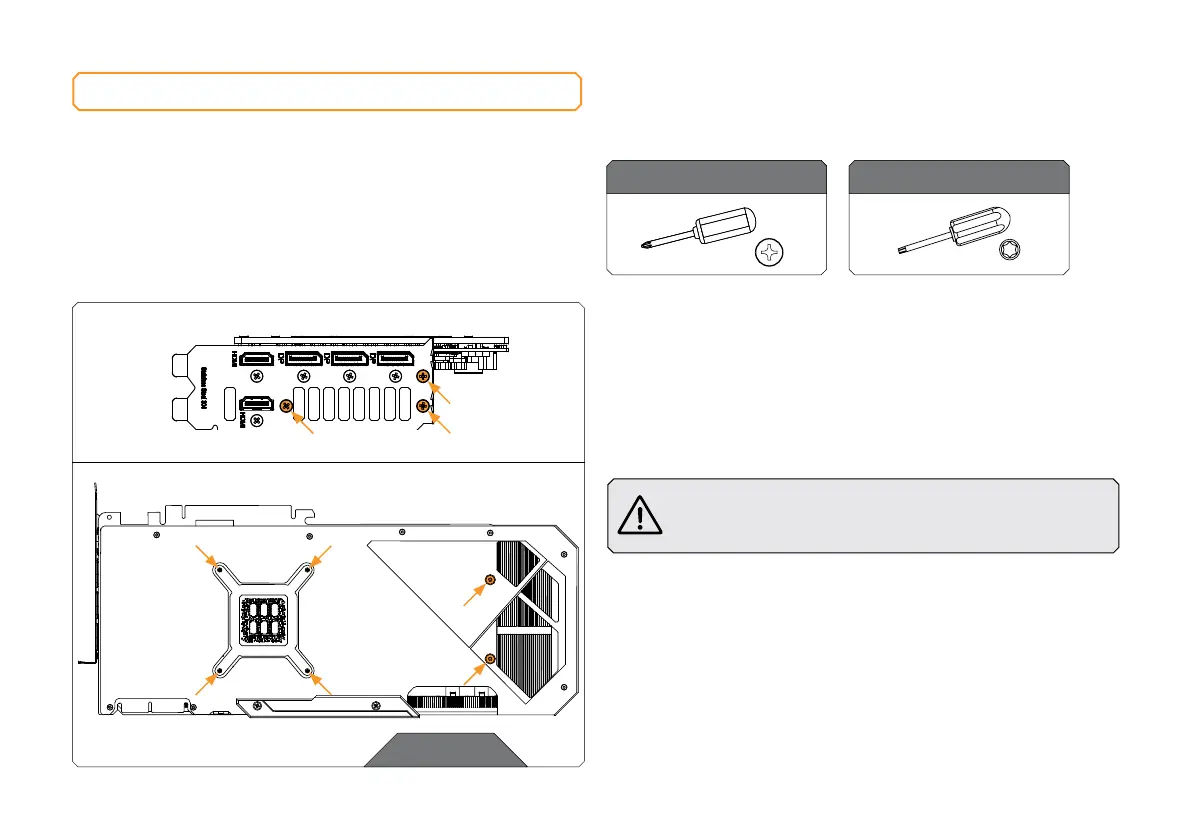
Use the Phillips head screwdriver to remove the three screws from the
GPU bracket side and six screws from the side of the backplate.
After removing all nine screws (marked in the picture), carefully detach
the PCB with the backplate from the stock cooler and disconnect two
cables connected to the PCB.
Always remove the stock cooler slowly - it might be firmly
glued to the PCB with thermal pads.
For this Step, you will need:
Phillips Head Screwdriver Torx T6 Screwdriver
STEP 1





 To Next Page