Accessories and Connections
User Manual Biosen C_line Clinic / GP+
10.2 EDP connection
Under menu item EDP (9.7, page 36) all parameters for data exchange
can be set.
10.2.1 Connector pin assignment
The device has a serial interface according to V.24
Standard. By contrast with standard interface allocation, only the
transmission and reception connections (TxD, RxD) are assigned.
Please keep to the following interface assignment.
Pin Assignment
2 RxD
3 TxD
5 GND
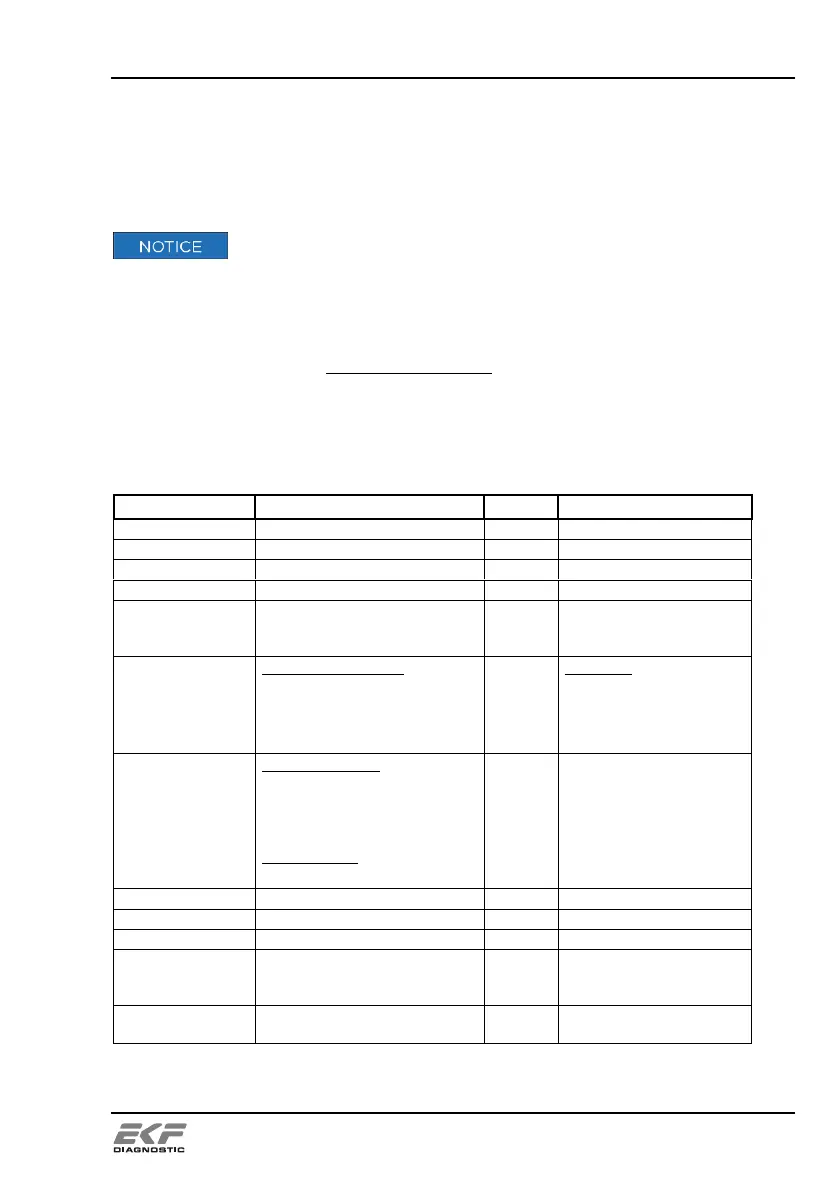
10.2.2 Structure of data protocol
Q = Control
S = urgent sample
for TYPE = P
for TYPE = Q
for TYPE = Q
for TYPE = S
Tray number / Position
Control position C1
Control position C2
Urgent sample position STAT
0213
0001 (fixed)
0002 (fixed)
0000 (fixed)
for TYPE = P
for SAS = 0001
for SAS = 0002
for TYPE = S
NOM
for PART = P
without barcode:
running Nr. sample
running Nr. control pos. C1
running Nr. control pos. C2
running Nr. STAT sample
with barcode:
barcode read successfully
000-999 +9 spaces
000-999 +9 spaces
000-999 +9 spaces
000-999 +9 spaces
read barcode + spaces
##.## +1 space
#.## +2 spaces


 To Next Page
 Loading...