21
Each filter mode described below accentuates particular body sounds while auscultating: The cardiac mode is weighted toward heart sounds,
pulmonary toward lung sounds, and wide band provides coverage for both.
Cardiac audio filter
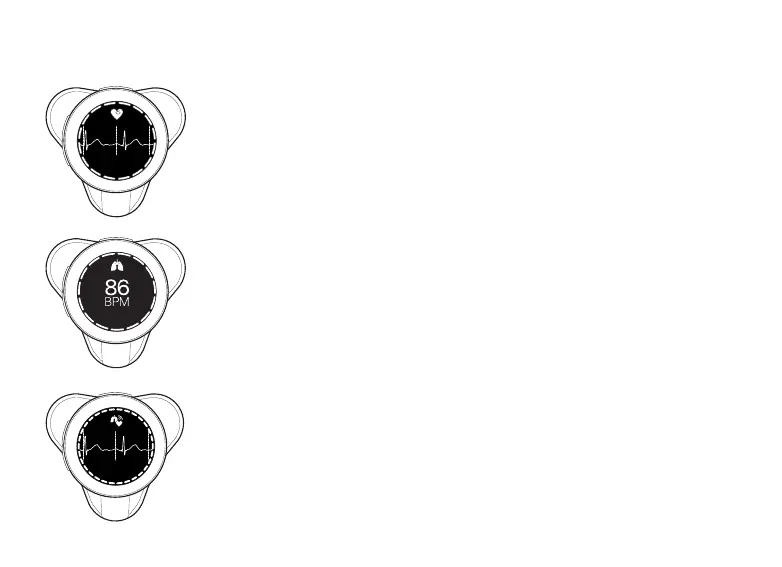
In the cardiac audio filter mode, the CORE 500™ screen shows a heart icon at the top, the ECG waveform for a
two-second interval, and the real-time heart rate in beats per minute. If a recording is in progress, green bars
light up around the screen as the recording progresses.
Pulmonary audio filter
In the pulmonary audio filter mode, the CORE 500™ screen shows a lung icon at the top and the real-time
heart rate in beats per minute. If a recording is in progress, green bars light up around the screen as the
recording progresses.
Wide audio filter
In the wide audio filter mode, the CORE 500 screen shows an icon with a heart and lungs and the real-time
heart rate in beats per minute. If a recording is in progress, green bars light up around the screen as the
recording progresses.
86
BPM
86
BPM



 To Next Page