25
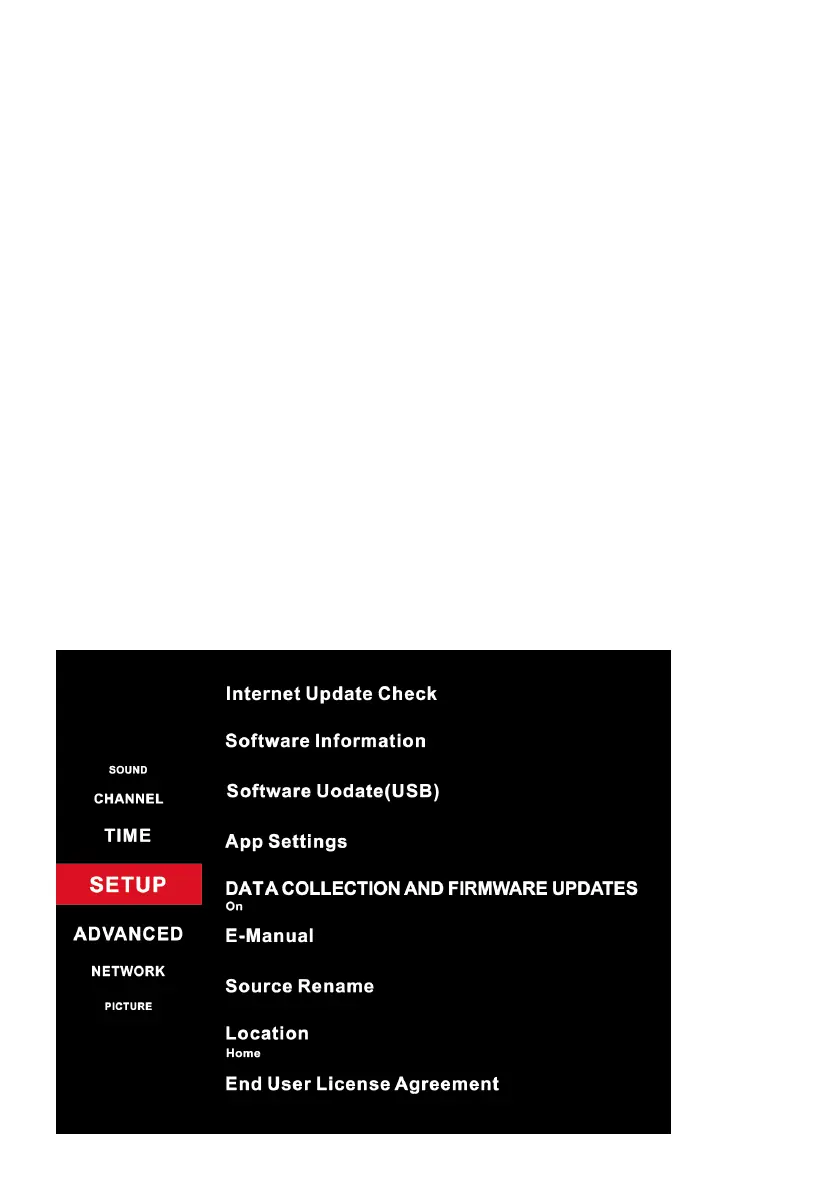
Internet Update Check: Update the software system by network
connectior.
Software Information: (Only for some regions) Show the current software
information such as software version, etc.
Standby Scan: (Only for some regions) Search for programs automatically
when the TV turns standby.
Dynamic Rescan: (Only for some regions) Turn on to automatically update
the program of the scanned frequency.
Software Update (USB): Select to update Software from USB.
App Settings: Setup for Netflix app, and show the software version.
DATA COLLECTION AND FIRMWARE UPDATES NOTICE:
Read to accept or decline the “DATA COLLECTION AND FIRMWARE
UPDATES NOTICE”.
E-Manual: Select to enter the E-Manual to check the instructions of
basic functions.
Source Rename: (Only for some regions) Select the source name for
AV/HDMI input.
End User License Agreement: Read the End User License Agreement.
MENUS (Cont.)



 To Next Page