8
INSTALLATION
Install the stand as described below, or if you want to mount it to a wall, please contact a
professional installer.
Please ensure the TV is not plugged into the wall socket and furthermore we recommend to
get another person to assist in the following task.
Attaching the stand
Step 1
Place a soft cushioned material on top of a flat surface to prevent damaging the screen
panel. Then place the TV screen flat on top, with the screen side facing down, as illustrated
on the right.
Step 2
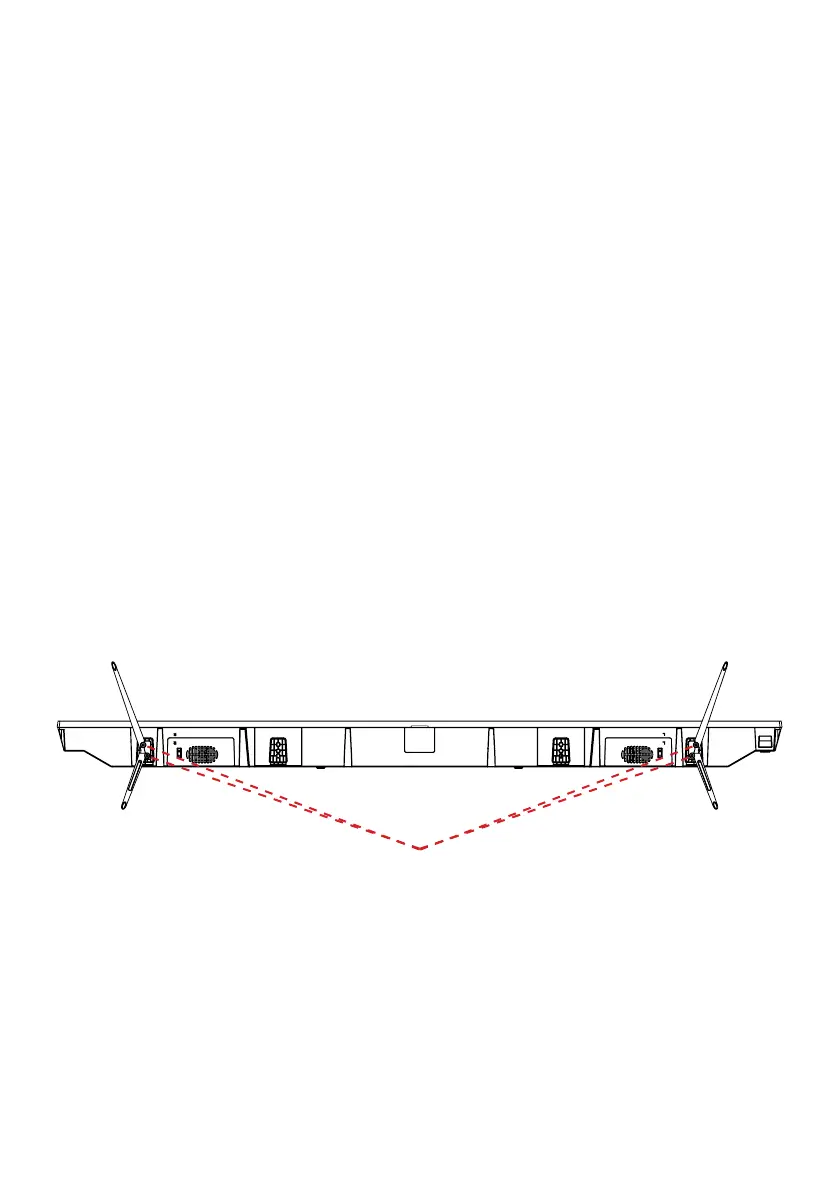
Align the stand leg to the installation point, as illustrated below
Step 3
Tighten the screws (supplied) with a screwdriver to ax the stand to the panel.
CAUTION!
Do not apply excessive force as this may damage the screw holes.
4x Screws



 To Next Page