EKO INSTRUMENTS CO., LTD. - Pyranometer MS-80/80S/80U - Instruction Manual Ver. 1
Pg. 45
3. Software
Start the “Hibi” software and make the required settings.
1) Start “Hibi” software. (Launch the software from “EKOApp1.exe” located in the shortcuts or installation
folder.
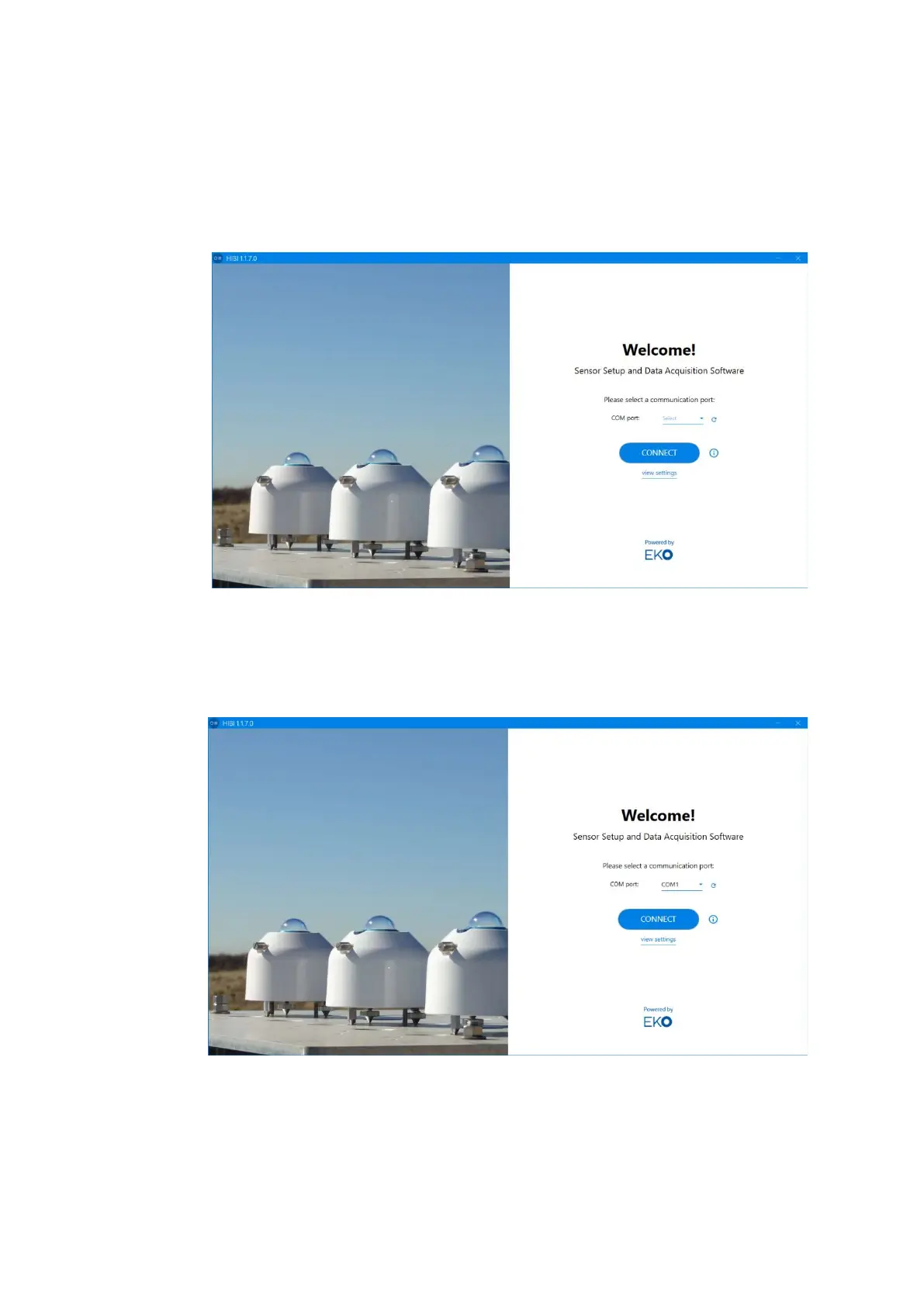
2) After the software starts, the "Welcome" window appears.
3) Automatic connection
When using the “Auto-connect” function to connect MS-80S with the “Hibi” software, select the COM port
that the RS485/USB converter cable is connected to.
Click “Select” of “COM port:” on the startup screen, and select the COM port number assigned
to the RS485 / USB conversion cable from the displayed COM port numbers.
If you can't find a selectable COM port, click the Refresh button and click Select again to try again.
Figure A3-3. Welcome window
Figure A3-4. Com port select



 To Next Page