SERVICE MANUAL
SM-eVENT-GB-3_8-2006.doc
13
7.7. Replacement of filter in the pressure regulator
Prior the intervention to the appliance it is necessary
to decrease the pressure of air in air chamber to zero
and to disconnect the appliance from mains.
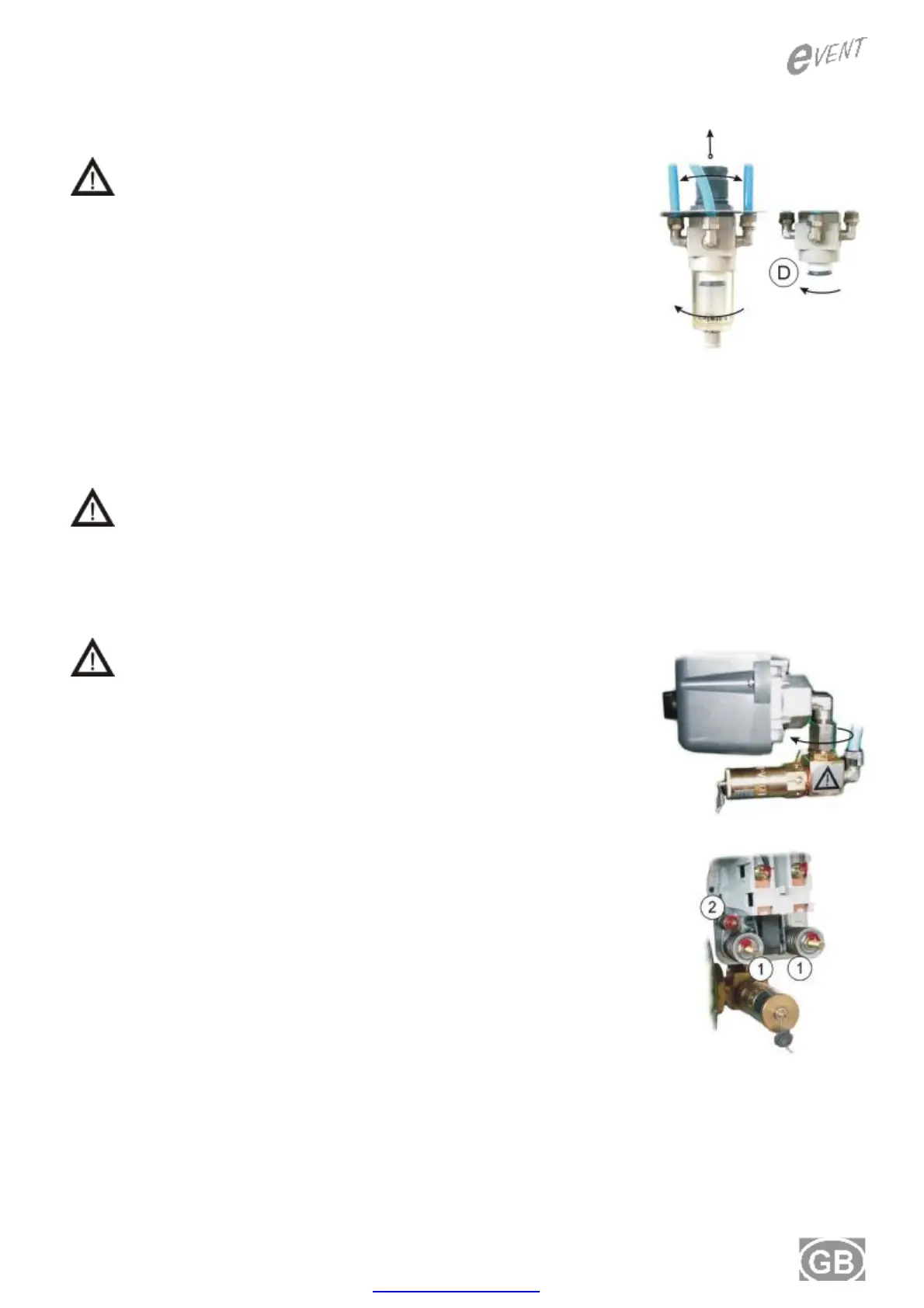
• Unscrew the cover of filter and pull it out.
• Unscrew the holder of filter.
• Replace filter (D), screw the holder of filter.
• Release the condensed liquid from the water trap.
• Screw the cover of filter.
Set up output pressure air:
Switch on the compressor and by tools Part No. 191000008 or 191000009 set the output pressure
air flow until the humidity indicator (2) remain in the green area. The control button of the regulator
(13) unlock, rotate to set the demand output pressure. After setting the pressure, lock the control
button of the regulator pushing down.
Setting the pressure in the pressure regulator must only be done by a qualified
expert.
7.8. Replacement of pressure switch
Prior the intervention to the appliance it is necessary
to decrease the pressure of air in air chamber to zero
and to disconnect the appliance from mains.
• Dismount the cover of switch, disconnect the cords.
• Loosen a nut in a direct of a arrow – on the fitting is a left tapped
• The new pressure switch assemble in the reverse procedure.
7.9. Adjustment of pressure switch
• Disconnect hose from the bottom part of air chamber and connect
pressure gauge set (tool Part No. 191000007) to the given outlet
of air chamber.
• With compressor in operation set the required switching on
pressure of pressure switch by pulling apart or tightening springs
(1) (both springs equally).
• Using spring (2) adjust the value of differential pressure.
PDF created with pdfFactory trial version www.pdffactory.com


 To Next Page