EasyManua.ls Logo

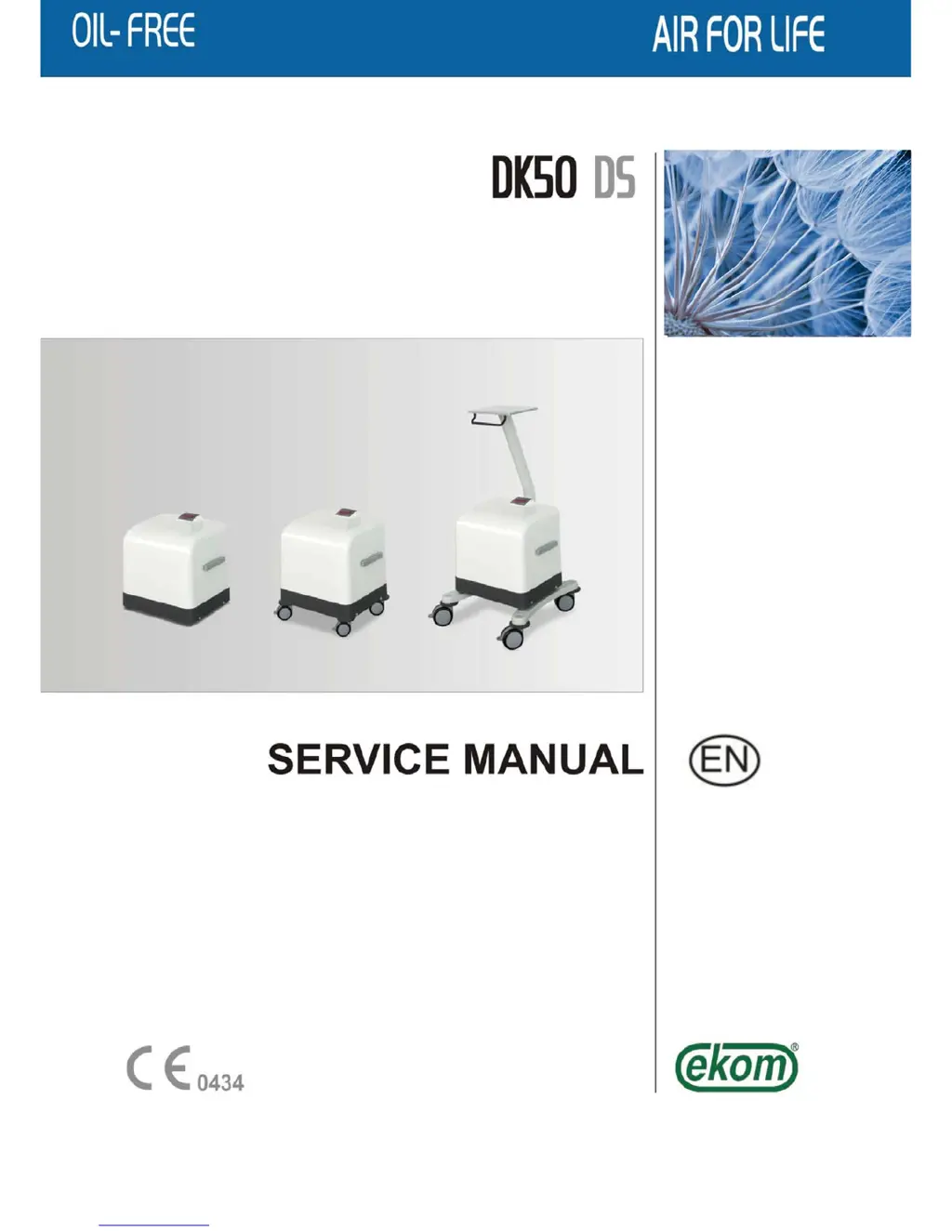
EKOM DK50 DS - Service Manual

EKOM DK50 DS
42 pages
Print Icon
To Next Page IconTo Next Page
Loading...

Other manuals for EKOM DK50 DS

Questions and Answers

  • R
    Ryan PayneAug 18, 2025
    Why is the PRESSURE alarm activated permanently on my EKOM Air Compressor?
    • J
      jbrownAug 18, 2025
      If the PRESSURE alarm on your EKOM Air Compressor is constantly on, it could be due to several reasons. First, check for any air leaks in the pneumatic distribution system and seal any loose connections. Also, ensure that you are not exceeding the maximum flow rate specified in the technical data. Other potential causes include worn-out piston rings (which would need replacement), a dirty air suction filter (replace it), a dirty air intake filter (clean or replace it), or dirty filter inserts (replace them).
  • S
    Stephen WalkerAug 20, 2025
    How to fix an EKOM Air Compressor that does not start?
    • E
      Elijah FergusonAug 20, 2025
      If your EKOM Air Compressor does not start, several factors could be the cause. Firstly, if the compressor is in STANDBY mode, it will only start when the pressure decreases. Secondly, check that the main power breaker in the distribution system is switched on. Other potential issues could be a defective or missing supply, a defective fuse (replace it), a loose wire terminal (tighten it), or a defective power cord (replace it). In more serious cases, the motor winding could be interrupted, the thermal protection damaged (replace the motor), the capacitor could be defective (replace the capacitor), or a piston or other part could be jammed (replace the damaged parts).
  • M
    mark20Aug 23, 2025
    What to do if the TEMP alarm is activated on EKOM Air Compressor?
    • L
      Linda JenkinsAug 23, 2025
      If the TEMP alarm is activated on your EKOM Air Compressor, it may be due to a dirty air blow-down filter (clean or replace it). Also, make sure that the vent holes are not covered, as this can cause overheating (uncover them). If the cooling fans are not working, they will need to be replaced. Finally, if the unit is in a hot, unventilated area, relocate it to a cooler, more ventilated space.
  • N
    nicole53Aug 26, 2025
    Why is the DRYING indicator light yellow permanently on my EKOM Air Compressor?
    • M
      mitchellmatthewAug 26, 2025
      If the DRYING indicator light on your EKOM Air Compressor remains yellow, there are several potential causes. You should inspect the pneumatic distribution system for air leaks and seal any loose connections. Ensure you are not exceeding the maximum flow rate specified in the technical data. Other possibilities include worn-out piston rings (replace them), a dirty air suction filter (replace it), or a dirty air intake filter (clean or replace it).
  • T
    Todd ClarkeAug 28, 2025
    Why is my EKOM Air Compressor so noisy?
    • D
      Dr. James BaileyAug 28, 2025
      If your EKOM Air Compressor is producing unusual noises like knocking or metal sounds, it could indicate a damaged piston bearing or a bearing in the motor. In this case, the damaged bearing needs to be replaced. Another possible cause is a loose or cracked belt of the air pump hanger, which would require replacing the damaged hanger.
  • L
    Lauren HillAug 30, 2025
    Why is water coming out of the outlets of my EKOM Air Compressor?
    • K
      Kathryn HaydenAug 30, 2025
      If water is coming out of the outlets of your EKOM Air Compressor, it is likely due to a dirty water trap in the filter and filter regulator. You should clean or replace the water trap to resolve this issue.
  • J
    Juan GrossSep 2, 2025
    Why my EKOM Compressor does not start?
    • A
      alexandervaughanSep 2, 2025
      Your EKOM Compressor might not start due to several reasons. One possibility is existing pressure in the air tank; in STANDBY mode, the compressor will start once the pressure decreases. Another reason could be the absence of main power voltage, which could be due to a switched-off main breaker, a defective power cord (replace it), a loose wire terminal (tighten it), or a defective fuse (replace it). Other potential causes include an interrupted motor winding or damaged thermal protection (replace the motor), a defective capacitor (replace the capacitor), or a jammed piston or other part (replace the damaged parts).
  • D
    David MeyerSep 4, 2025
    What to do if the PRESSURE alarm is activated permanently on my EKOM DK50 DS?
    • B
      brandon29Sep 4, 2025
      If the PRESSURE alarm on your EKOM Compressor is constantly activated, it could be due to a leakage of air from the pneumatic distribution system. Inspect the system and seal any loose connections. Another cause might be excessive compressed air consumption; ensure you do not exceed the maximum flow specified in the Technical data. Other potential issues include worn-out piston rings (replace them), or dirty air filters, such as the air suction filter, air intake filter or filter inserts (replace the dirty filters or inserts).
  • J
    Joyce CastilloSep 6, 2025
    How to fix DRYING indicator that lights yellow permanently on EKOM DK50 DS Compressor?
    • S
      Stephanie HayesSep 6, 2025
      If the DRYING indicator on your EKOM Compressor lights up yellow permanently, it could indicate a leakage of air from the pneumatic distribution system; inspect and seal any loose connections. It may also be caused by large consumption of compressed air; make sure you do not exceed the maximum flow. Other possible causes include worn-out piston rings (replace them) or dirty air filters. Consider replacing the dirty air suction filter or cleaning/replacing the dirty air intake filter.
  • K
    Krystal DawsonSep 9, 2025
    What causes TEMP alarm activation in EKOM DK50 DS and how to resolve it?
    • M
      Mrs. Jillian VasquezSep 9, 2025
      The TEMP alarm on your EKOM Compressor can be triggered by several factors. A dirty air blow-down filter could be the cause; try cleaning or replacing it. Check for covered vent holes and uncover them if necessary. If the cooling fans are not working, consider replacing them. Also, ensure the unit is not in a hot, unventilated area; if it is, relocate the unit.

Summary

General Information

Purpose

Describes the EKOM DK50 DS medical air compressor's function.

Operators Responsibility for Patient Safety

Highlights the importance of the manual for safe operation and user duties.

Markings

Explains product markings, including CE compliance.

Warnings

Details general and specific warnings for safe operation.

Safety and Usage Guidelines

General Safety Warnings

Provides essential safety measures for equipment operation and user protection.

Electrical System Safety Warnings

Outlines critical safety precautions for electrical connections and grounding.

Warning Notices and Symbols

Symbols Explanation

Illustrates and explains important symbols used in the manual and on the product.

Operational Environment and Transport

Use Conditions

Specifies the intended environment and conditions for compressor operation.

Storage and Transport Guidelines

Provides guidelines for safely storing and transporting the compressor.

Equipment Description

Component Identification

Lists and briefly describes the various components and indicators of the DK50 DS compressor.

Technical Data

Specifications Overview

Presents detailed technical specifications, dimensions, and performance data in a tabular format.

FAD Efficiency Correction

Explains how to correct FAD efficiency based on atmospheric elevation.

Operation

Installation and First Operation

Guides through the initial setup, installation, and first-time use of the compressor.

Operational Procedures

Transport Stabilizers and Connections

Details removal of stabilizers and air/electrical connection procedures.

Initial Startup and Accessories

Covers initial startup checks, operational modes, and available accessories.

Personnel and Compressor Control

Defines personnel roles and procedures for switching on and running the compressor.

Operational Modes and Indicators

Explains compressor modes, LED indicators, and alarm functions.

Cleaning and Filter Replacement

Describes methods for cleaning filters and the compressor unit.

Maintenance

Repairs and Service Guidelines

Outlines procedures for warranty repairs and authorized service.

Cover Removal

Provides steps for safely removing the compressor covers for maintenance.

Maintenance Schedule

Details recommended maintenance tasks and their intervals.

Maintenance Tasks

Service Interval and Kits

Explains service interval signalization and the contents of service kits.

Replacement Parts and Safety Valve

Lists replacement parts and procedures for checking the safety valve.

Filter and Regulator Maintenance

Instructions for replacing filter elements and cleaning the pressure regulator.

Output Adjustment and Component Replacement

Covers output testing, pressure adjustment, and component replacement.

Control Electronics and Circuit Boards

Details procedures for electronics maintenance, including circuit board replacement.

Operating Hours and SMART Modes

Explains entering operating hours and the functions of SMART electronics modes.

Unit Conversion and 230 V Electronics

Covers physical unit conversion and operating mode functions for 230V electronics.

LED Indicators and Service Display

Explains LED signals and how to use the service display for diagnostics.

Display Readings and Shutdown Procedures

Describes display readings, status indicators, and shutdown/disposal procedures.

Troubleshooting

Compressor Start-Up Issues

Addresses problems related to the compressor failing to start.

Indicator and Alarm Troubleshooting

Troubleshooting for DRYING indicator, pressure, and temperature alarms.

Noise, Water, and Malfunctions

Diagnosing compressor noise, water output, and general malfunctions.

Spare Parts

Air Intake and Filtration Parts

Lists part numbers for air intake filters and filtration inserts.

Fuses and Suction Filters

Details part numbers for fuses, insertion, and suction filters.

Diagrams

Wiring Diagram

Presents the electrical schematic showing component connections.

Pneumatic Diagram

Illustrates the pneumatic circuit and component layout.

EKOM DK50 DS Specifications

General IconGeneral
Number of cylinders2
Voltage230 V / 50 Hz
Air tank volume50 liters
Max Pressure8 bar
TypeOil-free, silent compressor

Related product manuals