MAINTENANCE
SM-DK50 DS-EN-20_02-2016 27
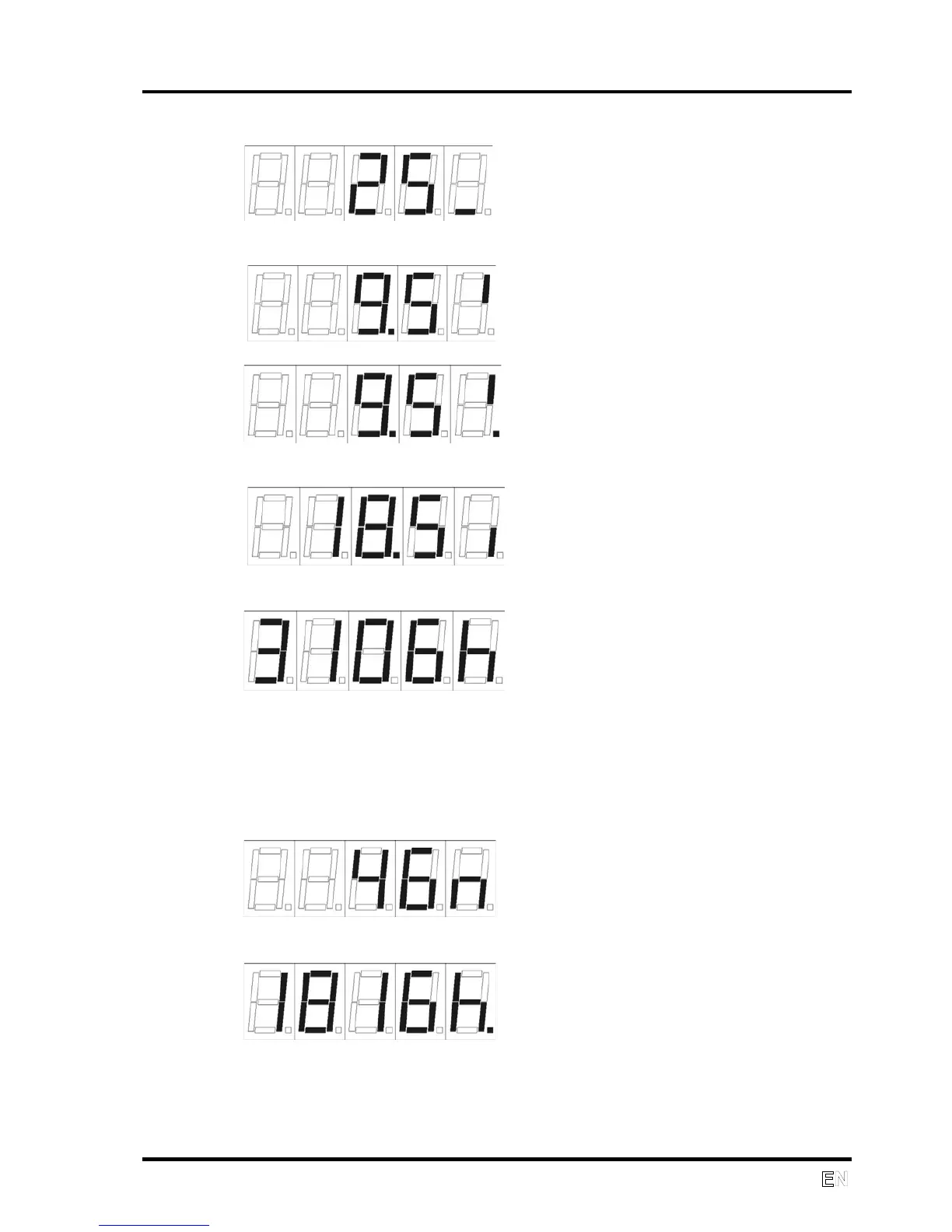
Temperature in ˚C
Battery voltage without charging
Charging battery voltage; charging is indicated by the lit decimal point.
Voltage to control electronics
Motor hours
If the motor hour counter needs to be set, for example the compressor control
unit is replaced, the “Service Display” jumper must be shorted. After the
appropriate pins are shorted on the XP2 connector (Fig. 1) using the jumper,
the motor hour counter value will count up. Remove the jumper once the
desired number of hours is shown.
Motor minutes
Service hours
The shorted “Service Display” jumper can be used to zero-out the service
hours. After the shorted “Display PSI” jumper is inserted and removed or
removed and inserted, the service hour counter is set to zero. Use the same
method for setting the motor hours if the service hour counter needs to be
set.


 To Next Page