EasyManua.ls Logo

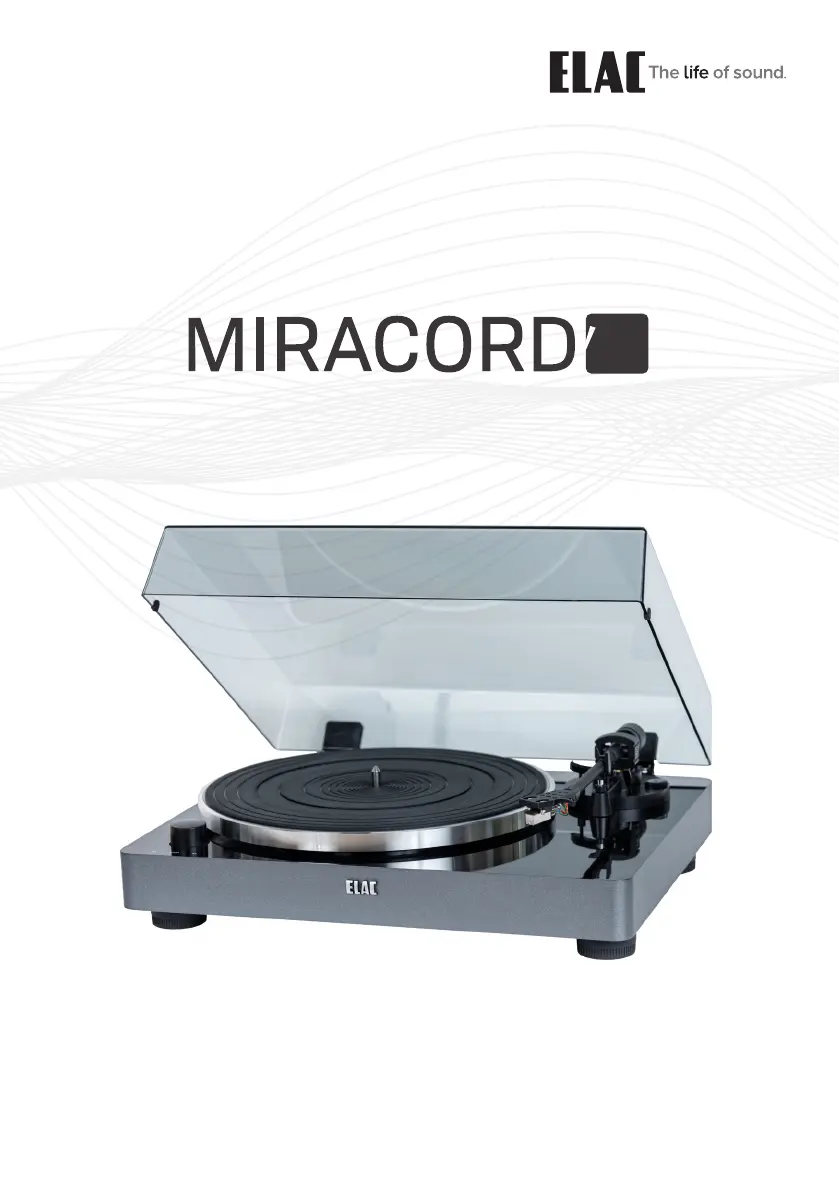
ELAC Miracord 50 - User Manual

ELAC Miracord 50
20 pages
Go to English
Print Icon
To Next Page IconTo Next Page
Loading...
BEDIENUNGSANLEITUNG & SICHERHEITSHINWEISE.
OPERATING & SAFETY INSTRUCTIONS
50
70

Questions and Answers

  • M
    Michael ParkerJul 27, 2025
    Why is my ELAC Turntable producing a loud humming noise?
    • S
      sarah03Jul 27, 2025
      A loud humming noise from your ELAC Turntable can occur if the metal housing is acting as an antenna, creating AC Mains hum. To resolve this, check all connections. For acoustical checks relating to major problems, reduce the amplifier's volume level to minimum. Also, the RCA plugs' ground rings might need readjustment.
  • N
    Nicholas GeorgeJul 31, 2025
    What to do if audio signals are reproduced too loud and eventually distorted on ELAC Turntable?
    • M
      Maurice SanchezJul 31, 2025
      If the audio signals from your ELAC Turntable are too loud and distorted, it could be because the turntable is connected to the preamp's phono input, but the phono preamp implemented in the turntable is switched to “ON.” To fix this, connect the turntable to the line input of your preamp or switch the internal phono preamp to “THRU”.
  • B
    Brittney GrayAug 4, 2025
    What to do if audio signals are reproduced not loud enough and eventually distorted on ELAC Turntable?
    • M
      Matthew PaulAug 4, 2025
      If the audio signals from your ELAC Turntable are not loud enough and are distorted, it could be because the turntable is connected to the preamp’s line input, but the phono preamp implemented in the turntable is switched to “THRU”. To resolve this, connect the turntable to the phono input of your preamp OR switch the internal phono preamp to “ON”.
  • R
    Richard WaltersAug 9, 2025
    How to fix the wrong music pitch on my ELAC Miracord 50?
    • M
      Michael HendersonAug 9, 2025
      The music pitch on your ELAC Turntable might be wrong due to an incorrect speed selection. Check the correct speed for playing the record. Some records with an LP diameter (30 cm) must be played at 45 rpm (e.g., maxi singles), while some single format records (17 cm) should be played at 33 ? rpm (EPs).
  • M
    Mr. Justin Pittman DVMAug 13, 2025
    What to do if the right channel appears on left channel and vice versa on ELAC Turntable?
    • C
      Chris MillerAug 13, 2025
      If the right channel appears on the left channel and vice versa on your ELAC Turntable, the channels are likely swapped. Correct this by swapping the two RCA plugs (left and right channel) plugged into the turntable’s RCA jacks.
  • A
    Ashley Herman PhDAug 17, 2025
    Why doesn't my ELAC Turntable motor work?
    • B
      bcamachoAug 17, 2025
      The motor of your ELAC Turntable might not be working due to several reasons: 1. There is no connection to the mains or the mains fuse is blown. Check the mains plug, receptacle, and fuse. 2. The power supply is not connected properly. Check the low voltage plug for correct fit and fix it. 3. The front switch is in the “0” position. Switch the front switch to position “1”.
  • E
    Eddie HancockAug 21, 2025
    Why is my ELAC Turntable making a faint humming noise?
    • K
      katrinabakerAug 21, 2025
      A faint humming noise from your ELAC Turntable can be caused by the ground wire not being attached. In some cases, connecting the metal parts of the turntable to the signal ground of the (phono-) preamp can help. Use the earthing screw on the rear side of the turntable and the wire attached to the included RCA cables for this purpose.

Summary

Turntable Description

Counterweight

Adjusts stylus pressure for tonearm balance.

Anti-Skating Control

Sets the anti-skating force of the tonearm.

Rear Panel Connections

Signal Connectors

RCA cable connection point for audio amplifier.

Pre-Amp ON;OFF Selector

Selects between Phono and Line input for the amplifier.

Initial Setup Procedures

Mount and Adjust

Steps for installing the platter, tonearm, counterweight, and setting pressure.

Mains Connection

Details on connecting the turntable to mains power.

Playing a Record

Step-by-step instructions for playing a vinyl record.

Maintenance and Care

Troubleshooting Guide

ELAC Miracord 50 Specifications

Turntable Section IconTurntable Section
drive systemBelt drive
motorDC motor
selectable speeds33⅓ and 45 rpm
rotation speed variation+/-1 %
wow and flutter0.1 %
signal-to-noise ratio-67 dB or higher (A-weighted) -60 dB or higher (unweighted)
platterAluminum die cast
Cartridge Section IconCartridge Section
typeAudio-Technica AT91 moving magnet
frequency response20 Hz to 20 kHz
channel separation>18 dB
channel balance2.5 dB
vertical tracking angle20 degrees
supported load impedance47 kΩ
stylus pressure2.0 g +/-0.5 g
cartridge weight5.0 g +/-0.5 g
headshell weight11.0 g (including screws, nuts and wires)
Tonearm Section IconTonearm Section
typeAluminum tube
stylus pressure range0 to 4.0 g
cartridge weight range3.5 to 6.0 g
effective arm mass27.4 g
overhang18.6 mm
offset angle25 degrees
anti-skating adjustment0.4
main bearingStainless steel
Phono Equalizer Amplifier IconPhono Equalizer Amplifier
typeMoving magnet (MM)
phono output2.5 mV (1 kHz, 3.54 cm/sec)
line output140 mV (-17 dBV)
General Specifications IconGeneral Specifications
voltage100 to 240 V AC / 50/60 Hz
power consumption1.5 W (less than 0.5 W at standby)
dimensions140mm x 420mm x 360mm
weight5.5 kg

Related product manuals