41 / EN
User Menu
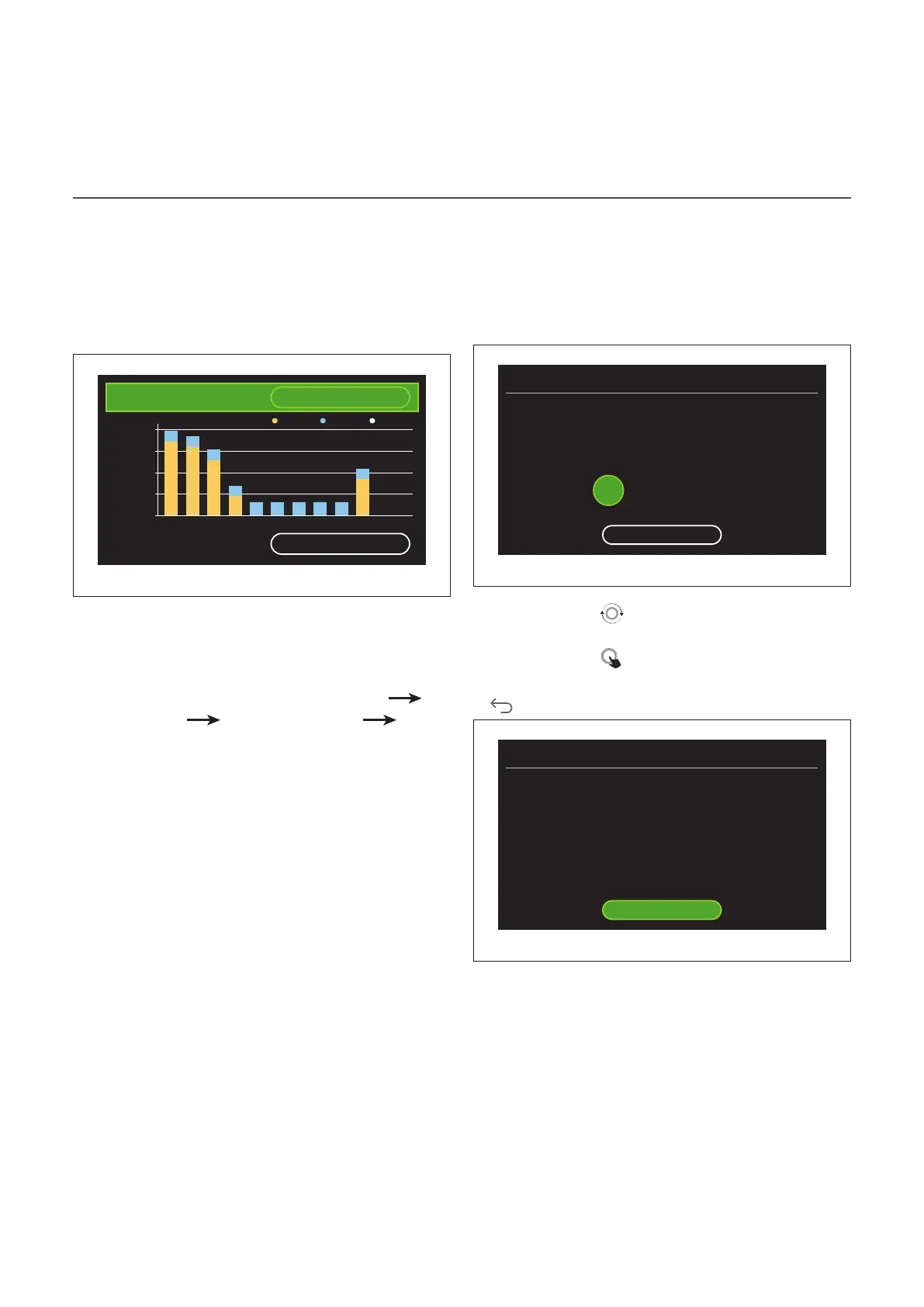
Consumptions graph
The “Consumptions graph” menu allows the user to view, by
means of histograms, the estimate of the gas and/or pow-
er consumption of the system’s generator in the following
modes: heating, domestic hot water and cooling.
The main page can be accessed after reading the warning
about the accuracy of the data shown in the charts.
Type
Gas [kWh]
Tot: 12068 kWh
2900
2175
725
0
1450
kWh
CH DHW COOL
G M SM L NF G OA A D
Time base
Running year
Fig. 44
In the “Type” field you can choose how to display consump-
tion information (in terms of energy or money, by converting
the values using the gas and electricity rates).
The units of measurement for energy and gas and electric-
ity rates can be set from the menu: "System info"
"Sys-
tem Performance" "Energy Consumption" "Units of
measure and costs".
In the “Time base” field you can select the time range for the
consumption history chart:
– "Running month"
– "Running year"
– "Last year"
Holiday function
The “Holiday function” allows for:
– Deactivating the heating, cooling and domestic hot water
modes during the holiday period.
– Setting the system to DHW and anti-frost protection mode
until the set date.
Holiday function
When do you plan to return from your vacation?
During your absence the temperature will be kept at
a lower level with a significant energy saving
30
/ 12 / 2021
Save
Fig. 45
– Turn the selector
to change the value of the selected
field.
– Press the selector
to skip to the next item
– To change a previously set value, press the “Back” button
.
Holiday function
When do you plan to return from your vacation?
During your absence the temperature will be kept at
a lower level with a significant energy saving
30 / 12 / 2021
Save
Fig. 46


 To Next Page
 Loading...