47 / EN
User Menu
Advanced settings
CH SETTINGS
Advanced settings
CH settings
>
Cooling settings
>
AUTO function
ON
Buffer
>
Heat Pump
>
System measurement unit
International
system
Fig. 63
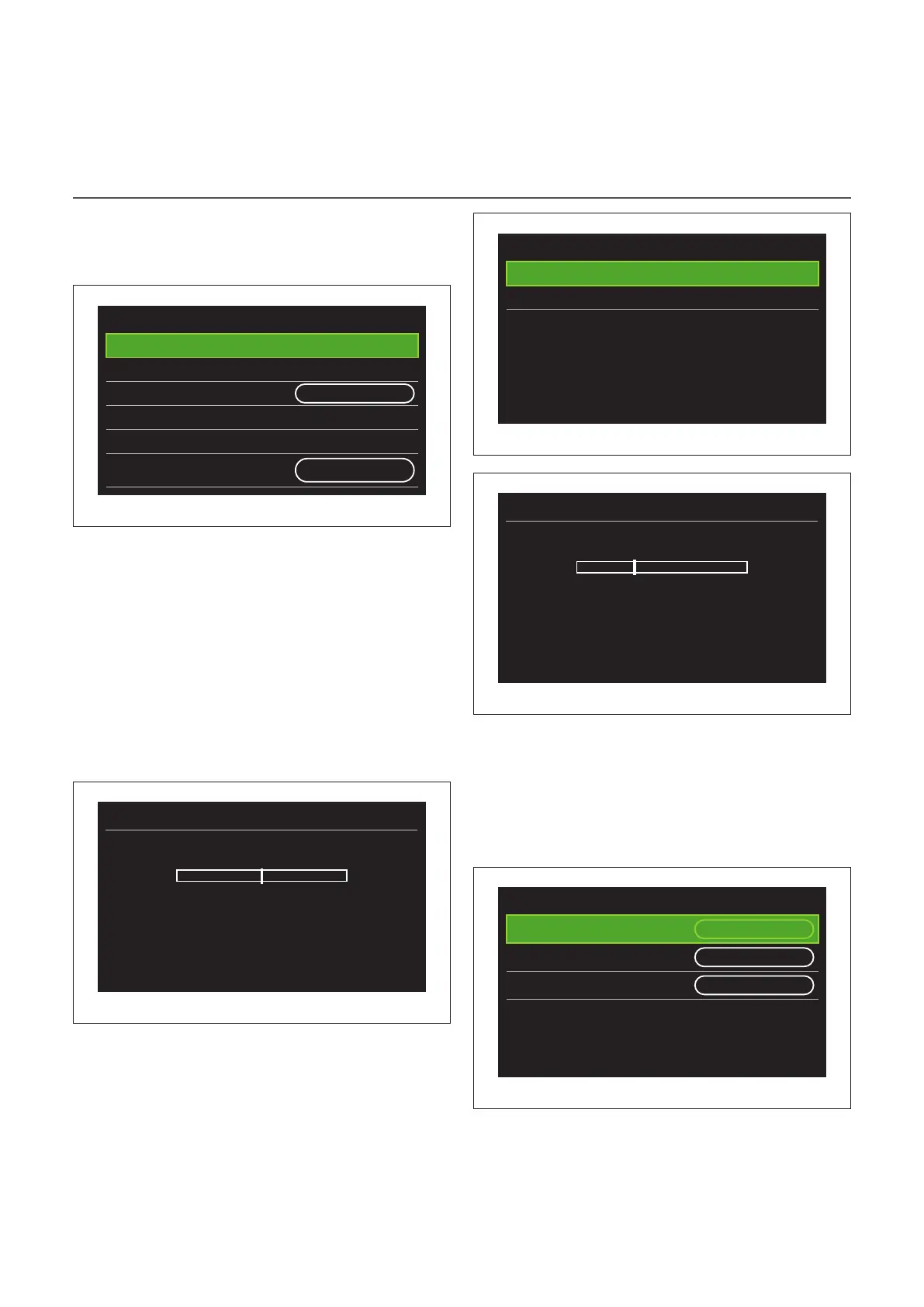
– "CH setpoint temperature": in the menu you can set the
water temperature set-point in heating mode for each hy-
draulic zone present in the system. The menu can be used
to:
– adjust the temperature set-point if the automatic
temperature control function (“AUTO function”) is
disabled.
– apply a correction to the temperature set-point us-
ing a slider, if the automatic temperature control
function (“AUTO function”) is active and the water
temperature does not match the desired temper-
ature.
T set Z1
0°C +-
Push Ok to confirm
Fig. 64
– "Set curve slope": if the automatic temperature control
function (“AUTO function”) is active, the slider can be used
to change the slope of the climate curve. Consult the man-
ual of the heat generator installed in the system for further
information.
Zone 1 parameters
T set Z1
>
Set curve slope
>
Fig. 65
Set curve slope
1,5 +-
Push Ok to confirm
Fig. 66
– "Automatic winter mode": allows to adjust the heat re-
quest according to the outdoor temperature. In order to
enable this function, an outdoor temperature sensor must
be fitted in the system or, if available, the “Internet weather
report” function must be active (refer to the “Connectivity”
paragraph). The function can be activated for each zone of
the system.
Zone 1 parameters
Automatic winter mode
activation
OFF
Automatic winter mode
threshold
20°C
Automatic winter mode delay
time
300 min
Fig. 67


 To Next Page