63
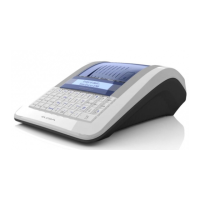
© Elcom Ltd. Euro-2000T Alpha Registration mode
B. PC ON-LINE mode: The data are transmitted from ECR to PC.
The cash register software allows the use the Euro-2000T Alpha ON-LINE information source for PC. This
allows transmission of the sales data to PC for processing. It allows the preparation of the Invoice or
delivery note by the PC according to information from the ECR.
PC ON-LINE mode setting:
If the ECR is in R or T mode, press the key
J
. Afterwards the cash register is ready to communicate
with a PC (PC ON-LINE mode). The cash register transmits information on PLU sale, PLU refund, purchase
finishing signal and the information on type and amount of payment. The text PC is displayed on the left
side of the display.
Please wait a moment for cash register response in case of switching to another key mode (L, X, Z, P) where
the PC-ON LINE mode is automatically switched off. Returning to mode R or T, the PC ON-LINE mode
is automatically switched on again. The PC-ON LINE mode is switched off by pressing the key
J in R
or T mode. The switching off is confirmed by beep. The text PC is not displayed.
Note 1: By switching the ECR off and on, the ECR is ready for standard registration.
Note 3: The data transmission direction for the PC ON-LINE mode is set by the 5th system flag - digit 5=1).
The reaction of cash register is slower in this mode. Please wait a moment for cash register response in case
of switching to another key modes (L, X, Z, P) where the PC-ON LINE mode is automatically switched off.
Returning to mode R or T, the PC ON-LINE mode is automatically switched on again. The PC-ON LINE
mode is switched off by pressing the key
J in R or T mode. The switching off is confirmed by beep.
The text PC is not displayed.
Note 1: Switching the ECR off and on prepares the ECR for standard registration.
Note 2: PLU report amounts (in the concrete PLU No. 2400) are not correct in PC ON-LINE mode.
Note 3: The data transmission direction for PC ON-LINE mode is set by the 5th system flag - digit 5=0).
4.6.5 Credit Card Payment via EFT Terminal
The Euro-2000T Alpha cash register can be used as the source of ON-LINE sale information connected to
the PC or EFT terminal. This function enables transmission of the sale data to the PC or to the EFT terminal
immediately after each purchase is completed.
The Euro-2000T Alpha cash register has implemented communication of the Bull EFT terminal. The EFT
terminal is connected to the cash register via PC connector, which is also used for communication with PC.
The cash register is able to communicate with the EFT terminal when setting the fifth digit of the fifth
system flag to 1 (5. system flag, 5. digit = 1).
Credit Card payment via EFT Terminal
In R or T mode after pressing a
R
key, the cash register checks if the EFT terminal is connected to its
PC connector. If the EFT terminal is connected, the display shows the current communication status and
the ECR waits for the reply form the terminal.


 To Next Page