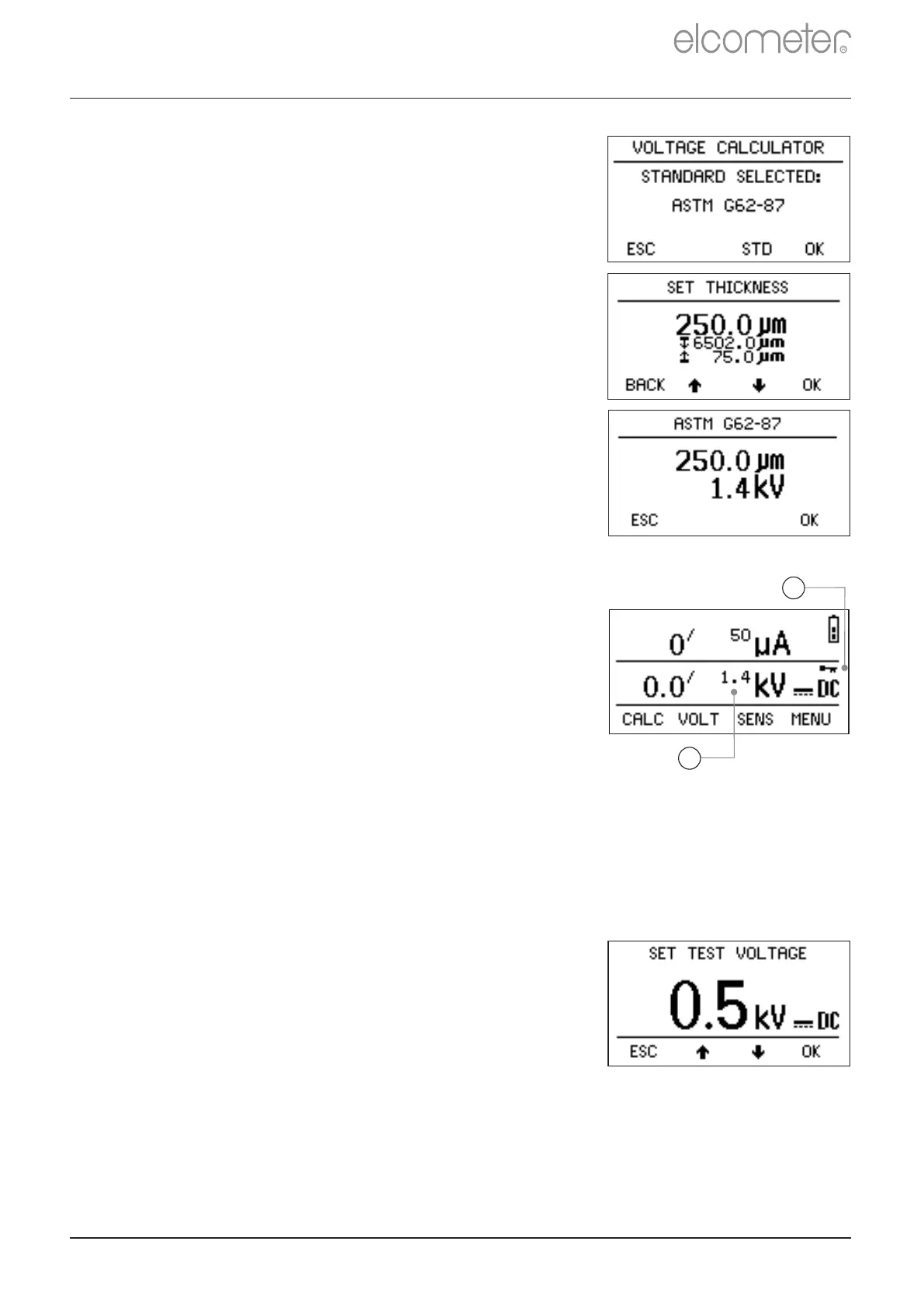
To select the coating thickness:
1 With the Voltage Calculator showing the
test standard selected, press OK. The
‘SET THICKNESS’ screen will show the
last used coating thickness and the upper
and lower thickness values for the test
standard selected.
2 Using the keys, adjust the coating
thickness to the required value and then
press OK. A confirmation screen is shown
which displays the selected test standard,
the coating thickness and the calculated
test voltage.
3 Press OK to set the instrument voltage to
the calculated value, otherwise to return to
the reading screen without making any
changes, press ESC.
The calculated value of voltage will be shown
on the reading screen (a) and a key icon will
appear to indicate that the voltage has been
locked (b).
9.2 MANUALLY SETTING THE VOLTAGE
Before you start, read the notes given in Appendix B ‘Calculating the
Correct Test Voltage’ on page en-38.
1 With the reading screen displayed, press
the VOLT key. The ‘SET TEST VOLTAGE’
screen will be displayed.
If the voltage has been locked, see Section 5.6
‘Voltage and Sensitivity Locks’ on page en-11,
a warning screen will be displayed; press
UNLOCK to allow the voltage to be adjusted -
the lock will re-engage automatically after the
voltage has been set by the calculator.
9 SETTING THE PROBE HANDLE VOLTAGE (continued)
www.elcometer.com
en-18
R
a
b


 To Next Page