www.elcometer.com
en-19
R
9 SETTING THE PROBE HANDLE VOLTAGE (continued)
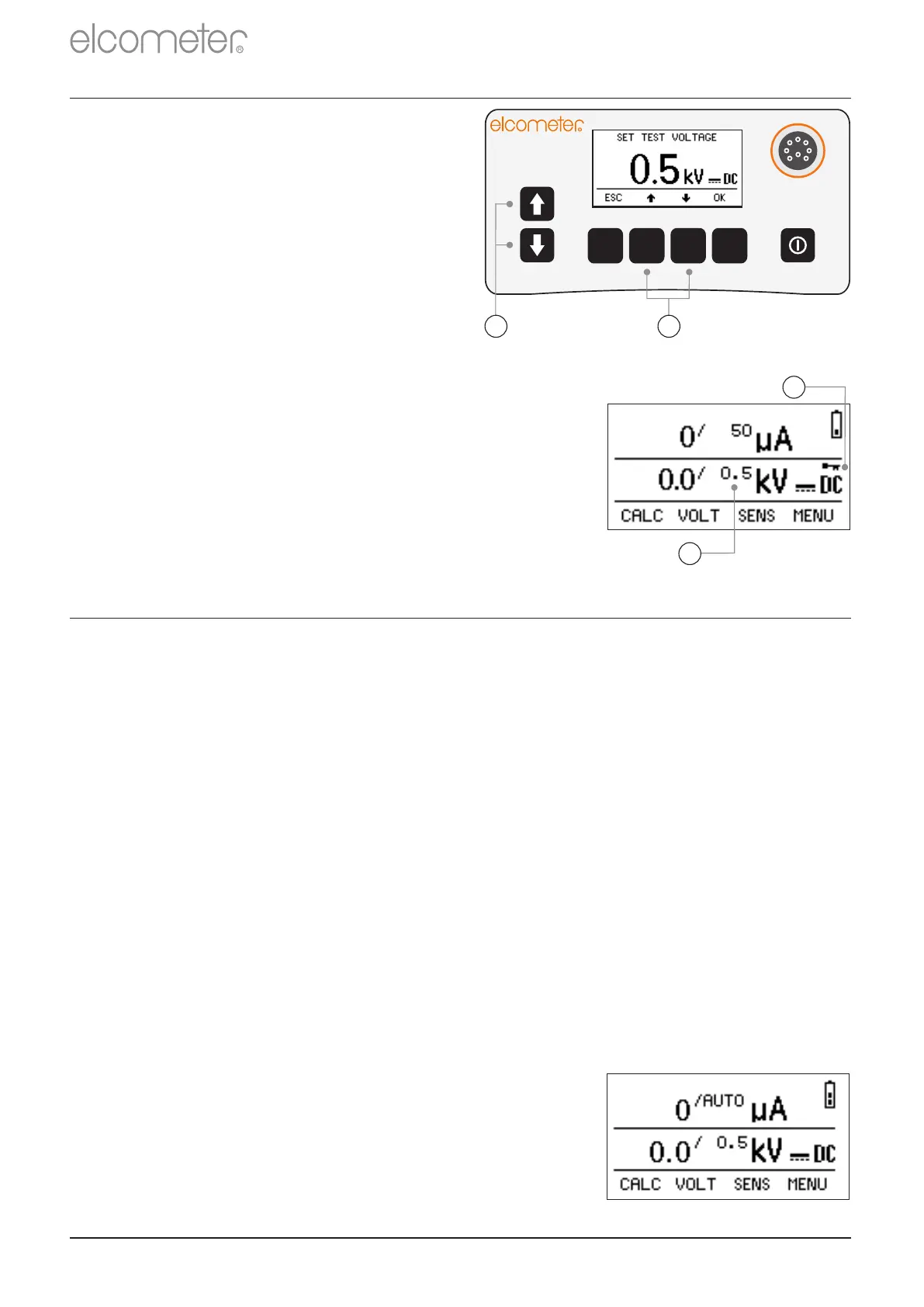
2 Using the keys, adjust the
voltage to the required value.
The keys on the left of the
display (a) adjust in
increments of 1 kV; the keys
below the display (b) adjust in
increments of 0.1 kV.
Press and hold any of these
keys to advance rapidly.
3 Press OK when finished.
The new probe set voltage will be displayed
on the reading screen (a). If the voltage
lock is active, see Section 5.6 ‘Voltage and
Sensitivity Locks’ on page en-11, a key icon
indicates that the voltage is locked (b).
R
b
a
a
b
10 SETTING THE SENSITIVITY
The sensitivity can be set automatically or manually.
10.1 AUTOMATICALLY SETTING THE SENSITIVITY
When the Elcometer 266 is set to automatic sensitivity mode, the
instrument measures the current returning via the earth signal return
cable.
If significant changes in the current are detected, the instrument
analyses these changes - looking for the electrical ‘signature’ of a
coating flaw.
When such a signature is detected, the instrument will signal the
presence of the flaw.
Auto mode is beneficial when conductive coatings are being tested.
If the set value of the current on the reading
screen is displayed as ‘AUTO µA’, the
instrument is already set to automatic sensitivity
mode and you need do nothing more.


 To Next Page