a
b
c
d
e
f
g
h
i
j
k
4 USING THE GAUGE
4.1 THE CONTROLS
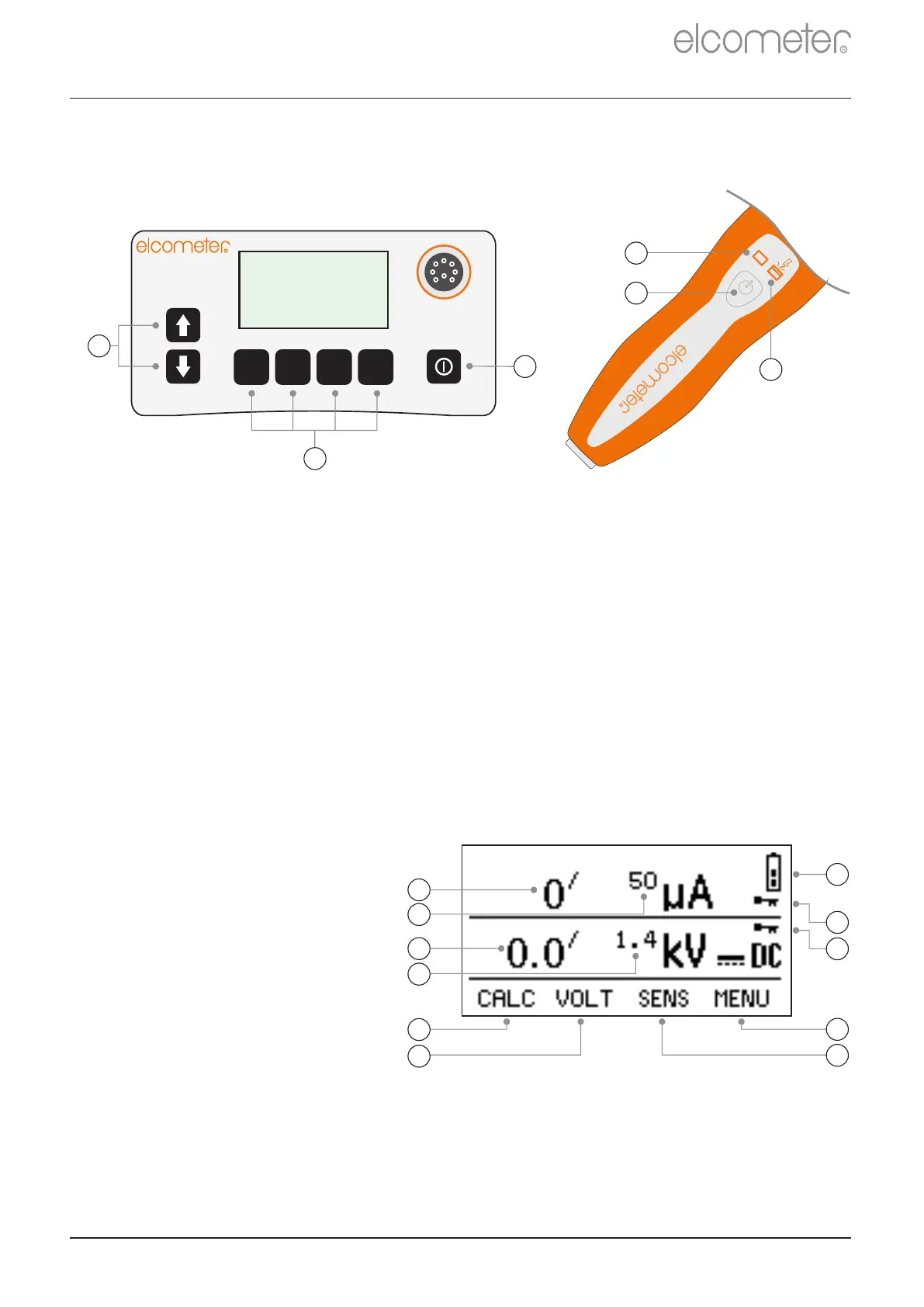
The Elcometer 266 is operated using the keypad on the instrument
and the button on the high voltage probe handle.
1 Scroll up / down through menus and lists of values
Increases / Decreases Values
2 The function of these keys varies and is shown on the display
3 Switches the instrument on / off
4 Press to toggle high voltage probe handle on / off
5 Red light: Probe voltage is on
6 Blue light: Flaw detected
4.2 THE DISPLAY
The main screen displayed (whilst taking measurements) is the
Reading Screen.
www.elcometer.com
en-6
R
Voltage Locked (see page en-11)
Sensitivity Locked (see page en-11)
R
2
3
1
R
kV
4
5
6


 To Next Page