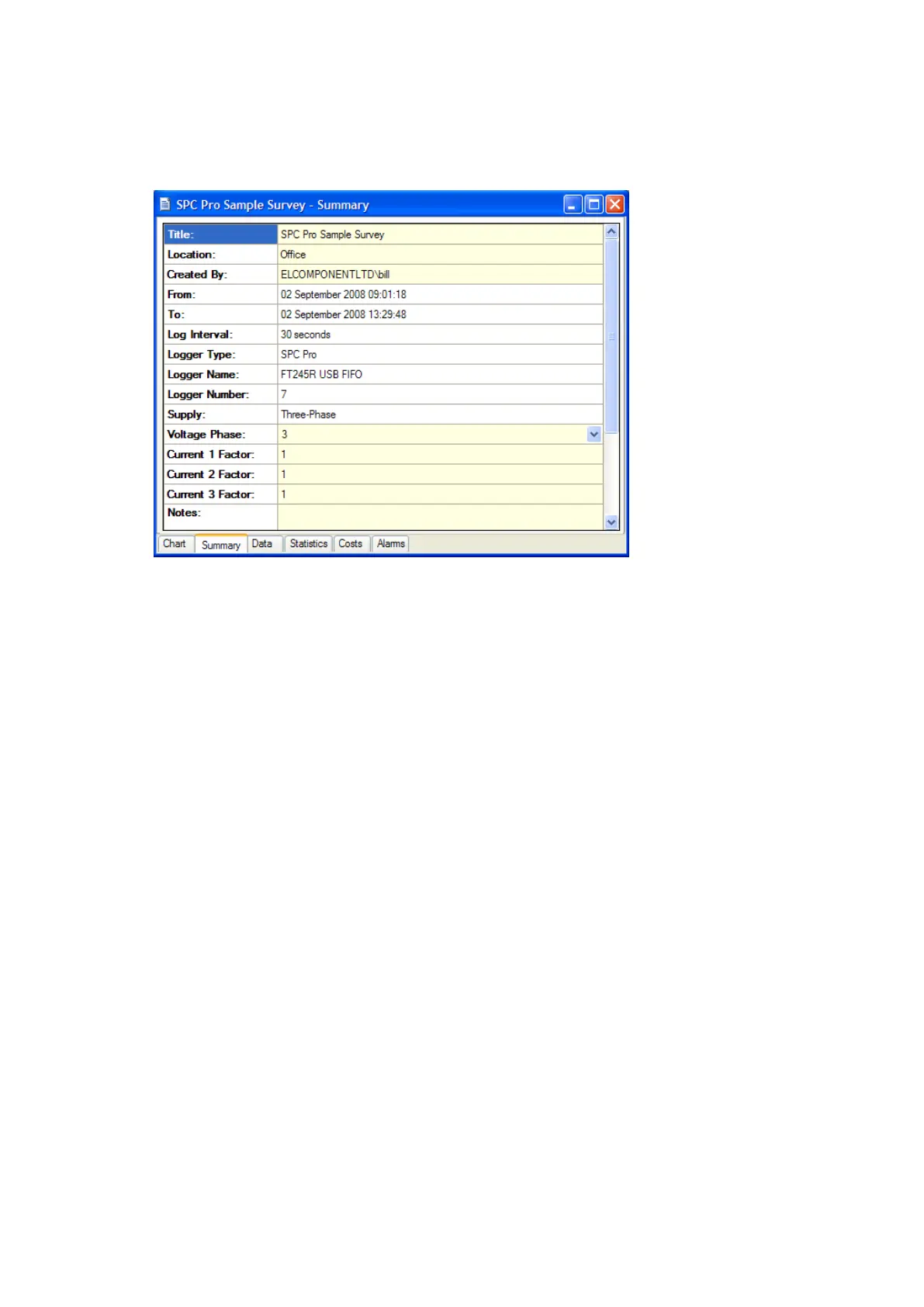
SUMMARY TAB
Click the ‘Summary’ tab at the bottom of the chart window to open the survey
summary page.
The following fields may be edited as required.
Title
Location
Created By
Voltage Phase
Current Multiplier
Notes
Voltage*
Power Factor*
*When present (only shown for “voltage not present” surveys)
The ‘Current Multiplier’ allows adjustments to be made to the measured current
values to allow for additional external CTs.
NOTE: changes are indicated by the text changing from black to
red. The option to ‘save changes’ appears when existing from the
summary page. Click ‘yes’ to save changes.
DATA TAB
Click the ‘data’ tab to display the survey data in tabular format.
NOTE: The data displayed will match the graph settings for
analysis data interval (see options) and graph period selected.



 To Next Page