APPENDIX 2
EUROPEAN SETTINGS
PowerPack Pro should be set for English Regional and Language Settings .
Instructions for carrying this out follows below:
WINDOWS 7
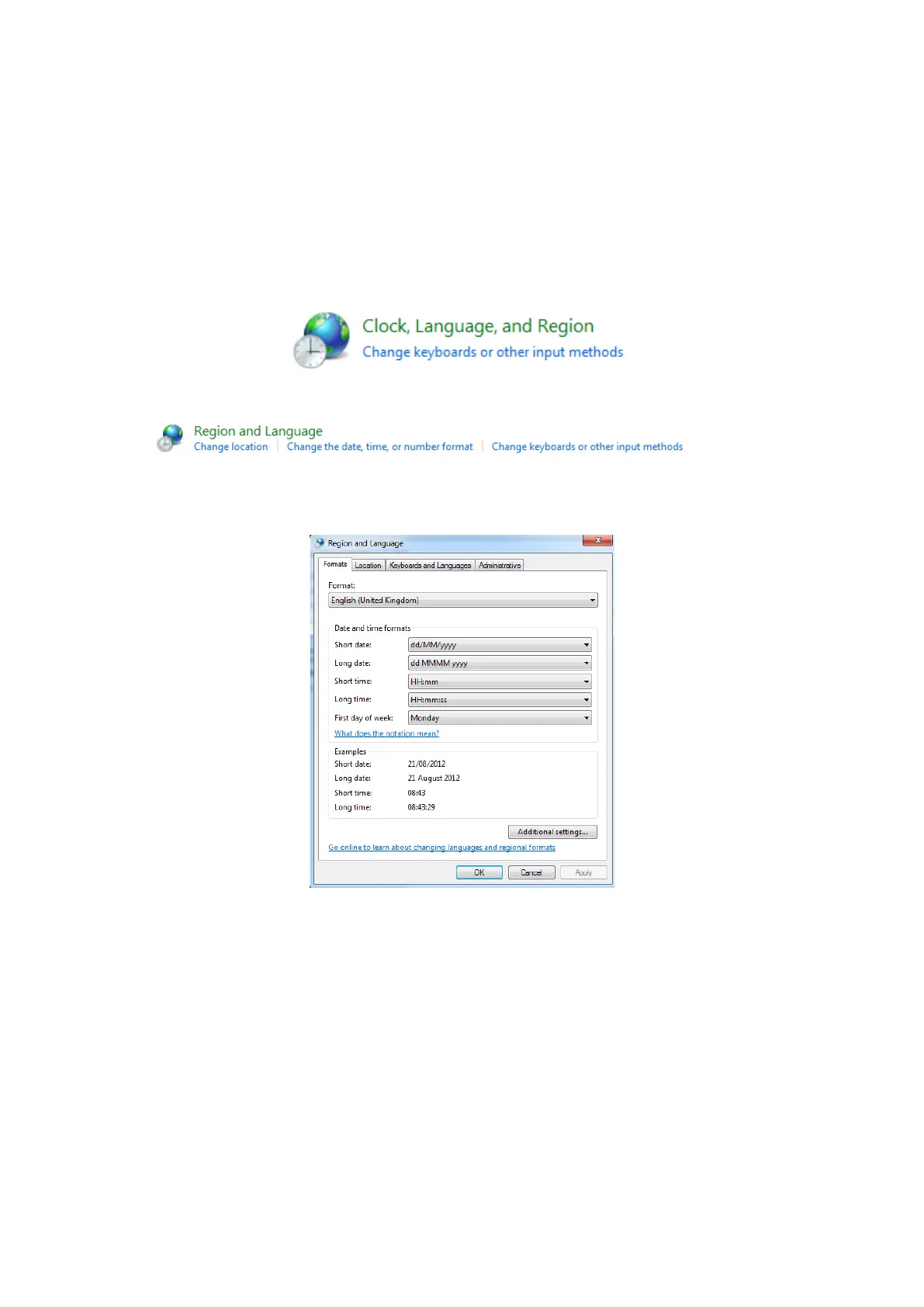
Select Control Panel and “Clock, Language, and Region”
Selection Region & Language / Change the date, time or number format
Format should be English (United Kingdom) and set as below dd/MM/yyyy



 To Next Page