33
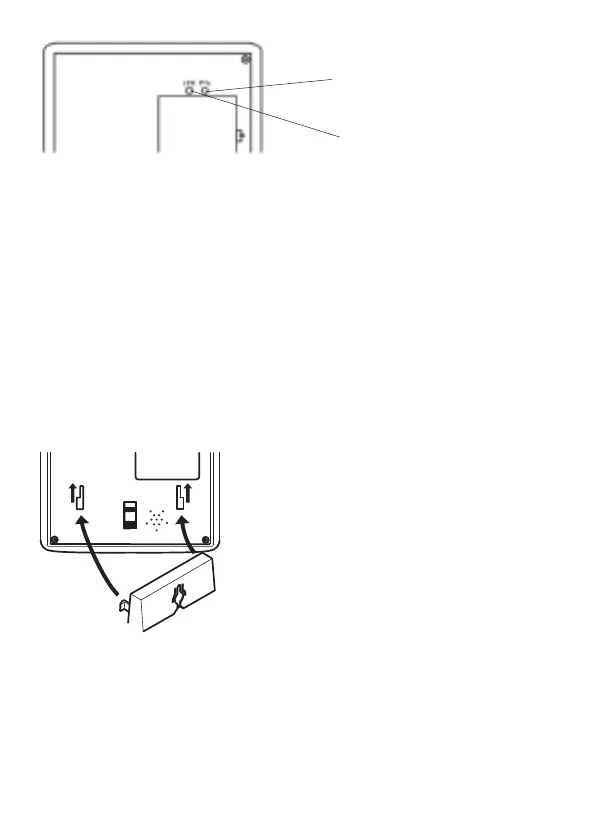
1. Press the PTx button briey. The LED on the bottom of the phone
ashes.
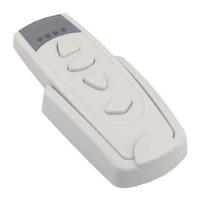
2. Press the Transmit button on the RT26 wristband transmitter. The
LED on the bottom of the phone lights up for 4 seconds..
The phone is now ready to receive commands from the RT26 wristband
transmitter.
Attention: To ensure that the wristband transmitter is programmed
correctly, test the emergency call function!
Wall mounting
The telephone can also be installed on a wall. You require two screws in
order to fix the telephone on a wall.
P
R
R
Q
Drill two holes whose distance apart corresponds to the bracket to be
used, insert the screws and allow them to project 5 mm from the wall.
Position the telephone on the bracket, fit the screws in the slots and slide
the telephone downwards a little.
LED
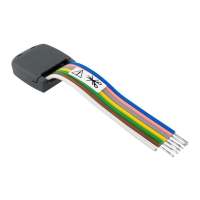
Feed the guide tabs (1) on the
wall-mounting bracket (2) in the slots (3)
on the rear side of the telephone. Slide
the wall bracket (2) 10 mm upwards until
it audibly snaps into place.
Warning: Ensure that there are no
cables or pipes etc. under the surface
of the wall where you want to drill the
holes.
PTx-button


 To Next Page