43
Storing emergency call / quick dial numbers
The quick dial buttons M1, M2 and M3 can be used for normal quick dial
numbers or as memory locations for automatic emergency call dialling.
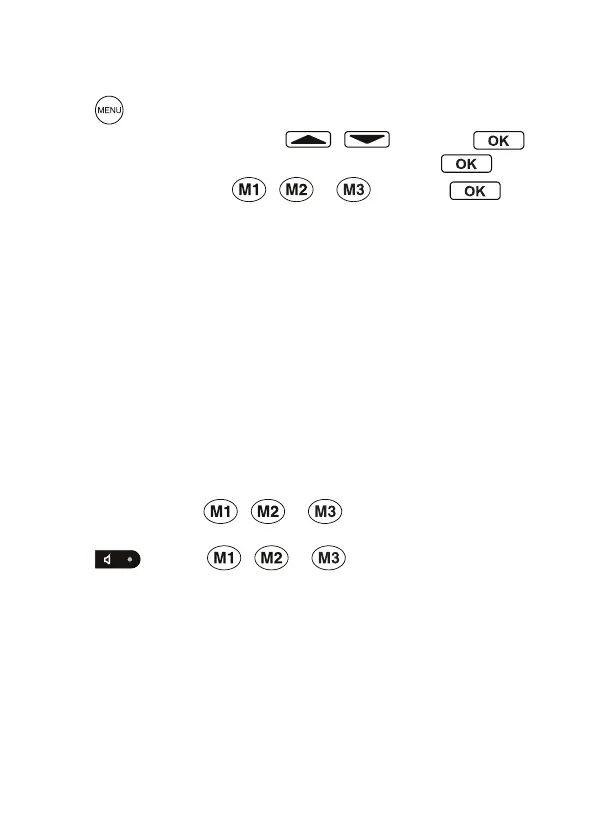
• Press .
• Select STORE NUMBER using / and press .
• Enter the telephone number (max. 22 digits) and press .
• Select a quick dial button , or and press .
Note: The phone numbers assigned to the quick dial keys cannot
be deleted. When storing new numbers, the existing entries are
overwritten.
Automatic emergency call
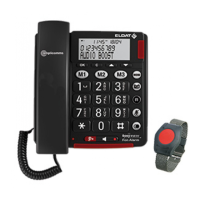
The automatic emergency call can be initiated by pressing and hold the
buttons M1, M2 or M3 on the telephone or the button on the emergency
call unit.
If no phone number has been assigned to M1, M2 or M3 no phone
number is dialled but a loud warning signal is issued from the telephone.
Note: Pay attention that the emergency call unit is within range of
the telephone.
The batteries in the emergency call unit should always be full.
Automatic emergency calls via the telephone
• Press and hold down , or for approx. 5 seconds to
start the automatic emergency call function.
• Press or again , or for approx. 5 seconds to end
the automatic emergency call function.


 To Next Page