37
Dialling a telephone number using the redial function
Your telephone stores the last phone number dialled.
• Lift the handset or press and then press .
Calling back missed calls
The telephone stores the numbers of missed calls in a calls list. For
further information please refer to the chapter „Calls list“ on page 40.
• Lift the handset or press , then select the desired entry using
and and press .
or alternatively
• Select the desired entry using and and press .
The loudspeaker will be switched on. If you want to proceed the call
using the handset, just lift it up. The loudspeaker will be switched off.
Dialling a telephone number from the phone book
For how to create and store phonebook entries please refer to the
chapter “Phone book“ on page 38.
• Lift the handset or press .
• Press , select the desired entry using and and press
.
or
• Press , select the desired entry using and and press
. The loudspeaker will be switched on. If you want to proceed
the call using tghe handset, just lift it up. The loudspeaker will be
switched off.
One-touch dialling / Emergency call
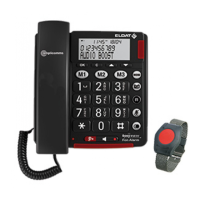
The one-touch dialling / emergency call buttons M1, M2 or M3 can be
used for normal quick dial numbers or as a memory location for
automatic emergency call dialling. For how to store one-touch /
emergency numbers please refer to the chapter “Storing emergency call
/ quick dial numbers“ on page 43.
• Lift the handset or press .
• Press briey the one-touch memory button , or .
or
• Press briey the one-touch memory button , or .
• Lift the handset or press .


 To Next Page