41
To stop f
lashing press repeatedly.
Displaying phone numbers in the calls list
• Select an entry using and .
Storing numbers from the calls list in the phone book
• Select an entry using and .
• Press and hold for approx. 3 seconds and conrm COPY TO
MEMORY with .
• The phone number is stored in the phone book without a name being
assigned. Then enter a name for the phone number (see “Editing
entries in the phonebook“).
Note: When the number in the phone book is stored together with a
name, the name entered also appears in the calls list.
Deleting phone numbers individually
• Select an entry using and .
• Press . The display shows DELETE?.
• Press and hold for approx. 4 s. The entry is deleted.
Deleting all entries
• Select an entry using and .
• Press and hold for approx. 4 s.
The display shows DELETE ALL?.
• Press and hold for approx. 4 s. again.
Note: Before deleting the phone numbers, check that the entries
have been viewed.
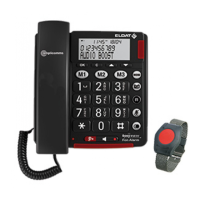
Emergency Call Unit
The emergency call unit can be used to dial an emergency services
exchange or persons for assistance. There are several emergency ser-
vices exchanges available. In some countries, these may be subject to a
charge. You can also use the equipment as a private emergency call
device within the family.


 To Next Page