No. Name Description
1
iPhone(ifiStickis
connectedtoan
iPhone)
iPad(ifiStickis
connectedtoaniPad)
Browselocalfilesstoredwithinthe
iStickappontheiPhone/iPad
2 iStick BrowsefilesstoredoniStick
3 Contacts ContactsBackup&Restore
4 PhotoLibrary SelectphotostobackuptoiStick
5 About Supportinformation
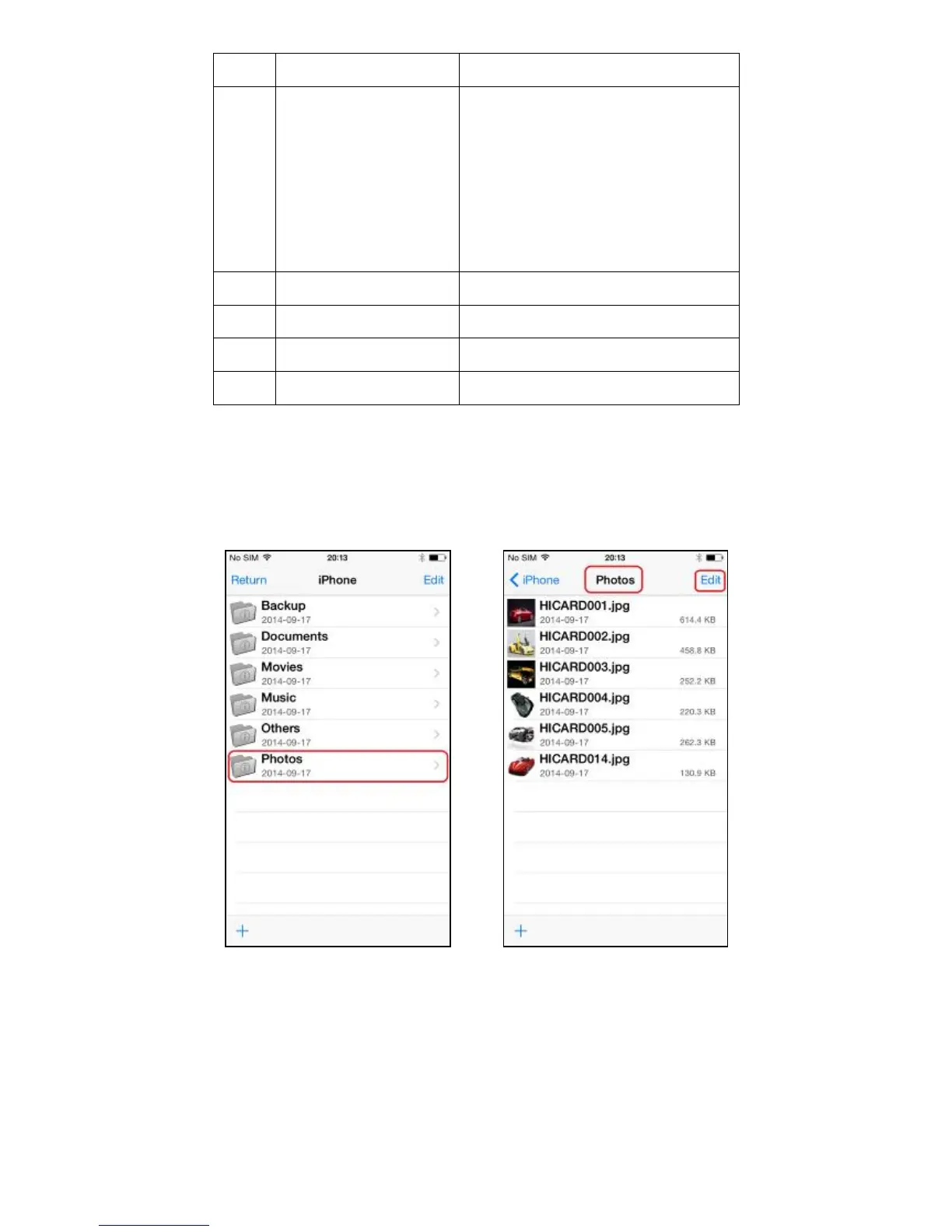
Openanyfolder(e.g.Photos)andselect “Edit”
Selectthefilesandchoosethe “Copy” or “Move” iconfromthebottomtoolbarandselectthe
destination(e.g.iPhone, iStick or CameraRoll)


 To Next Page