32
Primary Function Buttons
Seven buttons along the lower edge of the display provide access to
functions used frequently to configure and operate the K4: <MENU>,
<Fn> (special functions), <DISPLAY>, <MAIN RX>, <SUB RX>, and <TX>.
For a full description, see PRIMARY FUNCTIONS.
VFO A and B Displays
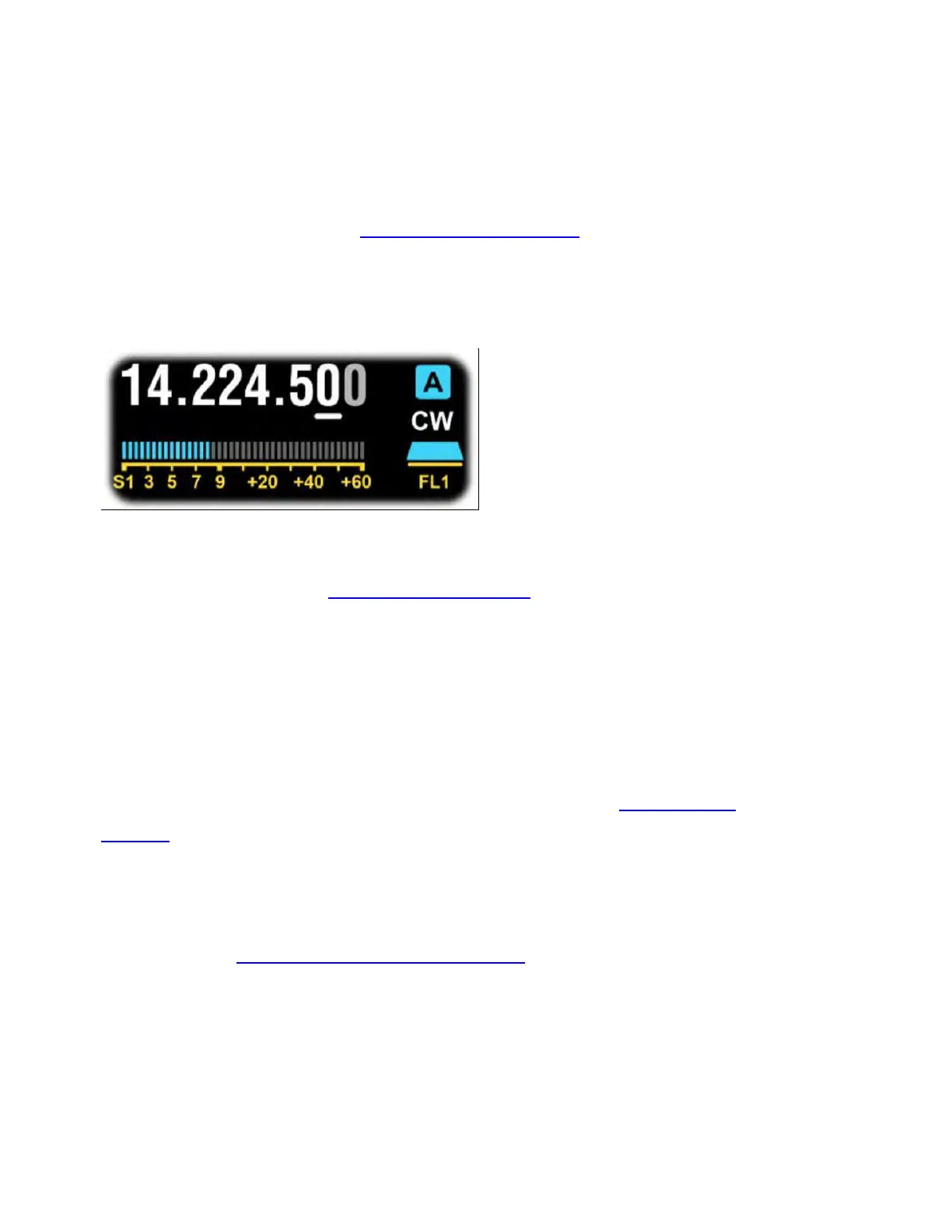
Adjacent to each VFO's numeric display is its ID (A in blue, B in green)
and operating mode. Mode icons or the [MODE] switch can be tapped
to change modes. See OPERATING MODES for per-mode operating
instructions.
One digit in the frequency display is underlined, showing the present
step size for VFO A or B knob rotation. You can tap digits in the
numeric display to select a different step size. Alternatively, tap the
[RATE] switch to alternate between 10 and 1 Hz, or hold [KHZ] to
select a per-mode coarse tuning rate (as set by the VFO Coarse
Tuning menu entry). To adjust the number of counts per turn of the
VFO knobs, use MENU:VFO Counts Per Turn.
Tapping either VFO's MHz digits brings up the memory store/recall
controls (see Frequency Memory Controls).



 To Next Page