35
select a different status display, such as your callsign and time, or
supply voltage/current/power output/SWR, or main/sub signal levels
in relative dB. See USING THE STATUS DISPLAY for full details.
Transmit Icons
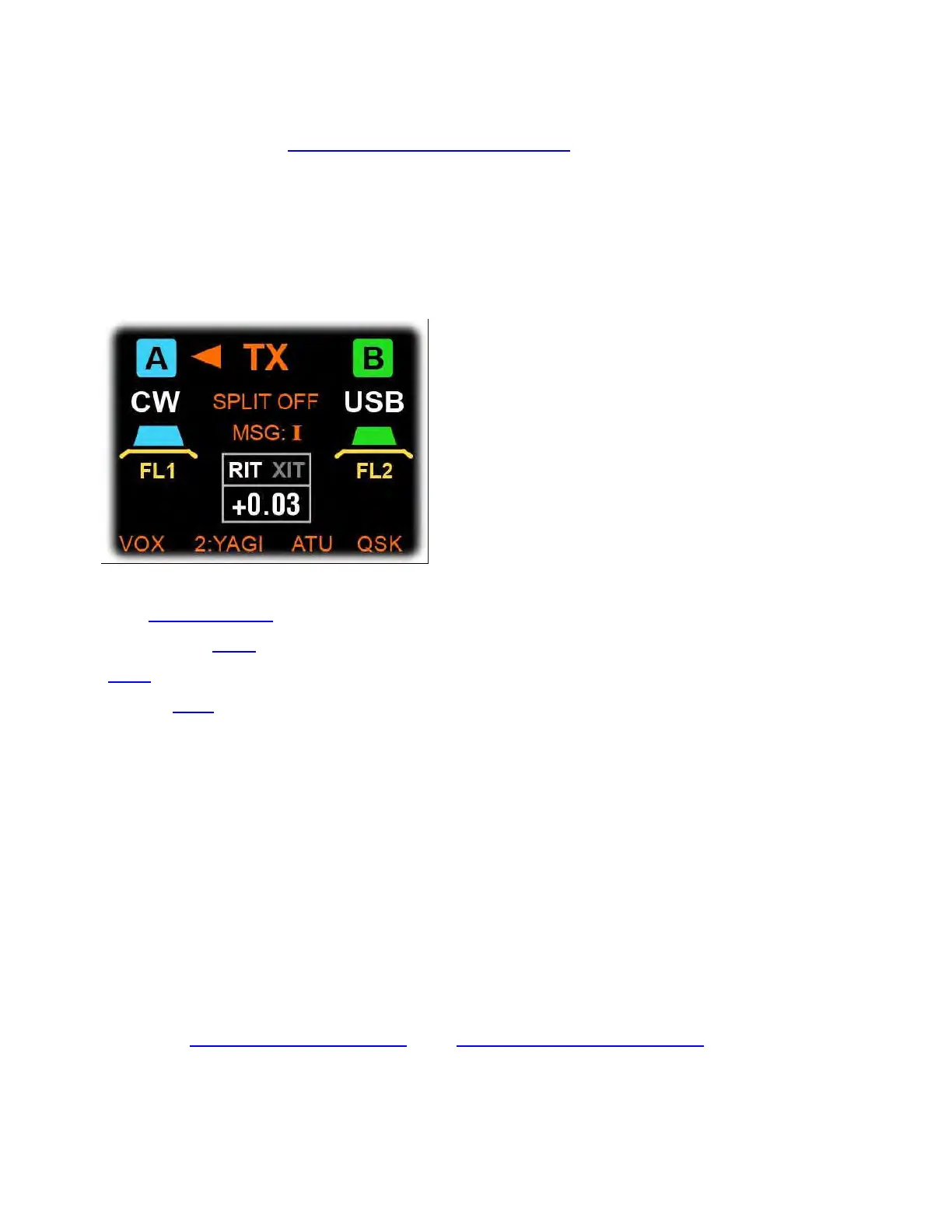
Icons associated with the transmitter are orange. As shown below,
they are located above and below the RIT/XIT offset box.
"TX" and its arrows show which VFO is selected for transmit
(see USING SPLIT). The VOX icon shows that VOX is on for the current
mode (see VOX switch); ATU shows whether the ATU is in-line
(ATU switch); QSK shows whether QSK (fastest break-in CW) is in
effect (QSK switch).
The "MSG: I/II" icon, above the RIT/XIT box, shows which message
bank has been selected for playback. When a message is playing back
with auto-repeat, the icon changes to "MSG RPT" and flashes until
repeat is cancelled.
The remaining transmit icon is the TX antenna indicator. It normally
shows ANT 1/2/3, but it can also show a user-specified antenna name
("YAGI" in the example above, along with "2", the antenna number).
Also see ANTENNA SELECTION and TRANSMITTER SETTINGS.



 To Next Page